
Dr.FLARE
Get insights of your Cloudflared website. Provides an easy way to see benefits with Cloudflare.
As of June 2026, Dr.FLARE has 2,000 users and a 4.80/5 rating from 15 reviews in the Developer Tools category.
Usersno change0%
2.0K
2,000
Ratingdown 0.2 percent−0.2%
4.80
15 reviews
Reviewsdown 6.3 percent−6.3%
15
Version
0.2.0
Manifest V3
History
6 snapshotsTracking since Apr 1, 2026.
View as table
| Date | Users | Rating | Reviews | Version |
|---|---|---|---|---|
| Apr 1, 2026 | 2.0K | 4.81 | 16 | 0.2.0 |
| Apr 6, 2026 | 2.0K | 4.81 | 16 | 0.2.0 |
| Apr 17, 2026 | 3.0K | 4.81 | 16 | 0.2.0 |
| Apr 27, 2026 | 3.0K | 4.81 | 16 | 0.2.0 |
| May 11, 2026 | 3.0K | 4.81 | 16 | 0.2.0 |
| May 28, 2026 | 2.0K | 4.81 | 16 | 0.2.0 |
| Now | 2.0K | 4.80 | 15 | 0.2.0 |
Permissions & access
- Permissions
- activeTabclipboardReadclipboardWritescriptingstoragetabswebNavigation
- Host access
- <all_urls>
Screenshots


About
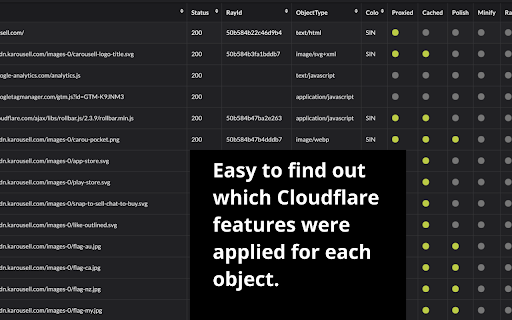
Get insights of your Cloudflared website. This tool provides an easy way to see all the benefits with Cloudflare. After installation, please open F12 (Developer Tools) and find "Dr.FLARE" tab to get started.

This extension will paint images on websites indicating Cache HIT or MISS status with color filter, GREEN filter indicates the image was from cache, RED means cache MISS. The images were not delivered via Cloudflare server, it will be painted with faded-black. Hover on painted images, a popup will show more details at the right corner of your screen. You can disable this feature in the extension popup window. - Please REFRESH to reflect the change.

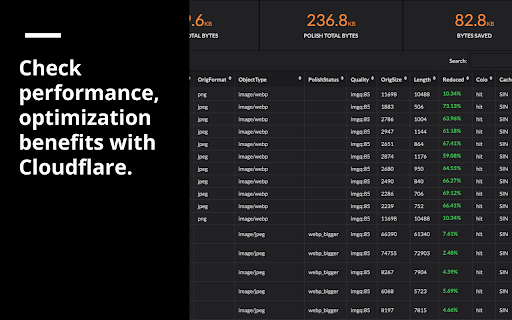
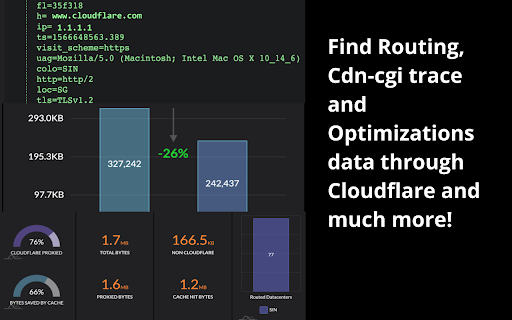
Dr.FLARE Panel in developer tools provides more information on how much performance / optimization you are getting with Cloudflare. If you don't see any data, please refresh (F5) to receive requests.

This plugin was introduced by Cloudflare as a community tips, please see here for more details.

- https://community.cloudflare.com/t/community-tip-dr-flare-debug-tool-for-cloudflare-chrome-extension/110166

If you have any questions or suggestions, please leave a comment or send us email directly at [email protected] / [email protected]. Thank you for installing and enjoy!!
Technical
- Version
- 0.2.0
- Manifest
- V3
- Size
- 1.66MiB
- Min Chrome
- 88
- Languages
- 1
- Featured
- No
Metadata
- ID
- pibckhncbjabhlomohgcdedacopeooml
- Developer ID
- u4be39c68180f73cb31f79c774281625c
- Developer Email
- [email protected]
- Created
- Aug 27, 2019
- Last Updated (Store)
- Mar 24, 2026
- Last Scraped
- Jun 23, 2026
- Website
- —
- Support URL
- —
- Privacy Policy
- —
Data sourced from the Chrome Web Store · last verified Jun 23, 2026.