
Slovira Quick Add
Highlight any English word on any webpage and add it to Slovira for review on your phone.
As of June 2026, Slovira Quick Add has — users in the Education category.
Usersno change0%
—
—
Ratingno change0%
—
— reviews
Reviewsno change0%
—
Version
1.0.0
Manifest V3
History
1 snapshotsTracking since Jun 11, 2026.
Not enough history yet for this metric — the chart fills in as we collect more snapshots.
View as table
| Date | Users | Rating | Reviews | Version |
|---|---|---|---|---|
| Jun 11, 2026 | — | — | — | 1.0.0 |
| Now | — | — | — | 1.0.0 |
Permissions & access
- Permissions
- storageactiveTabidentitycontextMenusscripting
- Host access
- https://firestore.googleapis.com/*, https://identitytoolkit.googleapis.com/*, https://securetoken.googleapis.com/*, https://oauth2.googleapis.com/*, https://us-central1-wordbloom-sync.cloudfunctions.net/*
Screenshots


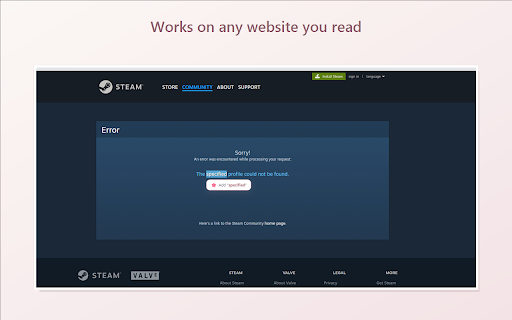
About
Slovira Quick Add lets you build your English vocabulary while you browse. Highlight any word on any web page and save it straight into your Slovira account to review later on your phone, desktop, or in the browser — all in sync.

FEATURES
• Select any word → a bubble lets you add it in one click (or right-click → Add to Slovira)
• Keyboard shortcut Alt+Shift+W adds the current selection instantly
• AI auto-fill: get a translation, pronunciation, and an example sentence automatically
• Hold Alt and hover any English word for an instant translation tooltip
• "Already in your list" indicator so you don't add duplicates
• Edit existing words right from the bubble
• Toolbar badge shows how many words you've added today
• Everything syncs to the Slovira app (spaced-repetition review) via your Google account

Slovira is built for Russian-, Ukrainian-, German-, and Polish-speaking learners of English (and English speakers learning Ukrainian or Russian). Free, no ads.

Sign in with Google to sync. Privacy policy: https://slovira.app/privacy
Technical
- Version
- 1.0.0
- Manifest
- V3
- Size
- 43.89KiB
- Min Chrome
- 88
- Languages
- 1
- Featured
- No
Metadata
- ID
- phonmdnopeaeccggdlfakdblfkapkalb
- Developer ID
- u27fca6a4338b72e3918cd69e45ae93ea
- Developer Email
- [email protected]
- Created
- Jun 10, 2026
- Last Updated (Store)
- Jun 10, 2026
- Last Scraped
- Jun 11, 2026
- Website
- —
- Support URL
- —
- Privacy Policy
- https://slovira.app/privacy
Data sourced from the Chrome Web Store · last verified Jun 11, 2026.