
Warframe Sens Converter
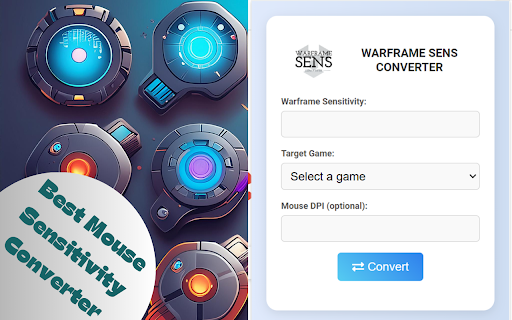
Convert mouse sensitivity from Warframe to another game.
As of May 2026, Warframe Sens Converter has 21 users in the Games category.
Usersup 16.7 percent+16.7%
21
21
Ratingno change0%
—
— reviews
Reviewsno change0%
—
Version
1.0
Manifest V3
History
2 snapshotsTracking since Apr 26, 2026.
View as table
| Date | Users | Rating | Reviews | Version |
|---|---|---|---|---|
| Apr 26, 2026 | 18 | — | — | 1.0 |
| May 24, 2026 | 17 | — | — | 1.0 |
| Now | 21 | — | — | 1.0 |
Permissions & access
- Permissions
- storage
- Host access
- None declared
Screenshots


About
Warframe Mouse Sensitivity Converter Calculator | How do I make my warframe sens same as source game sens?

1. What is a Warframe Sens Converter?

A Warframe Sens Converter is a tool that helps players convert their mouse sensitivity settings from Warframe to other games or vice versa, ensuring consistent aim and gameplay experience across different titles.

2. How does the Warframe Sens Converter work?

The converter uses a mathematical algorithm to adjust sensitivity settings based on the game's mechanics, DPI (dots per inch) of the mouse, and other relevant parameters to match the feel of Warframe's sensitivity in another game.

3. Why do I need to convert my sensitivity settings from Warframe?

Converting your sensitivity settings allows for a more consistent aiming experience when switching between games, which can improve your overall performance and muscle memory.

4. Which games are supported by the Warframe Sens Converter?

The converter supports a wide range of games including Apex Legends, CS, Fortnite, Valorant, Overwatch, Call of Duty series, and many more.

5. How do I use the Warframe Sens Converter?

Input your current sensitivity settings from Warframe, select the target game, and the converter will provide the equivalent sensitivity setting for the new game.

6. Do I need to know my mouse DPI to use the converter?

Yes, knowing your mouse DPI is important as it influences the accuracy of the sensitivity conversion.

7. Is the Warframe Sens Converter free to use?

Yes

8. Can the converter handle different aspect ratios and FOV (Field of View) settings?

Yes, advanced Warframe Sens Converter take into account aspect ratios and FOV settings to provide a more accurate sensitivity conversion.

9. How accurate are the sensitivity conversions?

The accuracy of the conversion depends on the algorithm used by the converter. Our reputable Warframe Sens Converter
extension provide highly accurate results that closely match the in-game experience.

10. Does the converter work for both PC and console versions of games?

Typically, sensitivity converters are designed for PC games. Console versions may have different sensitivity settings and might not be supported.

11. Can I use the Warframe Sens Converter for different gaming peripherals?

Yes, the converter should work regardless of the brand or model of your mouse, as long as you know the DPI settings.

12. Do I need to adjust my in-game settings after using the converter?

After obtaining the new sensitivity setting from the converter, you should input it into the target game's settings to ensure proper calibration.
Technical
- Version
- 1.0
- Manifest
- V3
- Size
- 25.79KiB
- Min Chrome
- 88
- Languages
- 1
- Featured
- No
Metadata
- ID
- phnapephmakepgheijgbampfhadopgle
- Developer ID
- u45f41b437501dd6f8fd236f5105835cf
- Developer Email
- [email protected]
- Created
- Jul 8, 2024
- Last Updated (Store)
- Jul 8, 2024
- Last Scraped
- May 24, 2026
- Website
- —
- Support URL
- —
- Privacy Policy
- —
Similar extensions
Alternatives to Warframe Sens Converter, ranked by description similarity.

Warface Insights
Reveals hidden features of the Warface website
78

Keyboard & Mouse for Xbox Cloud Gaming (xCloud)
Play Xbox Cloud Gaming (xCloud) with your keyboard and mouse.
100.0K
★ 2.3

Tenno Tracker GID Fetcher
A Chrome extension to help Warframe players track their GID for Tenno Tracker.
866
★ 5.0

Steam Pusula
Enables you to use the Steam experience through a single tool and a single screen, fast and free.
128

Keyboard & Mouse Rule!
Simulates a gamepad using keyboard & mouse inputs
277
★ 4.5

Steam Currency Converter
Convert all steam dolar texts to desired currency
50
★ 5.0

PoE2 Trade - Import Filter/Price Checker
Import filter stats using the text output from the game's the CTRL + C option to the PoE2 Trade website
415
★ 5.0

Gaijin Purchase Summary
Calculate total purchase amounts in Gaijin Store and PixStorm Store - view your spending statistics
21
★ 5.0
Data sourced from the Chrome Web Store · last verified May 24, 2026.