
BlinkLink SDK Validator
Checks if the JavaScript SDK is correctly configured on client websites.
As of May 2026, BlinkLink SDK Validator has 9 users in the Developer Tools category.
Usersno change0%
9
9
Ratingno change0%
—
— reviews
Reviewsno change0%
—
Version
1.0
Manifest V3
Permissions & access
- Permissions
- activeTabscripting
- Host access
- None declared
Screenshots
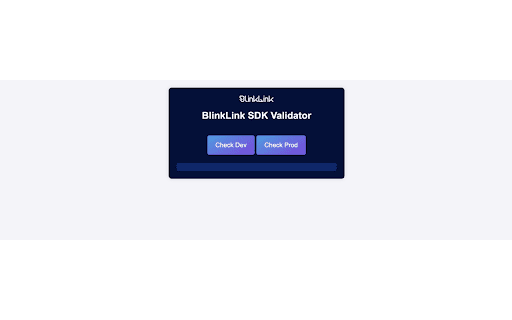
About
Ensure the seamless integration of the BlinkLink SDK on your website with the BlinkLink SDK Configuration Tester. This powerful tool is designed for developers and IT professionals who need to verify that the BlinkLink SDK is correctly set up and functioning as expected on client websites.

Features:
Automated SDK Validation: Quickly check if the BlinkLink SDK script is correctly loaded in the <head> tag of your webpage.
HTML Element Verification: Ensure the required <div> elements with specific attributes are present and correctly configured in the <body> tag.
Detailed Feedback: Get a comprehensive report on the configuration status, including the presence of critical attributes and values.
User-Friendly Interface: Easily understand the results with a clear and well-organized output displayed directly within the extension popup.
Time-Saving: Save valuable time by automating the tedious process of manual configuration checks.
Why Install BlinkLink SDK Configuration Tester?
Confidence in Setup: Guarantee that the BlinkLink SDK is properly set up on your clients' websites, ensuring optimal performance and functionality.
Efficiency: Streamline your workflow with automated checks, reducing the need for manual validation and minimizing the risk of human error.
Instant Results: Receive immediate feedback on your SDK setup, allowing for quick adjustments and ensuring your website is always up to standard.
Enhanced Debugging: Detailed insights into the configuration help you identify and resolve issues swiftly, improving your overall development process.
Professional Tool: Trusted by developers and IT professionals, this extension is an essential tool for anyone working with the BlinkLink SDK.
How It Works:
Install the Extension: Add the BlinkLink SDK Configuration Tester to your Chrome browser.
Open the Extension: Click on the extension icon in the Chrome toolbar to open the tester.
Run the Check: Press the "Check SDK" button to initiate the validation process.
Review Results: View the detailed results in the popup, which will indicate whether the SDK and required elements are correctly configured.

Ensure your BlinkLink SDK setup is flawless with the BlinkLink SDK Configuration Tester. Download now and take the guesswork out of your integration process!
Technical
- Version
- 1.0
- Manifest
- V3
- Size
- 44.13KiB
- Min Chrome
- 88
- Languages
- 1
- Featured
- No
Metadata
- ID
- phknahnlejfkbicjgmgfhidopamhpmmg
- Developer ID
- u76741aef5a1de7665a2071072b99ed54
- Developer Email
- [email protected]
- Created
- Aug 1, 2024
- Last Updated (Store)
- Aug 1, 2024
- Last Scraped
- May 22, 2026
- Website
- —
- Support URL
- —
- Privacy Policy
- —
Similar extensions
Alternatives to BlinkLink SDK Validator, ranked by description similarity.

Link Verifier
Verify all links on a webpage, ignoring phone and email links
195
★ 5.0

Accessibility Checker
The ultimate website accessibility checker. Scans interactive elements and color contrast. Exports instant HTML/JSON/CSV reports.
75

Auto Link Checker
Auto link checker is a link checker that crawls through your webpage and looks for broken links.
257
★ 3.0

Validify
Validate HTML of the current page against W3C standards. View results in DevTools console or in the Validify Panel
62
★ 5.0

Check Elements ID
Verifies if every element on the webpage has an ID and highlights those without IDs.
42

Accessibility Chrome Extension
The ultimate accessibility checker. Audit websites for WCAG 2.2, ADA, and Section 508 compliance in one click.
41

Webtrends Optimize Editing Tools
The official extension for Webtrends Optimize. Build AB tests and personalise using our WYSIWYG editor and this Extension.
478
★ 5.0

Sign Customiser Detector
Detects if Sign Customiser is installed on the page
—
Data sourced from the Chrome Web Store · last verified May 22, 2026.