
Morphlink
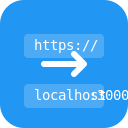
Morphlink takes your tab’s URL, morphs and opens it in a new tab, offering localhost option and customizable regex matching options.
As of June 2026, Morphlink has 2 users in the Developer Tools category.
Usersdown 50.0 percent−50.0%
2
2
Ratingno change0%
—
— reviews
Reviewsno change0%
—
Version
1.0.1
Manifest V3
History
4 snapshotsTracking since Apr 19, 2026.
View as table
| Date | Users | Rating | Reviews | Version |
|---|---|---|---|---|
| Apr 19, 2026 | 4 | — | — | 1.0.1 |
| May 4, 2026 | 1 | — | — | 1.0.1 |
| May 25, 2026 | 2 | — | — | 1.0.1 |
| Jun 7, 2026 | 1 | — | — | 1.0.1 |
| Now | 2 | — | — | 1.0.1 |
Permissions & access
- Permissions
- activeTabstoragetabscommands
- Host access
- None declared
Screenshots


About
Morphlink is a Chrome extension designed to streamline your development process by allowing you to quickly navigate from any webpage to your local development server. Simplifying your workflow, Morphlink helps you easily transition between remote sites and your local environment.

Features

• Quick Navigation: Navigate from a webpage's URL to your local server with a single click.
If you are on a URL such as example.com/param1/param2, the button will direct you to localhost:3000/param1/param2.

• Configurable Port: Customize the port number in the options to match your local server settings.

• Custom Regex Options: Enhance your navigation capabilities by adding custom regex patterns.
Easily add a regex option via the settings menu with three input fields:
Name: The name of your option, which will be displayed in the popup below the local server option.
Regex Pattern: Input the string pattern that you want to match.
Replacement String: Specify the string that will replace the matched regex pattern.
Shortcut Configurations: In the settings, you can configure keyboard shortcuts for quick access:

• Set a shortcut for the "Localhost" option.Assign shortcuts for the first three custom regex options for easy navigation.
Technical
- Version
- 1.0.1
- Manifest
- V3
- Size
- 38.81KiB
- Min Chrome
- 88
- Languages
- 1
- Featured
- No
Metadata
- ID
- phhmkpemggihooefhlngjonihnadnlcb
- Developer ID
- u67c13dd1318a90fcc25de3e83441b04f
- Developer Email
- [email protected]
- Created
- Jun 16, 2025
- Last Updated (Store)
- Jun 28, 2025
- Last Scraped
- Jun 7, 2026
- Website
- —
- Support URL
- https://github.com/vmrjnvc/morphlink
- Privacy Policy
- —
Similar extensions
Alternatives to Morphlink, ranked by description similarity.
LocalizeX
Instantly convert URLs to localhost with custom port selection for local development.
11
★ 5.0

URL Swap (Dev Helper)
Redirect any matched URL to another during development.
35

EZ-Localhost Switcher
Replace the current domain with localhost and a custom port.
74
★ 5.0

Host Switcher
Switch the host of the current tab's URL.
49

Local Route
Fast URL launcher with macOS-style dock, command palette, and workspace management for developers
1

Replace Domain with Localhost (Configurable)
Replace current tab's domain with configurable localhost settings.
6
★ 5.0

Connect Live Frontend To Local Server
This extension enables seamless connection between your local server and a live frontend by redirecting APIs.
157
★ 4.9

Remote Override
Mapping remote resources to local files for testing, debugging, and development use.
60
★ 5.0
Data sourced from the Chrome Web Store · last verified Jun 7, 2026.