
MyLens: Your AI Visualization Partner
Wherever you're on the web—YouTube, websites, docs—click MyLens to analyze content and turn it into AI source-linked visualizations.
As of June 2026, MyLens: Your AI Visualization Partner has 10,000 users and a 4.64/5 rating from 11 reviews in the Productivity category.
Usersup 42.9 percent+42.9%
10.0K
10,000
Ratingno change0%
4.64
11 reviews
Reviewsno change0%
11
Version
2.2.1
Manifest V3
90-day change · In the last 90 days this extension gained 3.0K users.
History
3 snapshotsTracking since Apr 23, 2026.
View as table
| Date | Users | Rating | Reviews | Version |
|---|---|---|---|---|
| Apr 23, 2026 | 7.0K | 4.64 | 11 | 2.2.1 |
| May 15, 2026 | 8.0K | 4.64 | 11 | 2.2.1 |
| Jun 6, 2026 | 9.0K | 4.64 | 11 | 2.2.1 |
| Now | 10.0K | 4.64 | 11 | 2.2.1 |
Permissions & access
- Permissions
- identityactiveTabstorage
- Host access
- https://api.mylens.ai/*, https://*.auth0.com/*, https://auth.mylens.ai/*
Screenshots


About
MyLens is your AI visualization partner for the entire web. Wherever you are browsing—YouTube, websites, docs, news, etc— click MyLens. It analyzes the content, pulls out the key insights and turns them into an AI visualization. Every insight is clickable and source-linked, so you can trust what you’re seeing and jump straight to the exact part you need. Need it in another language? Just ask—MyLens supports 60+ languages. If you skim a lot of content online, MyLens will save you a ton of time.

Why MyLens?
⚡ Get to What Matters, Fast: No more skimming through lengthy content or scrubbing through videos hoping to find the important parts. MyLens extracts every key insight and organizes it for you automatically.

🎯 Works Everywhere Online: YouTube videos, blog posts, technical documents, research papers, news articles — wherever you are, MyLens turns information into visual clarity. Just pin the extension, click it, and let the AI do the work.

🧠 AI-Powered Interactive Visualizations: MyLens doesn't just summarize — it analyzes and structures information into formats that make complex ideas instantly clear:

🔗 Always Connected to the Source: Every visualization is clickable. Click any insight and choose "Citation" — MyLens takes you directly to the exact moment in a video or section in an article where that information came from. You stay connected to your sources while working faster.

🎨 Add Your Custom Goal: Tell MyLens what you need. Want the content in Spanish? Need a different visualization? Guide the AI to focus on specific details or create the format that works best for you.

👌 Seamlessly Integrated: MyLens lives right in your browser. No switching apps, no complicated workflows. Pin it, click it, and your visualization appears. Download it or open your workspace to customize further.

Who Uses MyLens?
💼 Professionals & Teams: Quickly analyze reports, organize industry insights, and communicate findings with confidence in meetings and presentations.

💻 Content Creators & Marketers: Gather research, pull key ideas, and find inspiration from articles and videos without spending hours on content review.

🔬 Researchers & Analysts: Distill complex studies and data into clear visual formats that reveal patterns and help you communicate your conclusions effectively.

🎓 Students & Educators: Turn lectures, textbooks, and research into engaging visual formats that make learning stick.
Technical
- Version
- 2.2.1
- Manifest
- V3
- Size
- 1.17MiB
- Min Chrome
- 88
- Languages
- 1
- Featured
- No
Metadata
- ID
- phglephbecffklifllmgaojdlohjdlkg
- Developer ID
- u40a896171f26360176aec366a5bca873
- Developer Email
- [email protected]
- Created
- Oct 17, 2024
- Last Updated (Store)
- Feb 25, 2026
- Last Scraped
- Jun 6, 2026
- Website
- mylens.ai
- Support URL
- —
- Privacy Policy
- https://mylens.ai/privacy-policy/
Similar extensions
Alternatives to MyLens: Your AI Visualization Partner, ranked by description similarity.

Lens AI: Get Instant Insights from Dashboards
Instant insights from dashboards or data using AI.
46
★ 5.0
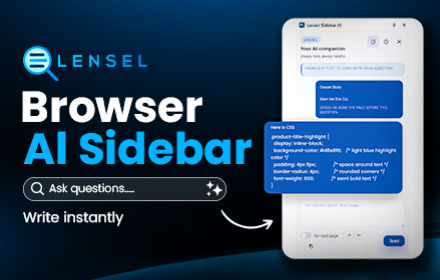
AI Sidebar - Lensel: Ask Any Page Without Leaving It
AI on your sidebar. Highlight text to ask questions instantly with full context, or autofill inputs with smart suggestions.
—
★ 5.0

Lens - AI Text Analyzer & Insights
Select text, right-click for AI insights. Analyze posts & opinions to sharpen critical thinking. Gemini, Claude & more. Open source.
34

SocialLens AI
The ultimate market intelligence tool for text and video platforms.
4

NewsLens — AI News Analyzer
Fact-check, emotional tone analysis, manipulation detection. Chrome AI + OpenRouter
2

Eyesme: Universal AI Assistant | Gemini 3 Pro、GPT-5.
AI browser assistant: web analysis, YouTube transcripts, page summaries, screenshot image analysis, and natural language chat.
20
★ 5.0

LightUp - AI Powered Web Annotations. summary, translate, and more
Genius annotations for every page on the web. Powered by AI to explain, summarize, analyze, translate, and more.
116
★ 4.2

Linfo.ai
Summarize and Mind map web articles, YouTube videos, and PDFs into clear and structured insights, powered by ChatGPT and Claude.
1.0K
★ 4.4
Data sourced from the Chrome Web Store · last verified Jun 6, 2026.