
Alloy · AI Prototyping for Product Management
Lifelike AI prototyping tool for Product Managers with an existing product
As of June 2026, Alloy · AI Prototyping for Product Management has 7,000 users and a 4.75/5 rating from 20 reviews in the Workflow & Planning category.
Usersno change0%
7.0K
7,000
Ratingup 0.2 percent+0.2%
4.75
20 reviews
Reviewsup 5.3 percent+5.3%
20
Version
3.3.9
Manifest V3
History
2 snapshotsTracking since Apr 17, 2026.
View as table
| Date | Users | Rating | Reviews | Version |
|---|---|---|---|---|
| Apr 17, 2026 | 7.0K | 4.74 | 19 | 3.3.9 |
| Apr 27, 2026 | 7.0K | 4.74 | 19 | 3.3.9 |
| Now | 7.0K | 4.75 | 20 | 3.3.9 |
Permissions & access
- Permissions
- activeTabscriptingstorageunlimitedStorage
- Host access
- <all_urls>
Screenshots



About
Alloy is the world's first tool for prototypes that look exactly like your product. Capture any page of your web app from the browser and instantly turn it into an interactive prototype—perfect for exploring features, validating ideas, and sharing with stakeholders.

➤ What you can do

• Capture from the browser: One click to “Capture page” on any screen of your product.

• Get lifelike results: Prototypes stay on brand and reflect your component library and design system—no off-brand mockups.

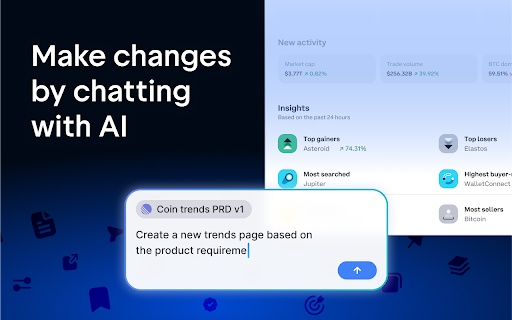
• Design by conversation: Use natural-language prompts to add features, remix flows, and refine details; switch to visual editing when needed.

• Improve with every capture: Build a reusable library as you capture more pages; results get faster and more accurate.

• Share instantly: Send a link to teammates or customers for quick review and feedback.

➤ Built for modern product teams

Bring ideas, insights, and customer requests straight into Alloy from the tools you already use via integrations—so you can go from signal to prototype in minutes.

➤ Privacy & security

Enterprise-grade protections: encryption in transit and at rest, annual third-party penetration testing, SSO (SAML/OIDC) on Enterprise, and SOC 2 Type II in progress.

➤ How it works

• Install the extension and sign in.
• Open your app and click “Capture page.”
• Prototype and share—iterate by prompt or visual edits and send a link.

➤ Permissions
Alloy only captures the pages you choose when you activate the extension and click “Capture page.” Data is stored securely in your Alloy workspace.
Technical
- Version
- 3.3.9
- Manifest
- V3
- Size
- 1.01MiB
- Min Chrome
- 88
- Languages
- 1
- Featured
- No
Metadata
- ID
- phenpkgkiaibdlfgllchgfhdfiephpdi
- Developer ID
- u72607d3f55965486caeb107ab049d419
- Developer Email
- [email protected]
- Created
- Aug 11, 2025
- Last Updated (Store)
- Jan 29, 2026
- Last Scraped
- Jun 6, 2026
- Website
- alloy.app
- Support URL
- https://alloy.app/contact
- Privacy Policy
- https://index.inc/legal/privacy
Similar extensions
Alternatives to Alloy · AI Prototyping for Product Management, ranked by description similarity.

Captoric - interactive product demo recorder
Captoric is a browser-based demo recorder that increases landing page conversions by showing real product workflows.
2

Getg launcher
Record and create interactive product walkthroughs and simulations
7

IdeaLift - Capture Ideas
Capture ideas from any webpage to GitHub or Linear. Turn browsing insights into actionable items.
6
★ 5.0

Annotate Capture
Capture and upload page screenshots to Annotate.design
7

Creative Capture
Record workflows, create guides & videos. Publish to YouTube, TikTok, Instagram, LinkedIn & more. Create. Publish. Everywhere.
—

Nuntun Capture
Capture screenshots for interactive demos.
2

Aceframe
Capture interactive demo walkthroughs from any web page
1

Screenity - Screen Recorder & Annotation Tool
The free and privacy-friendly screen recorder for everyone. Capture, annotate, edit videos and more - all with no sign in needed.
200.0K
★ 4.4
Data sourced from the Chrome Web Store · last verified Jun 6, 2026.