
Speeder for Polsat Box Go: Adjust Playback Speed
Independent software not affiliated with Polsat Box Go. Adjust playback speed according to your preference.
As of June 2026, Speeder for Polsat Box Go: Adjust Playback Speed has 8 users in the Entertainment category.
Usersno change0%
8
8
Ratingno change0%
—
— reviews
Reviewsno change0%
—
Version
1.0.1
Manifest V3
90-day change · In the last 90 days this extension 1 version update.
History
7 snapshotsTracking since Apr 1, 2026.
View as table
| Date | Users | Rating | Reviews | Version |
|---|---|---|---|---|
| Apr 1, 2026 | 8 | — | — | 1.0.0 |
| Apr 21, 2026 | 7 | — | — | 1.0.0 |
| May 6, 2026 | 7 | — | — | 1.0.0 |
| May 17, 2026 | 6 | — | — | 1.0.1 |
| May 23, 2026 | 5 | — | — | 1.0.1 |
| May 30, 2026 | 8 | — | — | 1.0.1 |
| Jun 13, 2026 | 7 | — | — | 1.0.1 |
| Now | 8 | — | — | 1.0.1 |
Permissions & access
- Permissions
- storage
- Host access
- https://*/*
Screenshots

About
⚠️ Independent software — not affiliated with, endorsed by, or sponsored by Polsat Box Go. “Polsat Box Go” is a trademark of its respective owner.

Control the playback speed on Polsat Box Go. This extension lets you speed up or slow down shows and movies to enjoy your favorite content at your own pace.

Didn’t catch that fast-talking dialogue? Want to experience your favorite scenes in slow motion? Or maybe you’d like to fast forward the less interesting parts to get to the series finale? You’re in the right place! Here’s the solution for changing video speed.

All you need to do is add the extension to your browser and open the control panel, which allows you to choose speeds from 0.25x up to 16x. You can also use hotkeys on your keyboard to control it. It’s that simple!

How to find Speeder’s control panel:

1. After installation, click the small puzzle piece icon next to your Chrome profile avatar (top right corner of the browser window).
2. You’ll see all your installed and enabled extensions.
3. You can pin Speeder so it’s always on top in your browser.
4. Click the Speeder icon and try different speed settings.

❗Disclaimer: All product and company names are trademarks or registered trademarks of their respective holders. This extension is not associated with or affiliated with them or any third-party companies.❗
Technical
- Version
- 1.0.1
- Manifest
- V3
- Size
- 74.46KiB
- Min Chrome
- 88
- Languages
- 55
- Featured
- No
Metadata
- ID
- phbgilnffgdpcenpejphjpamkohcjlia
- Developer ID
- u35d68d9a9899f10c34ae0174e98ab72f
- Developer Email
- [email protected]
- Created
- Sep 29, 2025
- Last Updated (Store)
- Apr 24, 2026
- Last Scraped
- Jun 13, 2026
- Website
- —
- Privacy Policy
- https://awesomextensions.com/privacy_policy/
Similar extensions
Alternatives to Speeder for Polsat Box Go: Adjust Playback Speed, ranked by description similarity.

Globoplay Speeder: Adjust Playback Speed
This extension allows you to adjust the playback speed on Globoplay according to your preferences.
60
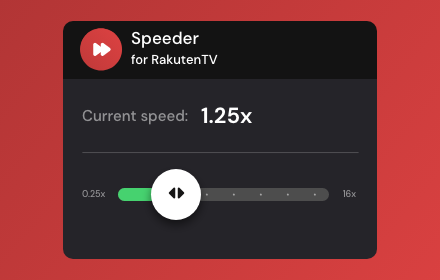
Speeder for Rakuten TV: adjust playback speed
Extension allows to adjust the playback speed on Rakuten TV according to your preferences.
110

CANAL+ Speeder: Adjust Playback Speed
This extension allows you to adjust the playback speed on CANAL+ according to your preferences.
131

TVP VOD Speeder: Adjust Playback Speed
This extension allows you to adjust the playback speed on TVP VOD according to your preferences.
39

ViX Speeder: adjust playback speed
Extension allows you to adjust the playback speed on ViX according to your preferences
17

StreamPro: Speed Control for beIN SPORTS
Independent software, not affiliated with beIN SPORTS. Control video playback speed and watch at your own pace.
11

YouTube Speeder: adjust playback speed [QVI]
Extension allows to adjust the playback speed on YouTube according to preference
2.0K
★ 5.0

StreamPro: Speed Control works with erosnow
Independent software, not affiliated with erosnow. Control video playback speed and watch at your own pace.
3
Data sourced from the Chrome Web Store · last verified Jun 13, 2026.