
Video Loop & Speed Controller
Loop, slow down, and transpose pitch (±6 semitones) on Instagram & YouTube. Save loops to folders and reopen in one tap.
As of June 2026, Video Loop & Speed Controller has 308 users and a 5.00/5 rating from 1 reviews in the Education category.
Usersup 81.2 percent+81.2%
308
308
Ratingno change0%
5.00
1 reviews
Reviewsno change0%
1
Version
3.12.8
Manifest V3
90-day change · In the last 90 days this extension 4 version updates, changed permissions.
History
10 snapshotsTracking since Apr 1, 2026.
View as table
| Date | Users | Rating | Reviews | Version |
|---|---|---|---|---|
| Apr 1, 2026 | 170 | 5.00 | 1 | 3.0.0 |
| Apr 19, 2026 | 177 | 5.00 | 1 | 3.0.0 |
| Apr 25, 2026 | 184 | 5.00 | 1 | 3.5.1 |
| May 3, 2026 | 183 | 5.00 | 1 | 3.12.0 |
| May 9, 2026 | 193 | 5.00 | 1 | 3.12.7 |
| May 14, 2026 | 213 | 5.00 | 1 | 3.12.7 |
| May 20, 2026 | 230 | 5.00 | 1 | 3.12.7 |
| May 26, 2026 | 241 | 5.00 | 1 | 3.12.8 |
| Jun 2, 2026 | 243 | 5.00 | 1 | 3.12.8 |
| Jun 8, 2026 | 270 | 5.00 | 1 | 3.12.8 |
| Now | 308 | 5.00 | 1 | 3.12.8 |
Changelog
- Apr 25, 2026description
Slow down. Loop. Learn it by ear.

Sonora Looper turns any Instagram Reel or YouTube
video into a practice tool. Slow a lick to half
speed, loop the tricky four-bar phrase, and drill
it until your fingers know it — without leaving
the page.


BUILT FOR MUSICIANS WHO LEARN BY WATCHING

Instagram is overflowing with killer lessons,
licks, and solos. The problem: you can't slow
anything down, and you definitely can't loop a
section. YouTube's native speeds jump in clunky
steps (0.25×, 0.5×, 0.75×…) that are either too
slow to feel or too fast to catch.

Sonora Looper fixes both.


WHAT YOU GET

• Fine-grained speed control — 12 speeds from 30%
  to 200%, so you can find the exact tempo where
  the notes start to click.

• Loop any section — drag the markers, hit play,
  and practice the hard bit on repeat.

• Precision timeline zoom — zoom into a two-second
  window to place loop points exactly between the
  downbeats.

• Your loops stick around — every loop is saved
  automatically. Come back to a video tomorrow and
  your loop points are right where you left them.

• Keyboard shortcuts — Space to play/pause,
  [ and ] to set loop markers, L to toggle the
  loop, + and − to change speed. Hands on the
  guitar, not on the mouse.

• Works on Instagram and YouTube — Reels, posts,
  videos, Shorts. Same controls everywhere.


HOW IT WORKS

1. Install the extension and sign in.
2. Open any Instagram or YouTube video.
3. The Sonora Looper bar appears below the video.
4. Drag the markers, set your speed, and practice.

No uploads. No downloads. No separate apps.


WHY WE BUILT IT

Sonora is a music school. We kept watching our
students hit the same wall: they'd find an
incredible lick in a 30-second Reel, try to learn
it, and give up because there was no way to slow
it down or drill the hard bit. So we built the
tool we wanted them to have.


PRIVACY

Sonora Looper is free to use. You'll sign in with
a Sonora account the first time you open the
extension so we can verify your account and sync
your settings. We don't sell your data, we don't
track your browsing, and we only store what's
needed to keep you signed in and your loops
saved. Full details in our privacy policy:
https://looper.sonoraintensive.com/privacypolicy
Loop, slow down, and transpose any Instagram or YouTube video — built for musicians learning from video.

Every guitar, piano, or drum player has hit the same wall: the riff you're trying to learn goes by in three seconds, the teacher plays it once, and you can't quite hear the chord change. Sonora Looper gives you the controls that should have been built into the player in the first place.

What you get

• Loop any section. Drag the markers on the progress bar to isolate a phrase.
• Pinch to zoom into the timeline, with a live audio waveform so you can drop a marker on the exact transient — the downbeat, the chord change, the bend. Scroll to pan. No upper limit on zoom.
• Slow it down. 0.3× → 2× playback with pitch preserved — a half-speed riff still sounds in tune.
• Transpose the pitch. Shift the audio ±6 semitones without changing speed. Learn an Eb-tuning song in standard, or move a capo'd cover into your key.
• Save loops into folders. Name them, organize by song or technique, and reopen with one click — the video scrubs straight to the timestamp with your speed and pitch already set.
• Keyboard shortcuts. Space plays/pauses. Left-arrow restarts the current loop.
• Works on Instagram reels, posts, and stories, and on YouTube videos and Shorts.

Who it's for

Guitar players learning from reels. Piano students looping phrases from concert videos. Drummers figuring out fills. Vocalists working through runs. Anyone who wants to actually learn from video instead of just watching it.

How it works

Install, sign in with your email, and the controls appear automatically on every Instagram and YouTube video you open.

Privacy

We only store the loops you explicitly save — start/end time, video URL, and an optional label — in your browser's local storage. We don't watch you browse, record audio, or collect playback history. Full policy: looper.sonoraintensive.com/privacypolicy

Made by Sonora — a guitar coaching program obsessed with giving musicians the tools that actually move the needle. Book a free assessment from the extension popup when you're ready to turn loops into real progress.
- Apr 25, 2026short_description
Control video playback speed and add loop functionality for Instagram and YouTube - perfect for musicians and learners
Loop, slow down, and transpose pitch (±6 semitones) on Instagram & YouTube. Save loops to folders and reopen in one tap.
- Apr 19, 2026description
Master any Instagram guitar lick with ease! Instagram Looper is a free Chrome extension that lets you loop, slow down, and analyze any Instagram video with precision controls. Perfect for guitarists, bassists, and musicians learning by ear.

Full Description:

🎸 Unlock Your Full Potential with Instagram Looper! 🎸

Tired of manually scrubbing through Instagram videos, missing that crucial riff, or struggling to keep up with fast solos? Instagram Looper is your ultimate practice partner, transforming Instagram into a powerful learning tool for musicians!

Key Features You'll Love:

⚡️ Precise Looping: Easily set custom start and end points for any section of an Instagram video. Drag intuitive markers to create perfect loops of those tricky licks or drum fills.
🐢 Variable Speed Control: Slow down videos to a crawl (down to 0.3x speed!) to catch every single note, or speed them up to 2x for a quick review. Your practice, your pace!
⏮️ Frame-by-Frame Stepping: Need to see exactly what's happening? Step forward or backward one frame at a time for unparalleled detail.
💾 Auto-Save Your Progress: Your custom loop points and settings are automatically saved per video, so you can pick up exactly where you left off, every time.
📤 Easy Sharing: Share your current loop's start/end times and speed with fellow musicians with a single click.
📱 Works on All Instagram Videos: Whether it's a Reel, a Story, or a regular feed video – if it's on Instagram, you can loop it!
🎛️ Intuitive, Seamless Interface: Our clean, integrated control panel appears right on the video, offering powerful tools without cluttering your screen.
Why Instagram Looper? We built this extension because we're musicians just like you, frustrated by the limitations of learning from Instagram videos. Instagram Looper is designed to make learning by ear more efficient, more effective, and a lot less frustrating. Stop fighting with playback controls and start mastering those licks!

Completely FREE & Lightweight: Download Instagram Looper today from the Chrome Web Store – it's 100% free, requires minimal permissions, and won't slow down your browsing.

Install Now and Transform Your Practice!
Slow down. Loop. Learn it by ear.

Sonora Looper turns any Instagram Reel or YouTube
video into a practice tool. Slow a lick to half
speed, loop the tricky four-bar phrase, and drill
it until your fingers know it — without leaving
the page.


BUILT FOR MUSICIANS WHO LEARN BY WATCHING

Instagram is overflowing with killer lessons,
licks, and solos. The problem: you can't slow
anything down, and you definitely can't loop a
section. YouTube's native speeds jump in clunky
steps (0.25×, 0.5×, 0.75×…) that are either too
slow to feel or too fast to catch.

Sonora Looper fixes both.


WHAT YOU GET

• Fine-grained speed control — 12 speeds from 30%
  to 200%, so you can find the exact tempo where
  the notes start to click.

• Loop any section — drag the markers, hit play,
  and practice the hard bit on repeat.

• Precision timeline zoom — zoom into a two-second
  window to place loop points exactly between the
  downbeats.

• Your loops stick around — every loop is saved
  automatically. Come back to a video tomorrow and
  your loop points are right where you left them.

• Keyboard shortcuts — Space to play/pause,
  [ and ] to set loop markers, L to toggle the
  loop, + and − to change speed. Hands on the
  guitar, not on the mouse.

• Works on Instagram and YouTube — Reels, posts,
  videos, Shorts. Same controls everywhere.


HOW IT WORKS

1. Install the extension and sign in.
2. Open any Instagram or YouTube video.
3. The Sonora Looper bar appears below the video.
4. Drag the markers, set your speed, and practice.

No uploads. No downloads. No separate apps.


WHY WE BUILT IT

Sonora is a music school. We kept watching our
students hit the same wall: they'd find an
incredible lick in a 30-second Reel, try to learn
it, and give up because there was no way to slow
it down or drill the hard bit. So we built the
tool we wanted them to have.


PRIVACY

Sonora Looper is free to use. You'll sign in with
a Sonora account the first time you open the
extension so we can verify your account and sync
your settings. We don't sell your data, we don't
track your browsing, and we only store what's
needed to keep you signed in and your loops
saved. Full details in our privacy policy:
https://looper.sonoraintensive.com/privacypolicy
- Apr 19, 2026short_description
Control video playback speed and add loop functionality for Instagram Reels - perfect for musicians and learners
Control video playback speed and add loop functionality for Instagram and YouTube - perfect for musicians and learners
- Apr 19, 2026name
Instagram Reel Speed & Loop Controller
Video Loop & Speed Controller
- Apr 19, 2026host_permissions
https://www.instagram.com/*, https://instalooppro.base44.app/*
https://www.instagram.com/*, https://www.youtube.com/*, https://looper.sonoraintensive.com/*
Permissions & access
- Permissions
- storage
- Host access
- https://www.instagram.com/*, https://www.youtube.com/*, https://looper.sonoraintensive.com/*
Screenshots


About
Loop, slow down, and transpose any Instagram or YouTube video — built for musicians learning from video.

Every guitar, piano, or drum player has hit the same wall: the riff you're trying to learn goes by in three seconds, the teacher plays it once, and you can't quite hear the chord change. Sonora Looper gives you the controls that should have been built into the player in the first place.

What you get

• Loop any section. Drag the markers on the progress bar to isolate a phrase.
• Pinch to zoom into the timeline, with a live audio waveform so you can drop a marker on the exact transient — the downbeat, the chord change, the bend. Scroll to pan. No upper limit on zoom.
• Slow it down. 0.3× → 2× playback with pitch preserved — a half-speed riff still sounds in tune.
• Transpose the pitch. Shift the audio ±6 semitones without changing speed. Learn an Eb-tuning song in standard, or move a capo'd cover into your key.
• Save loops into folders. Name them, organize by song or technique, and reopen with one click — the video scrubs straight to the timestamp with your speed and pitch already set.
• Keyboard shortcuts. Space plays/pauses. Left-arrow restarts the current loop.
• Works on Instagram reels, posts, and stories, and on YouTube videos and Shorts.

Who it's for

Guitar players learning from reels. Piano students looping phrases from concert videos. Drummers figuring out fills. Vocalists working through runs. Anyone who wants to actually learn from video instead of just watching it.

How it works

Install, sign in with your email, and the controls appear automatically on every Instagram and YouTube video you open.

Privacy

We only store the loops you explicitly save — start/end time, video URL, and an optional label — in your browser's local storage. We don't watch you browse, record audio, or collect playback history. Full policy: looper.sonoraintensive.com/privacypolicy

Made by Sonora — a guitar coaching program obsessed with giving musicians the tools that actually move the needle. Book a free assessment from the extension popup when you're ready to turn loops into real progress.
Technical
- Version
- 3.12.8
- Manifest
- V3
- Size
- 102KiB
- Min Chrome
- 88
- Languages
- 1
- Featured
- No
Metadata
- ID
- phbfamjgedamaopbiabannlfpjmgfhfi
- Developer ID
- u0d5c99760a31b42e0a74ec316b830425
- Developer Email
- [email protected]
- Created
- Nov 10, 2025
- Last Updated (Store)
- May 18, 2026
- Last Scraped
- Jun 8, 2026
- Website
- learnwithsonora.com
- Support URL
- —
- Privacy Policy
- https://instalooppro.base44.app/privacypolicy
Similar extensions
Alternatives to Video Loop & Speed Controller, ranked by description similarity.

Create Video Loops From Guitar Tutorials on YouTube™ - Loopi
Create small looped segments of any tutorial videos, so you can watch and practice over and over again.
602
★ 4.8

YouTube Looper
Create and share video loops on YouTube with timeline controls, pitch shifting, and adjustable playback speed.
7

Section Repeat for YouTube™
A-B repeat and multi-section loops for YouTube. Practice faster with keyboard shortcuts.
376
★ 5.0

YouPractice
YouTube language learning with structured listening and shadowing practice
16
★ 5.0

Loop and Learn for YouTube
custommize loop sections of a YouTube video and learn based on it.
4
★ 5.0
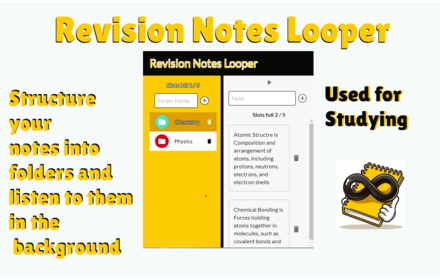
Notes Looper (text To Audio Notes) (Notes Repeater/ Shuffle Through Notes)
Loop through your revision notes. Play your notes in the background while you focus on other tasks. Uses TTS to get ready for exams.
64
★ 4.0

YouTube Study Companion
Professional playback controls for learning: Speed, Loop, Bookmarks, and Notes.
13
★ 5.0

Speak Practice Loop: English, Spanish, French, Russian Practice
Practice English, Spanish, French, Russian speaking on YouTube™. Repeat phrases, get instant pronunciation feedback.
629
★ 4.5
Data sourced from the Chrome Web Store · last verified Jun 8, 2026.