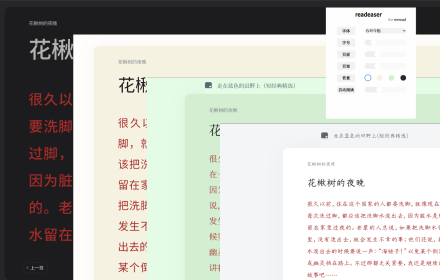
readeaser
微信读书网页版美化
As of June 2026, readeaser has 1,000 users and a 4.58/5 rating from 12 reviews in the Productivity category.
Usersno change0%
1.0K
1,000
Ratingno change0%
4.58
12 reviews
Reviewsno change0%
12
Version
1.3.3
Manifest V3
History
2 snapshotsTracking since Apr 19, 2026.
View as table
| Date | Users | Rating | Reviews | Version |
|---|---|---|---|---|
| Apr 19, 2026 | 1.0K | 4.58 | 12 | 1.3.3 |
| May 4, 2026 | 1.0K | 4.58 | 12 | 1.3.3 |
| Now | 1.0K | 4.58 | 12 | 1.3.3 |
Permissions & access
- Permissions
- storageactiveTab
- Host access
- None declared
Screenshots


About
美化微信读书网页版,支持双栏模式、PDF阅读
v1.3.3:
修复了一些问题

v1.3.2:
修复了一些问题

v1.3.0:
增加本地字体选项,以及一些优化

v1.2.0:
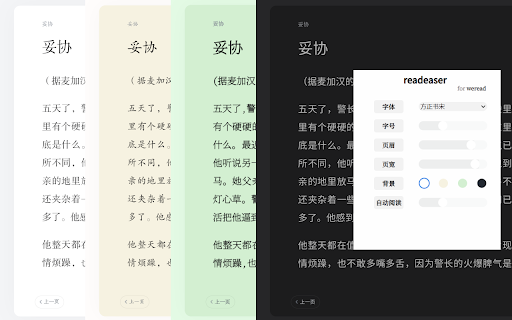
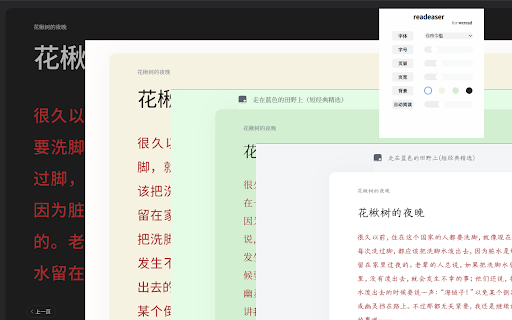
新增选项页,字体、背景、颜色完全自定义,自由改造你想要的阅读界面

内置8种字体,自由选择阅读姿势
参考微信读书移动端主题,四种颜色主题可切换
页眉页宽自由调节,让阅读页面全面屏
经典阅读器模式可自动阅读,解放双手
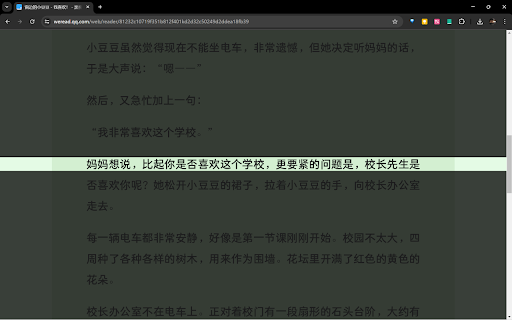
增加专注模式,让阅读更加专注
改进PDF阅读器,获得更好的阅读体验

阅读愉快!

专注模式使用方法:
- 安装插件后,在正文段落选中最后两行,以及下一段的一行以完成专注模式的设置。
- 在按钮面板,选择“专注”按钮,点击开启专注模式;或直接点击右侧专注按钮
- 阅读时使用键盘控制:
  - 按键“x",下一行
  - 按键“s",上一行
  - 按键“c",下一段
  - 按键“d",上一段
  - 按键“v",向下微调
  - 按键“f",向上微调
  - 按键“z",在聚焦模式中,暂时退出聚焦,再次点击回到聚焦
Technical
- Version
- 1.3.3
- Manifest
- V3
- Size
- 56.64MiB
- Min Chrome
- 88
- Languages
- 1
- Featured
- No
Metadata
- ID
- pfibgbgioglhioghjjikmndejenllpnh
- Developer ID
- uaf225bde73a58dbf1bcd86feef2c42cc
- Developer Email
- [email protected]
- Created
- May 6, 2024
- Last Updated (Store)
- Jul 30, 2025
- Last Scraped
- Jun 7, 2026
- Website
- —
- Support URL
- https://github.com/linvie/readeaser
- Privacy Policy
- https://linvie.github.io/readeaser/Privacy%20policy.html
Similar extensions
Alternatives to readeaser, ranked by description similarity.

Reader Mode - Immersive Reading & AI Summary
One-click to extract web articles, remove ads, and enjoy a clean reading experience. Supports AI summaries and text translation.
639
★ 4.3

微信读书护眼助手
调整页面宽度,更改主题背景色,提升阅读体验。支持单栏和双栏模式。
241
★ 5.0

微信公众号阅读增强器
为微信公众号文章提供结构化目录导航、图片查看增强和链接识别转换,全面提升阅读体验
—

CleanWeView
微信公众号文章网页美化
11
★ 5.0

微信读书自动助手
WeRead AutoRead 阅读助手,自动翻页,连续阅读,主题美化,护眼友好。
66

Read Aloud 0.1.3
使用 Edge TTS 实时朗读网页中文本的轻量插件。
4

护眼提醒
浏览器护眼提醒扩展。按活跃用眼时间提醒休息,支持语音、全屏提醒、倒计时和读停状态标记。
—

清阅 ClearRead
将网页转换为干净的阅读模式,内置 AI 摘要/翻译/问答/笔记功能,支持导出为 PDF、Word、Markdown。深度适配 20+ 主流中英文平台及 10+ AI 对话平台。
6
Data sourced from the Chrome Web Store · last verified Jun 7, 2026.