
Meet Recorder by Autober
Record Google Meet calls. Draw on any Chrome tab. Universal screen annotation.
As of June 2026, Meet Recorder by Autober has 9 users in the Education category.
Usersno change0%
9
9
Ratingno change0%
—
— reviews
Reviewsno change0%
—
Version
2.0.0
Manifest V3
90-day change · In the last 90 days this extension 1 version update, changed permissions.
History
9 snapshotsTracking since Apr 1, 2026.
View as table
| Date | Users | Rating | Reviews | Version |
|---|---|---|---|---|
| Apr 1, 2026 | — | — | — | 1.5.0 |
| Apr 17, 2026 | — | — | — | 1.5.0 |
| Apr 24, 2026 | 6 | — | — | 2.0.0 |
| May 1, 2026 | 9 | — | — | 2.0.0 |
| May 8, 2026 | 8 | — | — | 2.0.0 |
| May 12, 2026 | 10 | — | — | 2.0.0 |
| May 24, 2026 | 9 | — | — | 2.0.0 |
| May 31, 2026 | 7 | — | — | 2.0.0 |
| Jun 6, 2026 | 8 | — | — | 2.0.0 |
| Now | 9 | — | — | 2.0.0 |
Changelog
- Apr 17, 2026short_description
Record Google Meet calls. Draw on screen. Auto-detects when a meeting starts. By Autober.
Record Google Meet calls. Draw on any Chrome tab. Universal screen annotation.
- Apr 17, 2026host_permissions
https://meet.google.com/*
<all_urls>
- Apr 17, 2026permissions
downloads, tabs, storage, scripting, notifications
storage, activeTab, downloads, tabs
Permissions & access
- Permissions
- storageactiveTabdownloadstabs
- Host access
- <all_urls>
Screenshots


About
Meet Recorder by Autober is a free, local, and fully offline screen recorder built specifically for Google Meet™ users.

No subscription needed to record. Everything saves directly to your computer — nothing is uploaded to any server.

──────────────────────────
🎙 CORE FEATURES (Free)
──────────────────────────
- Record your Google Meet session as a WebM video file
- Captures both your microphone and system audio (other participants' voices)
- Saves directly to disk — no memory issues even for 2+ hour meetings
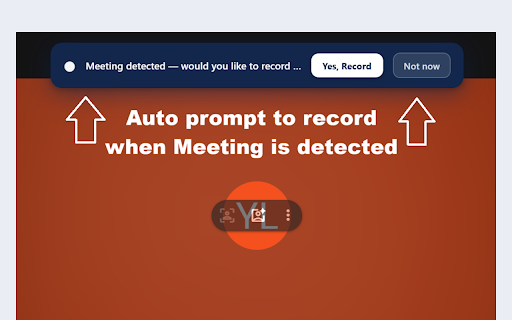
- Auto-detects when a meeting starts and prompts you to record
- Live microphone level meter and camera preview before recording
- Timestamped notes — jot down action items during the call, exported as .txt
- Set reminders — toilet break, class ending, time check alerts with alarm sound
- Screen picker guide — step-by-step overlay showing exactly how to share your screen

──────────────────────────
🎨 PRO FEATURES (License required)
──────────────────────────
- Live auto-transcription — speech-to-text during recording, exported as .txt
- Drawing tools on Meet — pen, shapes, arrows, text, eraser (Excalidraw-style)
- Unlimited recording duration
- All notes and reminder features

──────────────────────────
🔒 PRIVACY
──────────────────────────
- All recordings stay on your device — nothing is uploaded
- License validation makes a single secure request to verify your key
- No analytics, no tracking, no ads

──────────────────────────
⚙ HOW IT WORKS
──────────────────────────
1. Click the extension icon → Open Recorder
2. Choose a save file location
3. Click Start Recording → select "Entire Screen" and enable system audio
4. Stop when done — your .webm file is saved automatically

Compatible with Google Meet™ on Chrome desktop.

Disclaimer: This extension is not affiliated with, endorsed by, or sponsored by Google LLC. Google Meet™ is a trademark of Google LLC.
Technical
- Version
- 2.0.0
- Manifest
- V3
- Size
- 68.45KiB
- Min Chrome
- 88
- Languages
- 1
- Featured
- No
Metadata
- ID
- penmheijebicdkjihjgikoaengaefcck
- Developer ID
- u74a263daab5b7e454bc386f8a69b1afe
- Developer Email
- [email protected]
- Created
- Mar 30, 2026
- Last Updated (Store)
- Apr 15, 2026
- Last Scraped
- Jun 6, 2026
- Website
- —
- Support URL
- —
- Privacy Policy
- http://autobersoftware.com/privacy-policy
Data sourced from the Chrome Web Store · last verified Jun 6, 2026.