
PDFSigner - Create and Attach Signatures to PDFs
PDFSigner - Create and Attach Signatures to PDFs. Offline.
As of May 2026, PDFSigner - Create and Attach Signatures to PDFs has 25 users in the Productivity category.
Usersup 25.0 percent+25.0%
25
25
Ratingno change0%
—
— reviews
Reviewsno change0%
—
Version
1.0
Manifest V3
History
2 snapshotsTracking since Apr 25, 2026.
View as table
| Date | Users | Rating | Reviews | Version |
|---|---|---|---|---|
| Apr 25, 2026 | 20 | — | — | 1.0 |
| May 22, 2026 | 23 | — | — | 1.0 |
| Now | 25 | — | — | 1.0 |
Permissions & access
- Permissions
- None declared
- Host access
- None declared
Screenshots

About
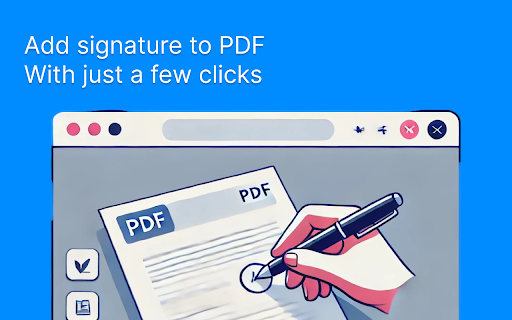
Effortlessly sign your PDF documents with PDFSigner, the ultimate solution for creating and attaching signatures to PDFs. Whether you need to sign a contract, approve a document, or add a personal touch to a file, PDFSigner makes it quick and easy. Download your signed PDFs in seconds! Key Features: ✍️ Create Custom Signatures: Design your unique signature with our intuitive signature creation tool. 📃 Attach Signatures to PDFs: Seamlessly attach your signature to any PDF document with just a few clicks. 🔐 Fast and Secure: Everything is done on your computer, no files are sent to servers. 🧑💻 User-Friendly Interface: Our simple and straightforward interface makes signing PDFs accessible to everyone. ⬇️ Download Signed PDFs: Save your signed documents directly to your computer for immediate use. 📵 No Internet Required: Sign your PDFs offline, ensuring your documents remain private and secure. 😌 Free and Easy Installation: Get started quickly with a hassle-free installation process from the Chrome Web Store. How It Works: 1. Create Your Signature: Use our signature creation tool to draw or type your signature. 2. Select Your PDF: Choose the PDF document you wish to sign from your computer. 3. Attach Your Signature: Drag and drop your signature to the desired location within the PDF. 4. Download Your Signed PDF: Save the signed document to your computer with a single click. Why Choose PDFSigner? PDFSigner is designed for professionals, students, and anyone needing a reliable and efficient way to sign PDF documents. Join thousands of satisfied users who trust PDFSigner for their document signing needs. Try PDFSigner today and experience the easiest way to sign your PDFs!
Technical
- Version
- 1.0
- Manifest
- V3
- Size
- 1.16MiB
- Min Chrome
- 88
- Languages
- 1
- Featured
- No
Metadata
- ID
- pegebngcdeooglfkofpbffllhjepeahh
- Developer ID
- ufd86c93dc9a6d7936f79c7da8985c6de
- Developer Email
- [email protected]
- Created
- Aug 20, 2024
- Last Updated (Store)
- Aug 20, 2024
- Last Scraped
- May 22, 2026
- Website
- —
- Support URL
- —
- Privacy Policy
- https://ivan-larionov.dev/pdfsign-privacy-policy.html
Similar extensions
Alternatives to PDFSigner - Create and Attach Signatures to PDFs, ranked by description similarity.

PDF Signer
Use PDF Signer to sign pdf documents in Chrome's sidebar. Sign and fill documents with signatures and easily add stamp to pdf.
3.0K
★ 4.9

Online PDF Signature
Use Online PDF Signature for put a signature on PDF online. Perfect document signer for fast, secure, and easy utilization.
313
★ 5.0

Signature on PDF
Use Signature on PDF to quickly add signature on pdf document. Simplify document sign tasks — fast, secure, and easy to use.
461
★ 5.0

Sign PDF Online
Use Sign PDF Online - fast, secure tool for document signature. This online PDF signer for edit and share your files seamlessly.
166
★ 5.0

PDF Sign
Boost productivity with PDF Sign editor: Easily sign documents online and fill forms. Streamline workflow with a pdf signer tool.
651
★ 5.0

Online PDF Signature
Sign directly on PDFs and adjust the size and thickness of your signature brush. All operations are local, ensuring your privacy.
826
★ 5.0

Signature maker
Use Signature Maker to sign documents online for business or personal purposes, and save your pdf sign documents with one click
203
★ 5.0

Sign PDF
Sign PDF documents quickly. Customize and place your pdf signature digitally on documents with our reliable PDF signer.
6.0K
★ 4.5
Data sourced from the Chrome Web Store · last verified May 22, 2026.