
Flowster Capture: screenshots, training, SOPs
Automate screen capture & screenshots for training & standard operating procedure (SOP) workflows.
As of May 2026, Flowster Capture: screenshots, training, SOPs has 875 users and a 5.00/5 rating from 7 reviews in the Workflow & Planning category.
Usersdown 5.7 percent−5.7%
875
875
Ratingno change0%
5.00
7 reviews
Reviewsno change0%
7
Version
3.1.9
Manifest V3
History
5 snapshotsTracking since Apr 1, 2026.
View as table
| Date | Users | Rating | Reviews | Version |
|---|---|---|---|---|
| Apr 1, 2026 | 928 | 5.00 | 7 | 3.1.9 |
| Apr 21, 2026 | 932 | 5.00 | 7 | 3.1.9 |
| May 6, 2026 | 940 | 5.00 | 7 | 3.1.9 |
| May 18, 2026 | 887 | 5.00 | 7 | 3.1.9 |
| May 31, 2026 | 895 | 5.00 | 7 | 3.1.9 |
| Now | 875 | 5.00 | 7 | 3.1.9 |
Permissions & access
- Permissions
- tabsactiveTabstorageunlimitedStoragescriptingcookies
- Host access
- http://*/*, https://*/*, <all_urls>
Screenshots


About
Note: this extension is currently in BETA. That means there could be some bugs, but there's an easy-to-use button to submit any questions or concerns to support :)

Are you looking for a super fast way to document your processes?

We have good news! With the Flowster Capture extension, creating your own fully-customized workflows has never been easier or faster.

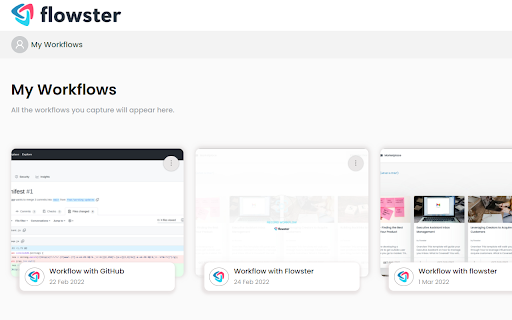
Flowster Capture generates screenshots each time you click your mouse or use your keyboard. These screen grabs are more easily-editable than screen recordings, plus if you pair Flowster Capture with Flowster.app (optional), you can build out fully-functional templates and SOPs.

The Flowster Capture Chrome Extension is way less time-consuming than recording yourself talking over video, or taking screenshots and manually annotating them. Plus, by avoiding video-based screen recordings and workflows, you will also avoid the painful process of having to re-shoot or edit all your videos to keep them up-to-date.

Ready to speed up your business process creation? Start using Flowster Capture today!

Note: Flowster Capture does not require you to have a separate account at Flowster.app; however, if you do decide to get a free account at Flowster.app, you will unlock even more functionality and get access to hundreds of pre-made (fully customizable) workflow templates.
Technical
- Version
- 3.1.9
- Manifest
- V3
- Size
- 195KiB
- Min Chrome
- 88
- Languages
- 1
- Featured
- No
Metadata
- ID
- pdcecemoemegcljjfiojljdmbaleicmc
- Developer ID
- u234c19136bafdfe49298448af5a51855
- Developer Email
- [email protected]
- Created
- Mar 25, 2022
- Last Updated (Store)
- Aug 6, 2025
- Last Scraped
- May 31, 2026
- Website
- flowster.app
- Support URL
- https://flowster.app/contact/
- Privacy Policy
- https://flowster.app/privacy-capture/
Similar extensions
Alternatives to Flowster Capture: screenshots, training, SOPs, ranked by description similarity.

Flow Capturer
Captures the steps of your workflow and document it.
8
★ 5.0

Dewstack FlowCapture
Record any workflow and auto-generate step-by-step documentation, SOPs, and how-to guides in seconds.
6

DocuFast
Documentation capture and management Chrome extension
65
★ 5.0

Flowingly SOP Recorder
Instantly create clear SOPs and training guides. Streamline onboarding, ERP transitions, and save 95% of documentation time.
544

Flowter
Capture and analyze user flows on any website
9

Creative Capture
Record workflows, create guides & videos. Publish to YouTube, TikTok, Instagram, LinkedIn & more. Create. Publish. Everywhere.
—

FlowW - Recording & Replay Tool
Record user actions on any webpage and replay them with visual guidance
10

Step Capture: Capture, Annotate, and Share Workflows
Capture and annotate workflows with screenshots. Perfect for SOPs, onboarding, and training documents
14
Data sourced from the Chrome Web Store · last verified May 31, 2026.