
Typing Statistics | Auto Typer
Typing Statistics: Tracks WPM and other statistics | Bundled with auto typers
As of May 2026, Typing Statistics | Auto Typer has 1,000 users and a 2.17/5 rating from 12 reviews in the Workflow & Planning category.
Usersno change0%
1.0K
1,000
Ratingup 3.8 percent+3.8%
2.17
12 reviews
Reviewsup 9.1 percent+9.1%
12
Version
3.4.8
Manifest V3
History
1 snapshotsTracking since May 2, 2026.
View as table
| Date | Users | Rating | Reviews | Version |
|---|---|---|---|---|
| May 2, 2026 | 1.0K | 2.09 | 11 | 3.4.8 |
| Now | 1.0K | 2.17 | 12 | 3.4.8 |
Permissions & access
- Permissions
- scriptingactiveTabstorage
- Host access
- None declared
Screenshots

About
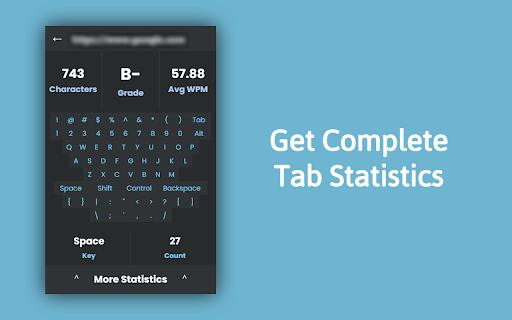
The Typing-Statistics Chrome extension is a tool that tracks and provides insights into your typing habits while using the Chrome browser. It offers valuable statistics such as the number of letters, words, and your typing speed in words per minute (WPM).

Features:
- Letter and Word Count: Get an accurate count of the letters and words you type while using Chrome.

- Words Per Minute (WPM): Track your typing speed in real-time and measure your words per minute. This feature helps you monitor your typing progress and efficiency.

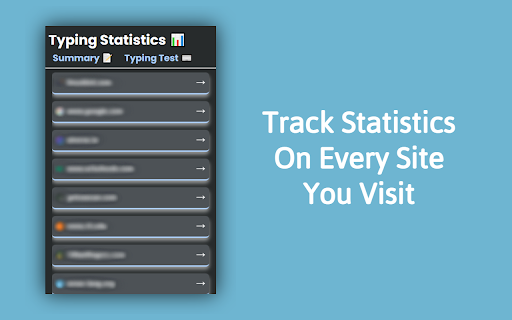
- Individual Site Tracking: The extension can track typing statistics on a per-site basis, allowing you to analyze your typing performance on different websites separately.

- Auto Typers: Have the extension assist you in achieving high WPM on sites like Type Racer and 10FastFingers.


Usage:
1. Once the Typing Statistics extension is installed, it will automatically track your typing statistics while you use Chrome. You can access the extension's features and view your typing data by following these steps:

2. Click on the Typing Statistics extension icon in the Chrome toolbar.

3. A dropdown menu will appear, showing you a list of visited sites. Click into any arrow and you will be shown current typing statistics and options to access more details.

4. Explore the available options, such as viewing overall typing statistics, and site-specific statistics.

5. The extension will continuously update the statistics in real-time as you type, providing you with up-to-date information about your typing performance.

UPDATES (v3.4.7 >> v3.4.8):
- Fix data loading speed
- Fix bugs
Technical
- Version
- 3.4.8
- Manifest
- V3
- Size
- 1.34MiB
- Min Chrome
- 88
- Languages
- 1
- Featured
- Yes
Metadata
- ID
- pcogcfinllbgfmhmcpnighcpepnfpfca
- Developer ID
- uc2ad4d44db4879d50774d12017ad55d1
- Developer Email
- [email protected]
- Created
- Jun 2, 2023
- Last Updated (Store)
- Jul 4, 2024
- Last Scraped
- May 31, 2026
- Website
- —
- Support URL
- https://discord.gg/K8hgFHWeJQ
Similar extensions
Alternatives to Typing Statistics | Auto Typer, ranked by description similarity.

Typing Test
Typing Test is a 60 seconds simple test to check your WPM (Words Per Minutes)
6.0K
★ 4.1
Typing Speed Practice
Chrome extension to practice typing speed and accuracy
4.0K
★ 3.8

0type
Quick typing test extension to improve speed and accuracy.
7
★ 5.0

Typewriter Paste
Paste text like a typewriter
1.0K
★ 2.3

ProWriter Keyboard by Qix99.com
Daily 10-minute typing practice to improve WPM and accuracy.
21
★ 5.0

Minimal Word Counter
Effortlessly Count Words & Characters with a Right-Click (No Popup!)
55
★ 5.0

Chrome Event Logger - Your Personal KeyLogger
Track your personal chrome activities including keystrokes, visited sites, clipboard and periodic screenshots.
403
★ 4.5

Easy Word Counter
Instantly count words, characters, reading time, and speaking time with Easy Word Counter.
1
Data sourced from the Chrome Web Store · last verified May 31, 2026.