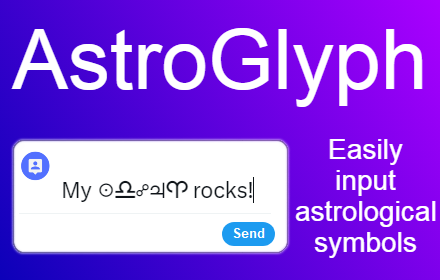
AstroGlyph
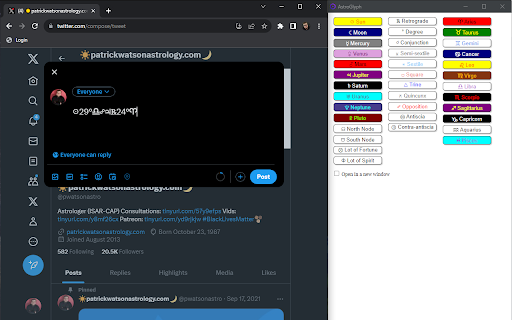
AstroGlyph lets you quickly copy astrological symbols to your clipboard from a convenient popup.
As of May 2026, AstroGlyph has 133 users and a 5.00/5 rating from 5 reviews in the Communication category.
Usersup 0.8 percent+0.8%
133
133
Ratingno change0%
5.00
5 reviews
Reviewsno change0%
5
Version
1.0
Manifest V3
History
3 snapshotsTracking since Apr 1, 2026.
View as table
| Date | Users | Rating | Reviews | Version |
|---|---|---|---|---|
| Apr 1, 2026 | 132 | 5.00 | 5 | 1.0 |
| May 2, 2026 | 135 | 5.00 | 5 | 1.0 |
| May 31, 2026 | 131 | 5.00 | 5 | 1.0 |
| Now | 133 | 5.00 | 5 | 1.0 |
Permissions & access
- Permissions
- clipboardWritestorage
- Host access
- None declared
Screenshots

About
AstroGlyph is a simple Chrome extension that makes it really easy to input astrological symbols in your social media posts, emails, blogs, wherever.

How does AstroGlyph work?

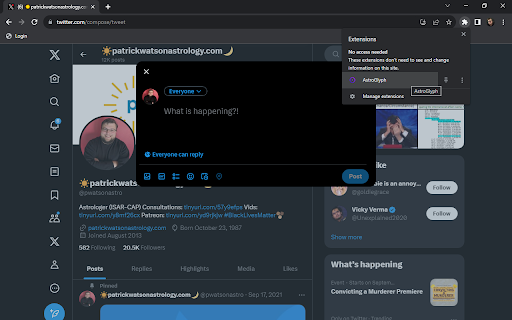
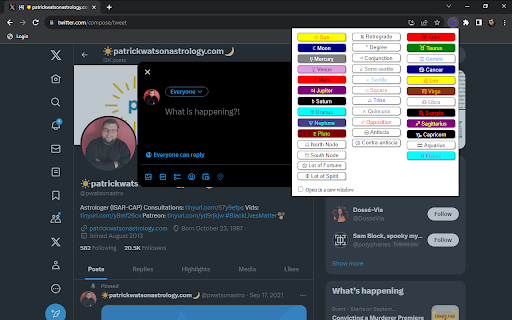
1. When you have a browser compatible with Chrome extensions open, click on the AstroGlyph icon from your extensions menu and a popup appears with astrological symbols and glyphs on it.
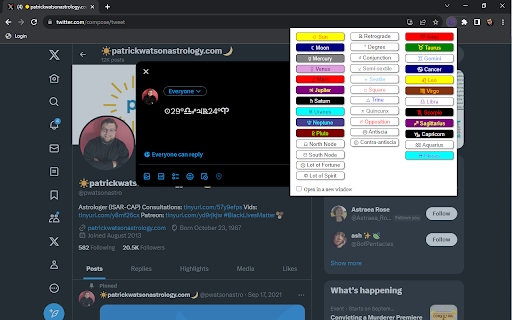
2. When you press a symbol on the popup, it gets automatically copied to your clipboard.
3. Paste the symbol wherever you need it using Ctrl+V, or Command+V, or right-click>Paste, or Edit>Paste, or however else you like to paste.

Why do I need this?

1. Write more clearly and concisely

Astrological jargon is often awkward and character-intensive. Why write "Sun in Libra opposite Jupiter retrograde in Aries" when you could just type "☉♎︎☍♃℞♈︎" with AstroGlyph?

2. Save yourself the time and frustration

Finding and copying and pasting astrological symbols online is a bit of a chore. Give yourself a break by having AstroGlyph at the ready.

Are there any special features?

Yes! Press the checkbox at the bottom of the popup to "Open in a new window". This will open a new tab with the popup in it so you don't have to keep re-opening the extension to copy a symbol.
Technical
- Version
- 1.0
- Manifest
- V3
- Size
- 270KiB
- Min Chrome
- 88
- Languages
- 1
- Featured
- No
Metadata
- ID
- pcabochlcicodifbokjjploiemlbkidc
- Developer ID
- u8ffc4dfa2c6165b327108e6f290c3929
- Developer Email
- [email protected]
- Created
- Sep 15, 2023
- Last Updated (Store)
- Sep 15, 2023
- Last Scraped
- May 31, 2026
- Website
- —
- Support URL
- —
- Privacy Policy
- https://patrickwatsonastrology.com/home/privacy-policy/
Similar extensions
Alternatives to AstroGlyph, ranked by description similarity.

Copy and Paste Emoji
Copy and Paste Emoji offers cool and cute emoji keyboard. Get all new emoticons and text symbols from emoji list on your desktop.
2.0K
★ 4.9

TextAlchemy
Transform your text with magical Unicode styles - perfect for social media, messaging, and more
6
★ 5.0

Grafix
Fix the grammar and rewrite the sentence using ChatGPT.
—

Copy Emoji: Emoji Keyboard, Emoji List & Instant Copy
Fast emoji keyboard, emoji list, and instant emoji search. Quickly browse the emoji list, search, and copy emoji to clipboard.
1.0K
★ 5.0

Gemini Writing Assistant
A Gemini-powered writing assistant triggered by a shortcut or context menu.
38

Cursive Text Generator
Convert text to beautiful cursive fonts instantly. Supports bold and normal cursive styles.
12

AI Commenter
AI commenter for commenting on LinkedIn post with upcoming support for social media platform like Facebook, Instagram, and Twitter.
135
★ 4.1

AI Comment Buddy
An AI-powered extension that helps users generate thoughtful and engaging comments and replies on social media platforms.
2
★ 5.0
Data sourced from the Chrome Web Store · last verified May 31, 2026.