
TabTagger
Enter a new title in the input field for any open tab to update it instantly, click on the tab icon or URL to switch to it.
As of May 2026, TabTagger has 3 users and a 5.00/5 rating from 2 reviews in the Workflow & Planning category.
Usersno change0%
3
3
Ratingno change0%
5.00
2 reviews
Reviewsno change0%
2
Version
0.0.0.1
Manifest V3
History
2 snapshotsTracking since May 2, 2026.
View as table
| Date | Users | Rating | Reviews | Version |
|---|---|---|---|---|
| May 2, 2026 | 3 | 5.00 | 2 | 0.0.0.1 |
| May 31, 2026 | 2 | 5.00 | 2 | 0.0.0.1 |
| Now | 3 | 5.00 | 2 | 0.0.0.1 |
Permissions & access
- Permissions
- tabsscripting
- Host access
- <all_urls>
Screenshots

About
TabTagger: Simplify Your Tabs

Easily manage and rename your browser tabs with TabTagger. Instantly update tab titles, and quickly navigate by clicking on the tab's URL or icon. Keep your workspace organized and efficient with just a few clicks. Perfect for power users looking to stay on top of multiple tabs.

TabTagger does not collect, store, or share any data.
Technical
- Version
- 0.0.0.1
- Manifest
- V3
- Size
- 58.29KiB
- Min Chrome
- 88
- Languages
- 1
- Featured
- No
Metadata
- ID
- pbnkdmllnedoaaackmegghoclpnlnnjl
- Developer ID
- uf7d50277e8c3df92c9c2fa2dcbe9d232
- Developer Email
- [email protected]
- Created
- Sep 29, 2024
- Last Updated (Store)
- Sep 29, 2024
- Last Scraped
- May 31, 2026
- Website
- —
- Support URL
- https://github.com/DanielJerrehian/TabTagger
- Privacy Policy
- —
Similar extensions
Alternatives to TabTagger, ranked by description similarity.
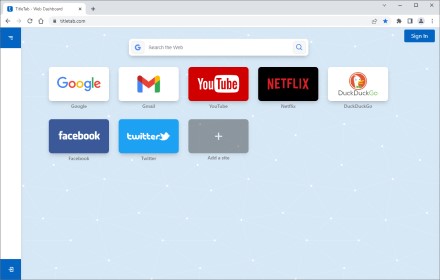
TitleTab - Speed Dial Dashboard
TitleTab Extension: speed dial dashboard, prevent accidental tab closure, and easy open tab saving.
1.0K
★ 4.4

HelloTabs - fast tab switching
Extension to search for and switch between tabs in seconds with a simple shortcut
259
★ 5.0
Easy Tab Renamer
Extension that enables renaming of browser tabs
552
★ 3.0

Simplest Tabs
Streamline Your Tab Management. Save, search, and navigate with ease using Simplest Tabs.
133
★ 5.0

Tabber
Too many tabs open? Get Tabber; the easy to use, fun, and quirky way to manage your browser tabs like a pro!
1

TabMaster
Organize and manage all your browser tabs in one place. Save, restore, and share tabs with ease.
2

Tab Renamer
Rename browser tabs to easily manage multiple tabs
3

Tab Renamer
Rename your Chrome tabs for better multitasking.
29
★ 5.0
Data sourced from the Chrome Web Store · last verified May 31, 2026.