Bootstrap Grid Overlay - Web Layout Tool
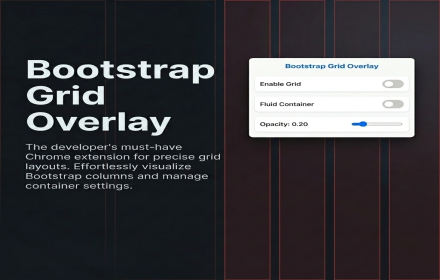
Quickly toggle a customizable Bootstrap Grid Overlay to help align your application's layout.
As of June 2026, Bootstrap Grid Overlay - Web Layout Tool has — users in the Productivity category.
Usersno change0%
—
—
Ratingno change0%
—
— reviews
Reviewsno change0%
—
Version
1.0.0
Manifest V3
History
1 snapshotsTracking since Jun 16, 2026.
Not enough history yet for this metric — the chart fills in as we collect more snapshots.
View as table
| Date | Users | Rating | Reviews | Version |
|---|---|---|---|---|
| Jun 16, 2026 | — | — | — | 1.0.0 |
| Now | — | — | — | 1.0.0 |
Permissions & access
- Permissions
- storage
- Host access
- None declared
Screenshots

About
Bootstrap Grid Overlay - Web Layout Tool

Visualize, align, and perfect your web layouts instantly!

Bootstrap Grid Overlay is a must-have Chrome extension for web developers and designers. It allows you to quickly toggle a fully customizable, responsive 12-column grid overlay on any webpage you are working on. Whether you are building a new site or debugging an existing layout, this tool ensures your elements align perfectly with standard design systems.

Key Features:
- Instant Toggle: Turn the grid overlay on or off with a single click from the extension popup.
- Fluid & Fixed Containers: Seamlessly switch between standard Bootstrap container max-widths and a 100% width fluid container.
- Customizable Opacity: Adjust the visibility of the grid columns using a simple slider to match your contrast needs.
- Live Breakpoint Indicator: See your current screen width and the active Bootstrap breakpoint (xs, sm, md, lg, xl, xxl) at a glance.
- Non-Intrusive Design: The grid is fully click-through, allowing you to interact with your webpage and use Chrome DevTools without any interruptions.

Perfect for pixel-perfect alignment and responsive web design debugging. Add Bootstrap Grid Overlay to your workflow today!
Technical
- Version
- 1.0.0
- Manifest
- V3
- Size
- 19.4KiB
- Min Chrome
- 88
- Languages
- 1
- Featured
- No
Metadata
- ID
- pbmaaejndmmfolgjhkjjindcgjnpfgpl
- Developer ID
- u4cb20a562c3a8d71789e625b9282fa07
- Developer Email
- [email protected]
- Created
- Jun 15, 2026
- Last Updated (Store)
- Jun 15, 2026
- Last Scraped
- Jun 16, 2026
- Website
- —
- Support URL
- —
- Privacy Policy
- https://sites.google.com/view/privacyextppol/
Data sourced from the Chrome Web Store · last verified Jun 16, 2026.