
Amino: Live CSS Editor
Customize any website with your own CSS and see your changes instantly with Amino!
As of June 2026, Amino: Live CSS Editor has 20,000 users and a 4.25/5 rating from 462 reviews in the Developer Tools category.
Usersno change0%
20.0K
20,000
Ratingdown 0.7 percent−0.7%
4.25
462 reviews
Reviewsup 0.9 percent+0.9%
462
Version
4.1.5
Manifest V3
90-day change · In the last 90 days this extension 1 version update.
History
4 snapshotsTracking since Apr 20, 2026.
View as table
| Date | Users | Rating | Reviews | Version |
|---|---|---|---|---|
| Apr 20, 2026 | 20.0K | 4.28 | 458 | 4.1.4 |
| May 5, 2026 | 20.0K | 4.28 | 458 | 4.1.4 |
| May 28, 2026 | 20.0K | 4.27 | 460 | 4.1.4 |
| Jun 21, 2026 | 30.0K | 4.27 | 460 | 4.1.5 |
| Now | 20.0K | 4.25 | 462 | 4.1.5 |
Permissions & access
- Permissions
- activeTabcontextMenusscriptingsidePanelstoragetabsunlimitedStorage
- Host access
- https://*/*, http://*/*
Screenshots


About
- Customize websites with CSS by creating your own user style sheets. Customize page appearance, fix rendering bugs, make the web what you want it to be.
- Enjoy modern IDE features in the browser.
- Save and sync custom styles to your Google Account. Access them from multiple computers.
- Export your data on demand.

Featured in: Chrome's ‘Top Picks’ in developer tool extensions, Smashing Magazine, Product Hunt, Designer News, Codrops, Sidebar, and more.


FEATURES
- Syntax highlighting
- Automatic indenting and outdenting
- Inspect tool
- DevTools integration (*new*)
- SCSS/Sass support
- Autocomplete
- Autosave
- Synced data with Chrome sync
- Copy to clipboard
- Data export
- Dark theme


KEYBOARD SHORTCUTS
Open browser popup: CTRL+SHIFT+SPACE
Open remote popup: ALT+SHIFT+SPACE


GET IN TOUCH
[email protected]
twitter.com/aminoeditor


HELP & SUGGESTIONS
If you have feedback or would like to report an issue, you can do so on the Google Group page: https://groups.google.com/forum/#!forum/aminoeditor


ABOUT PERMISSIONS
To learn about the permissions this extension requests:
https://docs.aminoeditor.com/legal/permissions (TLDR: We're not doing anything nefarious or creepy.)


TERMS OF USE AND PRIVACY
By installing the extension, you agree to its Terms of Use (https://docs.aminoeditor.com/legal/terms-of-use) and Privacy Policy (https://docs.aminoeditor.com/legal/privacy-policy).


AUTHORS
Eric Uldall
github.com/ericuldall
—
Timothy Long
github.com/timothylong


Happy tinkering. 🔧😉
Technical
- Version
- 4.1.5
- Manifest
- V3
- Size
- 1.49MiB
- Min Chrome
- 88
- Languages
- 53
- Featured
- Yes
Metadata
- ID
- pbcpfbcibpcbfbmddogfhcijfpboeaaf
- Developer ID
- u1ad62cc8510cae5669ad8589b80d9612
- Developer Email
- [email protected]
- Created
- Dec 22, 2016
- Last Updated (Store)
- May 16, 2026
- Last Scraped
- Jun 21, 2026
- Website
- amino.dev
- Support URL
- https://docs.amino.dev
- Privacy Policy
- https://amino.dev/privacy
Similar extensions
Alternatives to Amino: Live CSS Editor, ranked by description similarity.
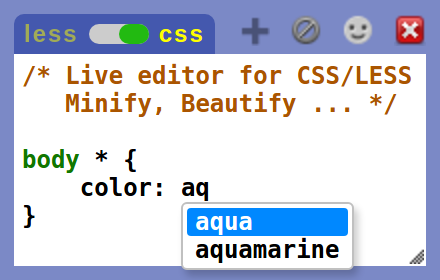
Live editor for CSS, Less & Sass - Magic CSS
Live preview of CSS/Less/Sass code changes. Auto-save file, autocomplete, Less/Sass to CSS, beautify, CSS reloader, lint, ...
70.0K
★ 4.6

Styler
Add custom CSS styles, JavaScript & jQuery to any websites
129

Stylus
Redesign the web with Stylus, a user styles manager. Stylus allows you to easily install themes and skins for many popular sites.
1.0M
★ 4.5

Visual CSS Editor
Customize any website visually.
50.0K
★ 3.5

Devision – Web Dev & Design Tools
Design, SEO, and development tools for any website. Color picker, SEO checker, CSS inspector, and many more.
76
★ 5.0

Google Sites Dark & Light Mode Themes by SitesBuddy
Dark & Light Mode Themes for Google Sites editor
448
★ 5.0

Creative Block - Edit Text, Images & Colors on any page
Creative Block is a tool that helps you create and edit text, images, and background colors on any page.
7

CSS Scanner Pro
The fastest and easiest way to inspect, copy and analyze CSS styles on any webpage
101
★ 5.0
Data sourced from the Chrome Web Store · last verified Jun 21, 2026.