
ProxiedMail
Community extension to generate and manage proxy mailboxes via API.
As of June 2026, ProxiedMail has 3 users and a 3.00/5 rating from 1 reviews in the Workflow & Planning category.
Usersno change0%
3
3
Ratingno change0%
3.00
1 reviews
Reviewsno change0%
1
Version
0.1.0
Manifest V3
History
8 snapshotsTracking since Apr 17, 2026.
View as table
| Date | Users | Rating | Reviews | Version |
|---|---|---|---|---|
| Apr 17, 2026 | — | — | — | 0.1.0 |
| Apr 22, 2026 | — | — | — | 0.1.0 |
| Apr 27, 2026 | 1 | — | — | 0.1.0 |
| May 5, 2026 | — | — | — | 0.1.0 |
| May 10, 2026 | 2 | — | — | 0.1.0 |
| May 16, 2026 | 4 | 3.00 | 1 | 0.1.0 |
| May 29, 2026 | 5 | 3.00 | 1 | 0.1.0 |
| Jun 6, 2026 | 6 | 3.00 | 1 | 0.1.0 |
| Now | 3 | 3.00 | 1 | 0.1.0 |
Permissions & access
- Permissions
- storageclipboardWrite
- Host access
- https://proxiedmail.com/*, https://*.proxiedmail.com/*
Screenshots


About
ProxiedMail is a community-made Chrome extension that helps you create and manage ProxiedMail proxy email aliases directly from your browser.

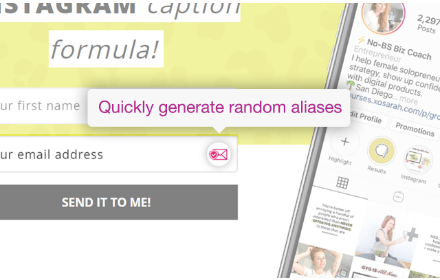
Use ProxiedMail aliases to protect your real email address, reduce spam, and keep different websites and services separated. With this extension you can generate a fresh alias in seconds, copy it with one click, or insert it straight into email fields on signup and checkout forms without leaving the page.

Main features:

* Generate a new alias instantly from the extension popup
* Auto-detect email input fields and insert a new alias on demand
* Copy any generated alias to your clipboard with one click
* Manage your aliases from the Settings / Mailbox Manager page
* Choose the alias domain from the domains available in your ProxiedMail account
* Select a redirect mailbox for new aliases (or add a new mailbox)
* View a list of aliases with redirect details and recent activity metadata (e.g., received email counts)
* Delete aliases safely with a confirmation prompt to prevent mistakes

Designed for speed and convenience:
The extension is built to keep the alias workflow fast and lightweight. Common account data is cached in the settings UI to make navigation smoother and reduce repeated loading, so you can generate and manage aliases quickly when you need them.

How it works:

1. Add your ProxiedMail API key in the extension settings
2. Choose an alias domain and a redirect mailbox
3. Generate aliases from the popup, or insert them into forms while browsing
4. Manage, review, and delete aliases from the mailbox manager at any time

Community disclaimer:
This extension is community-built and has no direct relationship with, endorsement from, or official affiliation with ProxiedMail.
Technical
- Version
- 0.1.0
- Manifest
- V3
- Size
- 3.44MiB
- Min Chrome
- 88
- Languages
- 1
- Featured
- No
Metadata
- ID
- pakeogocmkhfmjckadaodmjlijokglek
- Developer ID
- ueccc35eb7047194c16e9a8eff9ffa12d
- Developer Email
- [email protected]
- Created
- Feb 23, 2026
- Last Updated (Store)
- Feb 23, 2026
- Last Scraped
- Jun 6, 2026
- Website
- —
- Support URL
- —
Similar extensions
Alternatives to ProxiedMail, ranked by description similarity.

Alias Email - Free Email Aliases
Hide your real email and control who can send you messages. Generate new emails with one click is pretty easy.
382
★ 5.0

Mailcow Aliases
Generate Mailcow aliases on the fly!
65
★ 5.0

Email Variations
Input different email address for every website using the '+' sign, e.g. [email protected]
11
SimpleLogin by Proton: Secure Email Aliases
Easily create a different email for each website to hide your real email. Protect your inbox against spams, phishing, data breaches
70.0K
★ 4.8

Mutant Mail - One Mailbox for All Email IDs
Never miss an important email again! Manage all your email IDs in Single Inbox with our Email Router.
88
★ 5.0

Rayobyte Proxy Switcher - Free Proxy Extension
The Rayobyte Proxy Extension allows you to switch your proxy on/off in Chrome, among other features such as profile management.
1.0K
★ 4.7

Mail Aliaser
Extension for creating and managing your G-mail email aliases.
4

MarsProxies Proxy Extension
MarsProxies provides a simple way to access the Internet through a proxy server.
2.0K
★ 5.0
Data sourced from the Chrome Web Store · last verified Jun 6, 2026.