
PWA Scope Fixer
Fix PWA address bar issues by injecting a custom manifest. Customize app name, scope, colors, and force standalone mode easily.
As of June 2026, PWA Scope Fixer has 264 users and a 5.00/5 rating from 3 reviews in the Productivity category.
Usersup 104.7 percent+104.7%
264
264
Ratingno change0%
5.00
3 reviews
Reviewsno change0%
3
Version
1.2.0
Manifest V3
History
7 snapshotsTracking since Apr 17, 2026.
View as table
| Date | Users | Rating | Reviews | Version |
|---|---|---|---|---|
| Apr 17, 2026 | 129 | 5.00 | 3 | 1.2.0 |
| Apr 27, 2026 | 177 | 5.00 | 3 | 1.2.0 |
| May 7, 2026 | 220 | 5.00 | 3 | 1.2.0 |
| May 14, 2026 | 200 | 5.00 | 3 | 1.2.0 |
| May 23, 2026 | 198 | 5.00 | 3 | 1.2.0 |
| Jun 2, 2026 | 253 | 5.00 | 3 | 1.2.0 |
| Jun 10, 2026 | 233 | 5.00 | 3 | 1.2.0 |
| Now | 264 | 5.00 | 3 | 1.2.0 |
Permissions & access
- Permissions
- activeTabscriptingstorage
- Host access
- None declared
Screenshots


About
Fix the "Address Bar" issue in your Progressive Web Apps (PWA) and take full control of your installed web apps.

Do you hate it when your installed PWA shows a browser address bar (URL bar) at the top? This usually happens when a PWA is installed from a subdirectory (e.g., example.com/app/) but restricts you from navigating to other parts of the domain.
PWA Scope Fixer solves this by allowing you to inject a custom, dynamic Web Manifest into any website. You can define your own Start URL (Scope), effectively removing the address bar and forcing the app to behave like a true native application (display: standalone).

✨ Key Features:
✅ Fix Scope & Address Bar Issues: Define a custom Start URL to include the entire domain or specific paths, removing the top browser bar.
📱 Force Standalone Mode: Ensures your app always opens in a window without browser UI.
🎨 Customize Appearance: Set your own App Name, Short Name, Theme Color, and Background Color.
💾 Per-Site Settings: Your configurations are automatically saved for each domain.
🚀 One-Click Install: Trigger the PWA installation prompt directly from the extension popup.
🛠 Manage Apps: Quick link to chrome://apps to easily remove old or broken PWA installations.

How to use:
Navigate to the website you want to install.
Click the PWA Scope Fixer extension icon.
Customize the Start URL (e.g., shorten it to the root domain), Name, and Colors.
Click "Apply & Save".
Click "Install PWA".
Privacy & Open Source:
This extension runs entirely locally on your browser. No data is sent to external servers.
The project is open source: https://github.com/kittizz/pwa-scope-fixer
Technical
- Version
- 1.2.0
- Manifest
- V3
- Size
- 186KiB
- Min Chrome
- 88
- Languages
- 1
- Featured
- No
Metadata
- ID
- paddiikjoldefcflfofcjldejikppcca
- Developer ID
- u37886877907f2ee269b982b14ee73d66
- Developer Email
- [email protected]
- Created
- Dec 18, 2025
- Last Updated (Store)
- Dec 23, 2025
- Last Scraped
- Jun 10, 2026
- Website
- —
Similar extensions
Alternatives to PWA Scope Fixer, ranked by description similarity.

Website to App
Open websites as standalone apps.
573
★ 3.2

Liteit.app Installer - PWA Installer
Convert any website into an Installable Web App (PWA) with Liteit.app — enhanced UI, install button, and smart UX.
268
★ 5.0

Facebook Messenger PWA
Convert Facebook Messenger web app to PWA
350
★ 5.0

Quick New Tab Redirect
Allows you to change New Tab page to your specific URL.
289
★ 5.0

Mindful Click
Block any distracting site you choose. A philosophical pause turns impulsive clicks into intentional choices.
1

Pocket Tabs
Sends tabs to your Pocket Tabs app.
14
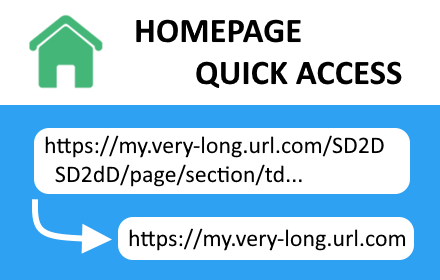
Homepage Quick Access
Instantly navigate a website's homepage with a single click. No more URL editing or navigating through complex site structures.
278
★ 4.3

Tab Manager & Performance Optimizer
Declutter any page, tame your tabs, and browse faster – one click.
6
★ 4.3
Data sourced from the Chrome Web Store · last verified Jun 10, 2026.