
DrawOnPage
Draw directly on any webpage to annotate content or doodle for fun.
As of May 2026, DrawOnPage has 5 users in the Productivity category.
Usersdown 37.5 percent−37.5%
5
5
Ratingno change0%
—
— reviews
Reviewsno change0%
—
Version
1.0
Manifest V3
History
2 snapshotsTracking since Apr 29, 2026.
View as table
| Date | Users | Rating | Reviews | Version |
|---|---|---|---|---|
| Apr 29, 2026 | 8 | — | — | 1.0 |
| May 26, 2026 | 6 | — | — | 1.0 |
| Now | 5 | — | — | 1.0 |
Permissions & access
- Permissions
- activeTab
- Host access
- None declared
Screenshots
About
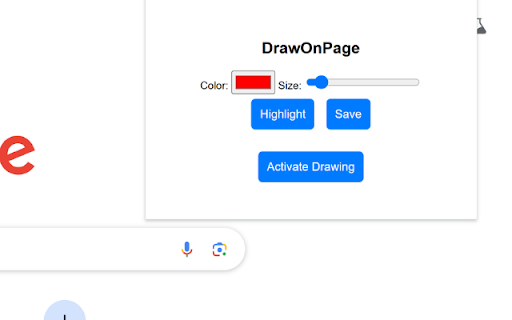
DrawOnPage is a browser extension that allows you to draw directly on any webpage. Whether you need to highlight important information, annotate content, or simply doodle for fun, DrawOnPage provides you with the tools to do so effortlessly.

Features

Freehand Drawing: Use the brush tool to draw freehand lines.
Customize Settings: Adjust the color, size, and opacity of your brush to suit your needs.
Highlight: Quickly set the brush settings to highlighter.
Save: Save the viewport of the webpage including your annotations as a downloadable image.
Technical
- Version
- 1.0
- Manifest
- V3
- Size
- 9.78KiB
- Min Chrome
- 88
- Languages
- 1
- Featured
- No
Metadata
- ID
- opbgginemdknidkbpemdoghebmgofcma
- Developer ID
- u07a7606656d4b5a52dbf924674d4d5e7
- Developer Email
- [email protected]
- Created
- Mar 29, 2025
- Last Updated (Store)
- Mar 29, 2025
- Last Scraped
- May 26, 2026
- Website
- —
- Support URL
- https://789clubapk.com/
Similar extensions
Alternatives to DrawOnPage, ranked by description similarity.

Doodle
Doodle on any webpage
—

Draw on Page
Easily draw on any website with simple drawing tools, then print the result.
100.0K
★ 3.5

Draw On Any Web Page
Use this extension to draw on any webpage like freehand, rectangle, circle, undo, print, line, and clear options
81

WebDraw
Draw on any webpage.
62
★ 5.0

Webpage Drawer
Webpage Drawer is a Chrome extension that allows users to write, draw, highlight, and annotate directly on web pages.
Features :…
73
★ 5.0

Draw on Screen
Draw, highlight, and annotate on any webpage with Draw on Screen — the simplest way to comment as you browse!
3.0K
★ 4.6

Drawr - Draw and Annotate on Any Webpage
Draw, highlight, add shapes and text to any webpage. Take annotated screenshots with pen, highlighter, arrows, and more.
32
★ 5.0

WebDoodler
Draw on any website with simple tools and print the result. Create annotations and sketches instantly.
—
Data sourced from the Chrome Web Store · last verified May 26, 2026.