
Easy Apply Bots
Fills out job applications for you. Get your time back, get interviews, get hired.
As of June 2026, Easy Apply Bots has 213 users and a 2.00/5 rating from 9 reviews in the Workflow & Planning category.
Usersdown 7.4 percent−7.4%
213
213
Ratingno change0%
2.00
9 reviews
Reviewsup 12.5 percent+12.5%
9
Version
4.2.1
Manifest V3
History
3 snapshotsTracking since Apr 23, 2026.
View as table
| Date | Users | Rating | Reviews | Version |
|---|---|---|---|---|
| Apr 23, 2026 | 230 | 2.00 | 8 | 4.2.1 |
| May 13, 2026 | 215 | 2.00 | 8 | 4.2.1 |
| Jun 8, 2026 | 213 | 2.00 | 8 | 4.2.1 |
| Now | 213 | 2.00 | 9 | 4.2.1 |
Permissions & access
- Permissions
- sidePanelstorageidentityidentity.emailactiveTabmanagement
- Host access
- <all_urls>
Screenshots


About
Transform your job application process with Easy Apply Bots! On average, job seekers fill out over 100 online applications to get a SINGLE INTERVIEW. With companies using bots to sift through applications, we're here to level the playing field. 🏈

Our extension is a game-changer, filling out entire applications for you; answering any question they throw at you.

By remembering your details, Easy Apply Bots seamlessly completes applications on LinkedIn and Indeed easy apply, and more sites!. Have a favorite you’d like us to tackle next? Visit us at https://easyapplybots.com#support or email [email protected].

How it works:

1. Pin the icon for quick access.

2. Sign in -- Open the chrome sidepanel (or just click the extension icon)

3. Add your LinkedIn info:
Go to the QNA's (look for the "?" icon) section and you will be prompted to enter your LinkedIn profile. Give it to us, and we will automatically copy over 90% of the information required to fill the average job form.

4. Confirm/Change your answers:
Go the QNA's (look for the "?" icon) section and notice that the "unconfirmed" questions are marked with a question mark. If you click this, or change the answer, and then hit "save changes", it will update your info for the next application!

5. Ready to use!
Go to an application on https://linkedin.com or https://indeed.com, (possibly works on other sites!) and then hit "Fill Form" or "Apply to Job". Wait a few seconds and see the responses.

6. If the application contained a question we haven't seen before, the bot will make its best guess based on the information available. You can change/add the answers to the questions, and the bot will use that updated info on the next application!

7. Rinse & Repeat

8. Check your email for updates about us automating MORE & MORE of the job application process for you! Automatic Applications coming soon.

Once you share your details, our bot effortlessly answers all on-page questions with a click! Encounter a new question? No problem! The bot attempts an answer and saves it for your review, ensuring future applications are even smoother.

Access and refine your bot's answers anytime through the main UI in the Chrome side panel—sign in is a breeze with Google OAuth, ensuring your experience is both secure and personalized.
Technical
- Version
- 4.2.1
- Manifest
- V3
- Size
- 393KiB
- Min Chrome
- 88
- Languages
- 1
- Featured
- No
Metadata
- ID
- ooinebijdjljcgdkjpamogohcjpneodk
- Developer ID
- u50e92523580334dc2533ded5353dca33
- Developer Email
- [email protected]
- Created
- Apr 2, 2024
- Last Updated (Store)
- Feb 5, 2025
- Last Scraped
- Jun 8, 2026
- Website
- easyapplybots.com
- Support URL
- https://easyapplybots.com#support
- Privacy Policy
- https://easyapplybots.com/
Similar extensions
Alternatives to Easy Apply Bots, ranked by description similarity.

OwlApply: AI Autofill Job Applications
AI job application autofill. Tailor resumes, generate cover letters, check ATS score, track & find similar jobs.
2.0K
★ 4.7

AutoApplyBot
Accelerate your job applications
76
★ 5.0

Easy Apply Automater
Automate the easy apply process on LinkedIn job listings.
1.0K
★ 3.8

AiCareer Partners Agent
AI-powered job application assistant that auto-fills forms intelligently.
2
★ 5.0

The Job World - Job Application Autofill
Automatically fill job applications. AI-powered resume personalization, cover letters, and cold emails.
13
★ 5.0

RoboApply - AI Job Application Assistant
AI-powered job application assistant. Auto-apply to jobs on Dice, LinkedIn, Indeed with smart tracking and Google authentication.
592
★ 5.0
Easy Apply
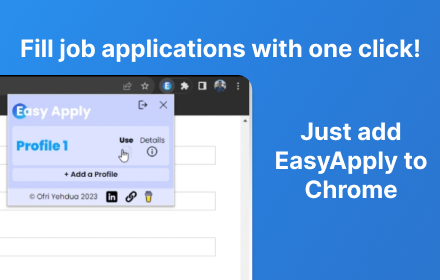
Apply to job listings easily, using multiple candidate profiles
278
★ 5.0

Job Blaster - One-Click Apply
One-click job application with your saved resumes and cover letters from Job Blaster
1
Data sourced from the Chrome Web Store · last verified Jun 8, 2026.