
AI Chat Exporter: Transfer, Save & Continue ChatGPT, Claude, Gemini & More
Export AI chats and continue them on any platform. Switch between AI assistants instantly. No account needed — by ContextSwitchAI
As of June 2026, AI Chat Exporter: Transfer, Save & Continue ChatGPT, Claude, Gemini & More has 2,000 users and a 4.53/5 rating from 32 reviews in the Workflow & Planning category.
Usersup 1370.6 percent+1370.6%
2.0K
2,000
Ratingdown 5.4 percent−5.4%
4.53
32 reviews
Reviewsup 68.4 percent+68.4%
32
Version
2.0.1
Manifest V3
90-day change · In the last 90 days this extension gained 1.9K users, 1 version update.
History
13 snapshotsTracking since Apr 1, 2026.
View as table
| Date | Users | Rating | Reviews | Version |
|---|---|---|---|---|
| Apr 1, 2026 | 136 | 4.79 | 19 | 2.0 |
| Apr 9, 2026 | 154 | 4.60 | 20 | 2.0 |
| Apr 20, 2026 | 212 | 4.60 | 20 | 2.0.1 |
| Apr 25, 2026 | 300 | 4.64 | 22 | 2.0.1 |
| Apr 29, 2026 | 324 | 4.64 | 22 | 2.0.1 |
| May 5, 2026 | 344 | 4.64 | 22 | 2.0.1 |
| May 9, 2026 | 400 | 4.56 | 25 | 2.0.1 |
| May 12, 2026 | 445 | 4.58 | 26 | 2.0.1 |
| May 16, 2026 | 473 | 4.58 | 26 | 2.0.1 |
| May 21, 2026 | 703 | 4.61 | 28 | 2.0.1 |
| May 25, 2026 | 878 | 4.50 | 30 | 2.0.1 |
| Jun 4, 2026 | 1.0K | 4.50 | 30 | 2.0.1 |
| Jun 15, 2026 | 1.0K | 4.53 | 32 | 2.0.1 |
| Now | 2.0K | 4.53 | 32 | 2.0.1 |
Changelog
- Apr 9, 2026short_description
Export AI chats from ChatGPT, Claude, Gemini, Grok & more. Switch platforms instantly — memory, notes & context carried forward.
Export AI chats and continue them on any platform. Switch between AI assistants instantly. No account needed — by ContextSwitchAI
- Apr 9, 2026name
ContextSwitchAI: AI Chat Export & Search
AI Chat Exporter: Transfer, Save & Continue ChatGPT, Claude, Gemini & More
Permissions & access
- Permissions
- activeTabscriptingdownloadsstoragetabs
- Host access
- <all_urls>
Screenshots


About
ContextSwitchAI — Export Any AI Chat & Continue It Anywhere
Tired of losing your conversation context when switching between AI platforms? ContextSwitchAI lets you export your full chat history from one AI and seamlessly resume it on another — with all your code, context, and notes intact.
Supported Platforms
Works with any AI chat platform — with all your code, context, and notes intact.

✦ What's New in v2.0
▸ Smart Context Search — Search across every export you've ever saved. A full semantic engine with BM25, TF-IDF, fuzzy matching, and synonym expansion finds the right conversation by meaning, not just filename.
▸ Folder Indexer — Point the extension at your exports folder once. It indexes everything automatically and keeps it up to date so search always covers your full archive.
▸ In-Page Panel — A floating side panel now lives directly inside your AI tab, so you can load exports, search, and continue without ever opening a separate popup.
▸ Light & Dark Mode — Switch between themes to match your preference.

Core Features
▸ One-Click Export — Click the extension icon on any supported AI page and hit Export. Your entire conversation is instantly saved to your Downloads folder. No copy-pasting, no manual summarising.
▸ Smart Token Compression — A multi-phase compression engine strips filler phrases, removes duplicate content, and collapses repetitive sentences before saving — reducing token usage by up to 55% so the receiving AI gets maximum context within its window. Your code and attachments are never touched.
▸ Code Block Preservation — Every code snippet is extracted and stored separately, completely isolated from compression. Not a single character is modified.
▸ ZIP Export with Embedded Images — Export as a ZIP bundle that includes inline images directly, so visual context travels with your conversation.
▸ Notes System — Highlight any important text and pin it as a note. Notes are injected at the top of the resumed conversation so the new AI sees them as priority context immediately.
▸ Opening Message — Write a custom prompt before switching platforms. The new AI receives it alongside your conversation history to set the right direction from the first message.
▸ Load & Resume Later — Exported a conversation yesterday? Load the JSON file from your Downloads and all platform buttons activate instantly.
▸ Token Stats — See exactly how many tokens your conversation uses before and after compression.
▸ Custom Filename — Rename your export before saving to keep your Downloads organised.


How to Use
1. Open any supported AI platform with a conversation you want to export
2. Click the ContextSwitchAI icon in your Chrome toolbar
3. Click Export Chat — your file downloads instantly
4. Optionally add notes or an opening message in the Continue panel
5. Click any platform button — a new tab opens and your memory file is automatically attached


Privacy
Everything runs entirely inside your browser. No data is ever sent to any external server. No account required. No tracking of any kind. Your conversations stay on your device.
Technical
- Version
- 2.0.1
- Manifest
- V3
- Size
- 177KiB
- Min Chrome
- 88
- Languages
- 1
- Featured
- Yes
Metadata
- ID
- oodgeokclkgibmnnhegmdgcmaekblhof
- Developer ID
- u37f4c48ed2a3fdde02eb1595ee446e9a
- Developer Email
- [email protected]
- Created
- Mar 4, 2026
- Last Updated (Store)
- Apr 8, 2026
- Last Scraped
- Jun 15, 2026
Similar extensions
Alternatives to AI Chat Exporter: Transfer, Save & Continue ChatGPT, Claude, Gemini & More, ranked by description similarity.
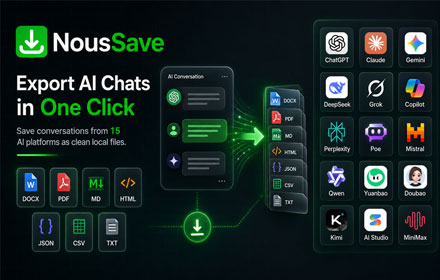
NousSave: Export ChatGPT, Gemini, DeepSeek, Claude and Grok Chats to PDF
Effortlessly export AI chats to PDF, Word, Markdown, HTML & more. Features 'Deep Research' support and collapsible long messages.
2.0K
★ 4.5

AI Exporter: Save Claude,ChatGPT,Gemini to PDF, Docs, MD and More
Export ChatGPT, Claude, Gemini and NotebookLM chats to PDF/Word/Markdown/Txt. Supports content selection, and Notion sync, download.
100.0K
★ 4.8

AI Chat Messages Toolkit
Navigate your AI chat messages instantly. Works with ChatGPT, Claude, Perplexity, Gemini, and Copilot. 100% free, privacy-first.
48
★ 5.0

Recall.Ai
Save, organize, and summarize AI chats (ChatGPT, Gemini, Claude, etc.) directly in your browser. Cross-platform & privacy-first.
126
★ 5.0

chatSwitch ai
Move your chats effortlessly across ai platforms - break free from token/chat limits
9
★ 4.8

Universal AI Navigator
Navigation sidebar for Gemini, ChatGPT, Claude, and Perplexity.
18
★ 5.0

AI Chat Exporter
Export AI chatbot conversations to PDF, Markdown, DOCX, and more
60
ChatEngram - Search & Autosave ChatGPT, Claude & Gemini chat history
Save and search ChatGPT, Claude, Gemini, and DeepSeek chats. Export to Obsidian, Notion, and Google Drive.
130
★ 3.5
Data sourced from the Chrome Web Store · last verified Jun 15, 2026.