
DualPane
Spilts the browser screen into two equal parts, and will remember the last opened page on the right-hand side.
As of May 2026, DualPane has 4 users in the Productivity category.
Usersup 33.3 percent+33.3%
4
4
Ratingno change0%
—
— reviews
Reviewsno change0%
—
Version
1.0
Manifest V3
History
2 snapshotsTracking since Apr 30, 2026.
View as table
| Date | Users | Rating | Reviews | Version |
|---|---|---|---|---|
| Apr 30, 2026 | 3 | — | — | 1.0 |
| May 27, 2026 | 6 | — | — | 1.0 |
| Now | 4 | — | — | 1.0 |
Permissions & access
- Permissions
- system.displaystoragetabs
- Host access
- None declared
Screenshots

About
DualPane will resize the existing web page to 1/2 the width of the screen and to full height.  It will then open up a second web page for the other half of the screen.  When exiting the right-hand new window the website will be remembered for the next time that DualPane is invoked.  On closing the right-hand or left-hand web page the web page left open will return to its original size and position.

DualPane is a very quick way of splitting the browser into two different independent browser windows.

Data Privacy - No user Data is processed or used.

There are no fees or adverts for DualPane.
Technical
- Version
- 1.0
- Manifest
- V3
- Size
- 10.88KiB
- Min Chrome
- 88
- Languages
- 1
- Featured
- No
Metadata
- ID
- omlblmmjobiodpgpknbfkbandfhlandi
- Developer ID
- u1bfde0712c18f742b18be556d7ca80f7
- Developer Email
- [email protected]
- Created
- Jan 18, 2025
- Last Updated (Store)
- Feb 21, 2025
- Last Scraped
- May 27, 2026
- Website
- —
- Support URL
- —
- Privacy Policy
- —
Similar extensions
Alternatives to DualPane, ranked by description similarity.
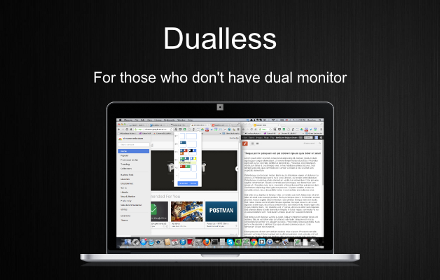
Dualless
Dualless - For those who don't have dual monitor.
1.0M
★ 4.0

Side Window Manager - Split Screen View
A Chrome extension that opens the current page in a popup window.
108
★ 5.0

Split Screen Manager
Quickly split browser windows for enhanced multitasking efficiency
52

Syndesi Link
Links to the Syndesi platform in a popup on the right 1/3rd of the screen. Current web page will be on the left 2/3rds.
8

DockTab Focus
Pin one webpage to Chrome Side Panel for fast multitasking with one-click float and restore.
1

SplitLook
Easily split pages into top and bottom views. Includes ChatGPT Optimizer.
52
★ 5.0

Window sticky tool
Pin any web page in picture-in-picture mode
88
★ 1.0

Auto Focus for Split View
Automatically focuses a split view panel on mouse hover.
92
★ 5.0
Data sourced from the Chrome Web Store · last verified May 27, 2026.