
AI Polyglot - Private Translator
AI Polyglot helps you translate text privately using local LLMs on your device. Works for WhatsApp Web. Offline translation incl.
As of June 2026, AI Polyglot - Private Translator has 171 users in the Communication category.
Usersdown 3.4 percent−3.4%
171
171
Ratingno change0%
—
— reviews
Reviewsno change0%
—
Version
2026.5.1
Manifest V3
90-day change · In the last 90 days this extension 1 version update.
History
8 snapshotsTracking since Apr 18, 2026.
View as table
| Date | Users | Rating | Reviews | Version |
|---|---|---|---|---|
| Apr 18, 2026 | 177 | — | — | 2025.11.1 |
| Apr 28, 2026 | 183 | — | — | 2025.11.1 |
| May 8, 2026 | 176 | — | — | 2025.11.1 |
| May 12, 2026 | 169 | — | — | 2026.5.1 |
| May 18, 2026 | 173 | — | — | 2026.5.1 |
| May 24, 2026 | 174 | — | — | 2026.5.1 |
| May 31, 2026 | 168 | — | — | 2026.5.1 |
| Jun 6, 2026 | 174 | — | — | 2026.5.1 |
| Now | 171 | — | — | 2026.5.1 |
Changelog
- May 8, 2026description
The best privacy focused translation tool for chats on WhatsApp Web. No more copy-pasting between translator apps.

AI Polyglot supports Cloud & Local translation modes:
- Cloud AI (Recommended) uses Athropic's Claude AI for translation.
- Local AI: Your chats remain private, all translations are done by AI running inside your browser.
    - Uses in-browser WebGPU technology (if supported by your hardware):
    - WebMLC - https://github.com/mlc-ai/web-llm
    - **Choose from many supported local models.**
    - The initial load will download the AI model, be patient.
    - Local performance is limited by your PC hardware.

Usage Instructions: (See the YouTube video for a live demo)
- Create an account: https://ai-polyglot.com
- Go to WhatsApp Web: https://web.whatsapp.com
- Open the "AI Polyglot" side-panel by clicking on the extension icon.
- Setup Screen:
    - Preferred language, e.g. English
    - Translation Mode (Cloud or Local)
    - Authenticate extension on https://ai-polyglot.com/dashboard

Experiencing any issues?
- Refresh Whatsapp page
- Collapse and reopen side-panel
- Try switching to another chat and back within Whatsapp, or
- Sign-out of the side-panel and sign back in.
- Reach out to [email protected] for assistance.

This extension is independently developed and is not affiliated with WhatsApp or Meta

Change List:
- Translation speed and stability improvements (local translation temprarily disabled)
- Fixed Side Panel message ordering
- Context menu to translate specific messages
- Fixed text input field - now supports multi-line input.
- Added support to choose from a range of local models for translation.
- If chat language and your language is available, AI will act as a writing assistant to rewrite your text in a particular style. E.g. Formal, Casual, Corporate, etc.
- Fixed bug where reply fails if "Reply Style" is not found for chat language.
The best privacy focused translation tool for chats on WhatsApp Web. No more copy-pasting between translator apps. AI Polyglot supports Cloud & Local translation modes: - Cloud AI (Recommended) uses Athropic's Claude AI for translation. - Local AI: Your chats remain private, all translations are done by AI running inside your browser. - Uses in-browser WebGPU technology (if supported by your hardware): - WebMLC - https://github.com/mlc-ai/web-llm - **Choose from many supported local models.** - The initial load will download the AI model, be patient. - Local performance is limited by your PC hardware. Usage Instructions: (See the YouTube video for a live demo) - Create an account: https://ai-polyglot.com - Go to WhatsApp Web: https://web.whatsapp.com - Open the "AI Polyglot" side-panel by clicking on the extension icon. - Setup Screen: - Preferred language, e.g. English - Translation Mode (Cloud or Local) - Authenticate extension on https://ai-polyglot.com/dashboard Experiencing any issues? - Refresh Whatsapp page - Collapse and reopen side-panel - Try switching to another chat and back within Whatsapp, or - Sign-out of the side-panel and sign back in. - Reach out to [email protected] for assistance. This extension is independently developed and is not affiliated with WhatsApp or Meta Change List: - Updated to work with new backend API - Translation speed and stability improvements (local translation temporarily disabled) - Fixed Side Panel message ordering - Context menu to translate specific messages - Fixed text input field - now supports multi-line input. - Added support to choose from a range of local models for translation. - If chat language and your language is available, AI will act as a writing assistant to rewrite your text in a particular style. E.g. Formal, Casual, Corporate, etc. - Fixed bug where reply fails if "Reply Style" is not found for chat language.
Permissions & access
- Permissions
- scriptingstorageunlimitedStoragesidePanelbackground
- Host access
- https://web.whatsapp.com/*
Screenshots

About
The best privacy focused translation tool for chats on WhatsApp Web. No more copy-pasting between translator apps.

AI Polyglot supports Cloud & Local translation modes:
- Cloud AI (Recommended) uses Athropic's Claude AI for translation.
- Local AI: Your chats remain private, all translations are done by AI running inside your browser.
    - Uses in-browser WebGPU technology (if supported by your hardware):
    - WebMLC - https://github.com/mlc-ai/web-llm
    - **Choose from many supported local models.**
    - The initial load will download the AI model, be patient.
    - Local performance is limited by your PC hardware.

Usage Instructions: (See the YouTube video for a live demo)
- Create an account: https://ai-polyglot.com
- Go to WhatsApp Web: https://web.whatsapp.com
- Open the "AI Polyglot" side-panel by clicking on the extension icon.
- Setup Screen:
    - Preferred language, e.g. English
    - Translation Mode (Cloud or Local)
    - Authenticate extension on https://ai-polyglot.com/dashboard

Experiencing any issues?
- Refresh Whatsapp page
- Collapse and reopen side-panel
- Try switching to another chat and back within Whatsapp, or
- Sign-out of the side-panel and sign back in.
- Reach out to [email protected] for assistance.

This extension is independently developed and is not affiliated with WhatsApp or Meta

Change List:
- Updated to work with new backend API
- Translation speed and stability improvements (local translation temporarily disabled)
- Fixed Side Panel message ordering
- Context menu to translate specific messages
- Fixed text input field - now supports multi-line input.
- Added support to choose from a range of local models for translation.
- If chat language and your language is available, AI will act as a writing assistant to rewrite your text in a particular style. E.g. Formal, Casual, Corporate, etc.
- Fixed bug where reply fails if "Reply Style" is not found for chat language.Technical
- Version
- 2026.5.1
- Manifest
- V3
- Size
- 16.12MiB
- Min Chrome
- 88
- Languages
- 17
- Featured
- No
Metadata
- ID
- olokoijogkjdjipjhognjceocffnaeia
- Developer ID
- u1211f876aedfcca590a274fc00a10017
- Developer Email
- [email protected]
- Created
- Dec 20, 2024
- Last Updated (Store)
- May 1, 2026
- Last Scraped
- Jun 6, 2026
- Website
- ai-polyglot.com
- Support URL
- —
- Privacy Policy
- https://ai-polyglot.com/privacy
Similar extensions
Alternatives to AI Polyglot - Private Translator, ranked by description similarity.

1Chat AI - Smart Reply & Translator for WhatsApp
AI-powered smart replies, real-time translation, and voice transcription for WhatsApp Web. By Evirtux.
7
★ 5.0

WhatsApp Universal Translator
Translate WhatsApp Web messages across multiple languages instantly using AI.
2

WA Translator
Translate WhatsApp Web messages and inputs effortlessly across every language.
158
★ 4.3

WhatsApp™ Web Translator
Translate WhatsApp, Telegram, and Discord messages with our extension. Just select text for instant translations in any language!
2.0K
★ 4.7

Instant Chat Translator
Translate incoming messages and send them translated with one click.
10
★ 5.0

WACAO!
AI-powered WhatsApp chat summarization and translation
24
★ 4.6
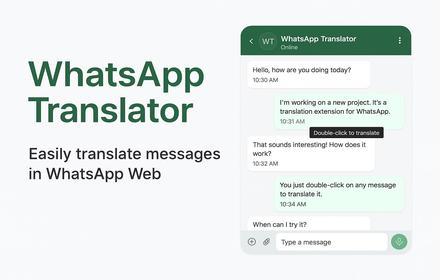
WhatsApp Translator
Translate WhatsApp Web messages with a double-click
10

WhatsApp Audio Transcriber
Transcribe WhatsApp voice messages using OpenAI Whisper with translation support
61
Data sourced from the Chrome Web Store · last verified Jun 6, 2026.