
Save Tabs to Folder
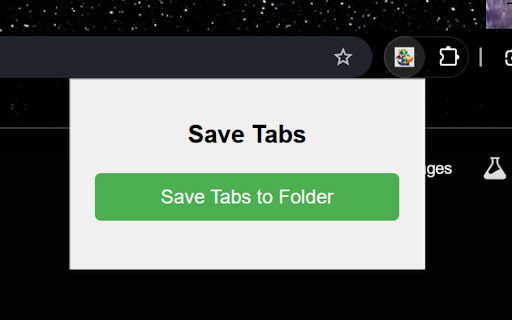
Save all the open tabs in your window into a bookmarks folder with one click.
As of May 2026, Save Tabs to Folder has 70 users and a 5.00/5 rating from 2 reviews in the Accessibility category.
Usersdown 28.6 percent−28.6%
70
70
Ratingno change0%
5.00
2 reviews
Reviewsno change0%
2
Version
1.3
Manifest V3
History
5 snapshotsTracking since Apr 1, 2026.
View as table
| Date | Users | Rating | Reviews | Version |
|---|---|---|---|---|
| Apr 1, 2026 | 98 | 5.00 | 2 | 1.3 |
| Apr 20, 2026 | 81 | 5.00 | 2 | 1.3 |
| May 6, 2026 | 76 | 5.00 | 2 | 1.3 |
| May 17, 2026 | 67 | 5.00 | 2 | 1.3 |
| May 30, 2026 | 65 | 5.00 | 2 | 1.3 |
| Now | 70 | 5.00 | 2 | 1.3 |
Permissions & access
- Permissions
- bookmarkstabs
- Host access
- None declared
Screenshots
About
Save Tabs to Folder - Organize Your Browser Tabs with One Click!
Are you tired of losing track of your open tabs? Do you wish you could easily save and organize them for later use or access them across multiple devices? Save Tabs to Folder is the perfect solution for you!


With this extension, you can:

- Save All Open Tabs: Quickly save all your open tabs into a neatly organized bookmarks folder with just one click.
- Rename Your Folder: Easily customize the folder name for better organization. A default name with a timestamp is provided for your convenience.
- Pin Important Folders: Optionally pin your saved folder to your favorites for instant access.
- Access Across Devices: Save your browsing session on one device and seamlessly open it on another. Perfect for users working across multiple computers or devices.
- Streamline Your Browsing Workflow: Keep your browsing clutter-free by saving tabs for later while staying organized.


Why Install Save Tabs to Folder?

- Productivity Made Simple: Whether you're researching for work, school, or personal projects, this extension ensures your tabs are never lost.
- One-Click Efficiency: Save time and effort by quickly bookmarking all tabs in your current window without manual work.
- Work Across Devices: Your saved tabs are available wherever you're signed in, so you can pick up right where you left off on any device.
- User-Friendly Design: Intuitive interface with clear options and smooth performance.
- Peace of Mind: Save your tabs before restarting your browser or shutting down your computer.


How It Works:
1. Click the Save Tabs to Folder button in the popup.
2. Rename your folder if desired (or keep the default name).
3. Choose to pin the folder to favorites if it's important.
4. Access the saved folder from your bookmarks on any device where you're signed in to your browser.

Don’t let your tabs go to waste — install Save Tabs to Folder today and take control of your browsing experience!
Technical
- Version
- 1.3
- Manifest
- V3
- Size
- 18.21KiB
- Min Chrome
- 88
- Languages
- 1
- Featured
- No
Metadata
- ID
- oknfhgjgpllehjmddbnggedofbhlmcbn
- Developer ID
- ud946bf78d32359645f10914950a3d940
- Developer Email
- [email protected]
- Created
- Jan 24, 2025
- Last Updated (Store)
- Aug 30, 2025
- Last Scraped
- May 30, 2026
- Website
- —
- Support URL
- —
- Privacy Policy
- —
Similar extensions
Alternatives to Save Tabs to Folder, ranked by description similarity.

Restore Tabs - Save, Delete, Restore tabs
Restore - Restore your tabs even if you turn off your computer and then you can restore them
106

Enhanced Tab Manager
Manage tabs with grouping, colors, and save/restore functionality.
12
★ 3.0

Tab Saver - Bookmark
The Chrome extension enables easy saving and reloading of multiple tabs, saving time and memory.
36

Tab Story
Organize browser tabs by intent with smart clustering, timeline history, and auto-backup
14
★ 4.3

Save State - Tabs
An extension which will save the state of your open tabs! Have you ever had an overwhelming amount of tabs open - cluttering your…
278
★ 2.7

myTabSaver
myTabSaver is a simple and convenient Chrome extension designed to save website URLs with minimal effort. Whether you’ve found a…
2

FlashTabs by Bliink
Opens a user-specified webpages in popup.
5
★ 5.0

Smart Tab Organizer
Automatically organizes tabs based on usage patterns and importance scores
—
Data sourced from the Chrome Web Store · last verified May 30, 2026.