
Foxycape AI Reader
A reader focused on learning and research with support for ePub, PDF, mind maps, TTS.
As of June 2026, Foxycape AI Reader has 2,000 users and a 4.50/5 rating from 44 reviews in the Workflow & Planning category.
Usersno change0%
2.0K
2,000
Ratingno change0%
4.50
44 reviews
Reviewsno change0%
44
Version
3.3.3
Manifest V3
90-day change · In the last 90 days this extension 8 version updates.
History
10 snapshotsTracking since Apr 5, 2026.
View as table
| Date | Users | Rating | Reviews | Version |
|---|---|---|---|---|
| Apr 5, 2026 | 2.0K | 4.50 | 44 | 3.1.3 |
| Apr 16, 2026 | 2.0K | 4.50 | 44 | 3.1.6 |
| Apr 22, 2026 | 2.0K | 4.50 | 44 | 3.1.8 |
| May 1, 2026 | 2.0K | 4.50 | 44 | 3.2.0 |
| May 7, 2026 | 2.0K | 4.50 | 44 | 3.2.2 |
| May 11, 2026 | 3.0K | 4.50 | 44 | 3.2.2 |
| May 14, 2026 | 2.0K | 4.50 | 44 | 3.2.2 |
| May 23, 2026 | 2.0K | 4.50 | 44 | 3.2.5 |
| Jun 1, 2026 | 2.0K | 4.50 | 44 | 3.2.8 |
| Jun 10, 2026 | 2.0K | 4.50 | 44 | 3.3.1 |
| Now | 2.0K | 4.50 | 44 | 3.3.3 |
Changelog
- May 23, 2026description
Foxycape AI Reader
Built for deep reading. Knowledge within reach.

Professional books, academic papers, personal libraries—ever felt caught between “never finishing, never finding, never getting organized”?

Foxycape AI Reader is designed for study and research.
AI-powered, local-first—one library, readable everywhere you go.

AI that supports you, faithful to the text
AI is at our core—but we believe it should extend how you think, not replace it.

AI summaries
We hold a strict “zero hallucination” standard: summaries stay true to the source. They also adapt to the kind of book you’re reading—technical manuals paired with technical models, literature with literary models—for accurate, efficient distillation.

AI Q&A
Select text and ask the AI in one tap. The app suggests related questions so you can go deeper; “trace to source” jumps straight to the original passage so reading and inquiry stay seamlessly connected.

AI vision
Works with images in ePub and PDF plus photos on your device. During a conversation you can snap back to the source anytime for efficient image-and-text workflows.

Custom AI providers
Defaults to a well-matched model (e.g. DeepSeek), with flexible setup for major AI services and compatibility with private, local deployment via Ollama. Your data, your choices.

Local-first, privacy you can trust
All books stay on your device by default—the reader does not upload your data on its own. Cloud sync is optional and only on when you want it—you’re always in control.

Available everywhere
Windows · macOS · Linux · browser extensions (Chrome & Edge) · Android · iOS
One library across devices—reading progress stays seamlessly in sync.

A reading experience made for focus
Instant loading: open a book and start reading—no needless waiting.

Automatic chapter streaming: as you scroll, what comes before and after loads smoothly—no manual page-turning.

Multiple layouts: continuous scroll, single page, two-page spread, and auto pagination—two-up for large screens, scroll for long immersive reads.

Typography & themes: built-in system fonts, one-tap switching; five background images and six themes (including dark mode) for comfortable reading at night.

Image browsing: swipe or use on-screen controls to preview images throughout the book.

Smart bookshelf & file management
Grid or list view—browse your library the way you prefer.

Batch import + auto categorization: import an entire local folder in one step; categories are generated from subfolder names, so you skip tedious manual sorting.

Cloud drive integration: Dropbox, OneDrive, Google Drive, and Baidu Netdisk make it easy to sync the library you already have.

Beyond books—built for serious readers
Broad format support: ePub, PDF, and other mainstream formats—professional publishing and everyday reading.

Code highlighting: TypeScript, C#, C++, and more—technical titles stay readable and clear.

Audio & video: rich ePubs with images, audio, and video are fully supported.

Mind maps: annotations and notes become visual knowledge maps; tap any node to jump back to the source in a second.

Search & translation: Google, Bing, and other global engines, plus Mita AI and Nano AI; AI translation across 130+ languages in both directions—even less common languages stay easy to find.

Text-to-speech: integrates on-device TTS, Edge TTS, and Microsoft Azure TTS—listen to ePub and PDF alike.

Details you’ll love
One-tap copy of original images from PDFs—no screenshots; paste crisp assets into Word or any other app.

PDF backgrounds follow your theme: no harsh white glare; pages blend with the overall look and feel.

Foxycape AI Reader
More than a reader—it’s your personal knowledge base.
It respects your privacy, understands how you read, and refines every detail so you can go deeper and further.

Privacy Policy & Terms of Service:
Privacy Policy: https://reader.linghuxiong.com/policy/privacy-en.html
Terms of Service: https://reader.linghuxiong.com/policy/service-en.html
Foxycape – AI Reader
Built for deep reading and learning. AI-powered, local-first, full-text translation—a smooth experience where every detail shows we care.

🎯 Three core strengths
Zero-hallucination AI Q&A: Every answer is strictly grounded in the source text, with one-tap trace-to-source.
Full-text translation (AI-grade): Translate an entire book in one tap, paragraph-by-paragraph comparison, with terminology consistency that outperforms generic engines.
Local-first, privacy in your hands: Data stays on your device by default; cloud is on only when you want it—you're always in control.

✨ Features in detail
🤖 AI Q&A
Fully faithful to the source, following a strict "zero hallucination" principle.
Understands the full text semantically to answer your questions precisely—uncover concept links, implicit logic, and other details buried in the content.
Every reply supports one-tap trace-to-source—tap the citation marker after an answer to jump to the original passage instantly; reading and lookup flow together seamlessly.
Conversations can be exported to Word and Markdown for editing or use in other apps.

🔧 Custom AI providers
Built-in high-quality AI models (e.g. DeepSeek).
Connect your own API key or local Ollama—pay for what you use, data stays on your device.

🌐 Full-text translation
Translate an entire book in one tap with exceptionally high-quality AI translation—better context awareness than traditional machine translation, with terminology consistency that beats generic translators.
Inline comparison (paragraph-by-paragraph) and translation-only modes for seamless bilingual reading and learning.

🔊 Listen
Integrated TTS read-aloud—listen to ePub and PDF alike.
The current word is highlighted as it's spoken, with clear pronunciation. Adjust speed and voice as you like.

📚 Bookshelf
Batch import + auto categorization: import a folder in one step; categories are built from subfolder names, skipping tedious manual sorting.

📖 Reading experience, refined
Instant loading: open and read with almost no wait.
Infinite scroll: content before and after flows smoothly as you scroll—no manual page turns.
Multiple layouts: continuous scroll, single page, two-page spread, auto pagination (calculated from screen width to make the most of your space).
Fonts & themes: native fonts, one-tap switching; 5 background images, 6 themes (including dark mode)—comfortable reading at night.
Image browsing: swipe or tap buttons to preview every image in the book.

📄 PDF highlights
One-tap copy of original images: no screenshots—paste crisp assets into Word or any app.
Background colors match your theme: no harsh white glare; PDF pages blend with the overall look.
In dark theme, adjust PDF text brightness separately for extra eye comfort.

🔒 Local-first, privacy you can trust
All books stay on your device by default—this app does not upload your data on its own.
Cloud sync is optional—you're always in control.

📱 Available everywhere
Windows · macOS · Linux · browser extensions (Chrome & Edge) · Android · iOS

📄 Privacy Policy & Terms of Service
Privacy Policy: https://reader.linghuxiong.com/policy/privacy-en.html
Terms of Service: https://reader.linghuxiong.com/policy/service-en.html
Permissions & access
- Permissions
- fontSettingsstoragedeclarativeNetRequestWithHostAccess
- Host access
- wss://speech.platform.bing.com/*, https://speech.platform.bing.com/*
Screenshots


About
Foxycape – AI Reader
Built for deep reading and learning. AI-powered, local-first, full-text translation—a smooth experience where every detail shows we care.

🎯 Three core strengths
Zero-hallucination AI Q&A: Every answer is strictly grounded in the source text, with one-tap trace-to-source.
Full-text translation (AI-grade): Translate an entire book in one tap, paragraph-by-paragraph comparison, with terminology consistency that outperforms generic engines.
Local-first, privacy in your hands: Data stays on your device by default; cloud is on only when you want it—you're always in control.

✨ Features in detail
🤖 AI Q&A
Fully faithful to the source, following a strict "zero hallucination" principle.
Understands the full text semantically to answer your questions precisely—uncover concept links, implicit logic, and other details buried in the content.
Every reply supports one-tap trace-to-source—tap the citation marker after an answer to jump to the original passage instantly; reading and lookup flow together seamlessly.
Conversations can be exported to Word and Markdown for editing or use in other apps.

🔧 Custom AI providers
Built-in high-quality AI models (e.g. DeepSeek).
Connect your own API key or local Ollama—pay for what you use, data stays on your device.

🌐 Full-text translation
Translate an entire book in one tap with exceptionally high-quality AI translation—better context awareness than traditional machine translation, with terminology consistency that beats generic translators.
Inline comparison (paragraph-by-paragraph) and translation-only modes for seamless bilingual reading and learning.

🔊 Listen
Integrated TTS read-aloud—listen to ePub and PDF alike.
The current word is highlighted as it's spoken, with clear pronunciation. Adjust speed and voice as you like.

📚 Bookshelf
Batch import + auto categorization: import a folder in one step; categories are built from subfolder names, skipping tedious manual sorting.

📖 Reading experience, refined
Instant loading: open and read with almost no wait.
Infinite scroll: content before and after flows smoothly as you scroll—no manual page turns.
Multiple layouts: continuous scroll, single page, two-page spread, auto pagination (calculated from screen width to make the most of your space).
Fonts & themes: native fonts, one-tap switching; 5 background images, 6 themes (including dark mode)—comfortable reading at night.
Image browsing: swipe or tap buttons to preview every image in the book.

📄 PDF highlights
One-tap copy of original images: no screenshots—paste crisp assets into Word or any app.
Background colors match your theme: no harsh white glare; PDF pages blend with the overall look.
In dark theme, adjust PDF text brightness separately for extra eye comfort.

🔒 Local-first, privacy you can trust
All books stay on your device by default—this app does not upload your data on its own.
Cloud sync is optional—you're always in control.

📱 Available everywhere
Windows · macOS · Linux · browser extensions (Chrome & Edge) · Android · iOS

📄 Privacy Policy & Terms of Service
Privacy Policy: https://reader.linghuxiong.com/policy/privacy-en.html
Terms of Service: https://reader.linghuxiong.com/policy/service-en.html
Technical
- Version
- 3.3.3
- Manifest
- V3
- Size
- 8.67MiB
- Min Chrome
- 96
- Languages
- 13
- Featured
- Yes
Metadata
- ID
- okgffdhpnikhbmpieeefjbkjmfbffehp
- Developer ID
- uff1ba32c58cb896108ce0b0e277f2fb0
- Developer Email
- [email protected]
- Created
- May 24, 2023
- Last Updated (Store)
- Jun 6, 2026
- Last Scraped
- Jun 21, 2026
- Website
- https://www.foxycape.com/
- Support URL
- https://reader.linghuxiong.com
- Privacy Policy
- https://reader.linghuxiong.com/policy/privacy-en.html
Similar extensions
Alternatives to Foxycape AI Reader, ranked by description similarity.

Clearly Reader - Your AI Reading Assistant
A browser extension with reader mode for optimal experience. Features copy, translate, speech, and PDF and Markdown export.
100.0K
★ 4.6

Souli - PDF & Web Highlighter with Notes
Free Productivity Web Highlighter & PDF Annotation Tool. Note-taking, Web Clipper + AI Summary & Chat. No sign-up, instant use.
375
★ 5.0
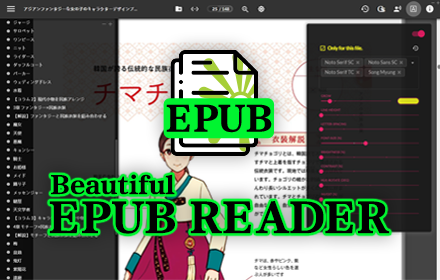
Beautiful Epub Reader
Reading, as simple as it should be.
40.0K
★ 4.7

Chat w WebPage
AI-powered conversation with web pages using OpenAI, Anthropic, and Google Gemini APIs
9
★ 5.0

VeloRead: Speed Reading & Bionic Reader
Read twice as fast without losing comprehension. Use RSVP, Bionic Reading, and gamify your time reading PDFs and Web articles.
6

Quick Read: RSVP Speed Reader & Cloud OCR
Boost reading speed using RSVP. Auto-extract web articles, scan images/PDFs with OCR, and read distraction-free.
2

SnapAI
Select text on any webpage and instantly get AI-powered explanations, summaries, translations, and more.
3

Reader Mode Premium
A feature-packed distraction-free web reader with dyslexia support and research tools
940
★ 4.1
Data sourced from the Chrome Web Store · last verified Jun 21, 2026.