Membr: Effortless & Secure Note-taking
Stay organized and productive with Membr's rich note-taking editor, AI powered summaries and secure storage.
As of June 2026, Membr: Effortless & Secure Note-taking has 145 users and a 3.67/5 rating from 3 reviews in the Workflow & Planning category.
Usersno change0%
145
145
Ratingno change0%
3.67
3 reviews
Reviewsno change0%
3
Version
1.0.1.3
Manifest V3
History
6 snapshotsTracking since Apr 18, 2026.
View as table
| Date | Users | Rating | Reviews | Version |
|---|---|---|---|---|
| Apr 18, 2026 | 145 | 3.67 | 3 | 1.0.1.3 |
| Apr 28, 2026 | 154 | 3.67 | 3 | 1.0.1.3 |
| May 7, 2026 | 144 | 3.67 | 3 | 1.0.1.3 |
| May 15, 2026 | 143 | 3.67 | 3 | 1.0.1.3 |
| May 24, 2026 | 148 | 3.67 | 3 | 1.0.1.3 |
| Jun 5, 2026 | 143 | 3.67 | 3 | 1.0.1.3 |
| Now | 145 | 3.67 | 3 | 1.0.1.3 |
Permissions & access
- Permissions
- identitystorageactiveTabscriptingbackgroundcontextMenus
- Host access
- None declared
Screenshots



About
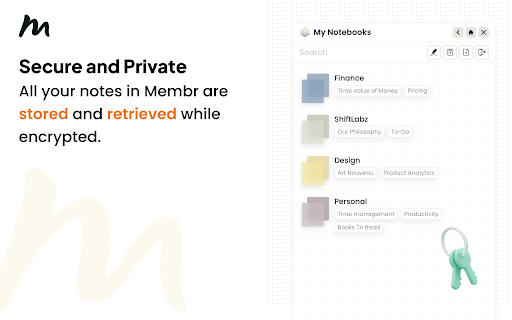
Stay In Flow, Be More Productive =============================== A huge portion of work already happens in the browser. And if you’re like us, you also take draft notes when studying, researching or ideating. You can do this through note-taking apps like Notion, Evernote, Google Docs and many more. However, most of these note-taking apps interrupt *flow* by forcing you to context switch, either by opening a new browser tab or app window. With Membr for Chrome, your notes sit alongside the source content. Why Membr Notes? =================== - Rich editor experience with all the essentials and more. The editor offers rich formatting, task lists, drag and drop images etc. with regular updates expanding this feature set. - Encrypted notes. We take the security of your information seriously and that’s why all your notes in Membr are stored and retrieved while encrypted. - It's fast. Membr runs on all browser tabs and offers single-click access to your most recent notes. - It works well with other apps. You can export to PDF with *Google Docs and Notion export coming soon. FAQs ======= 1. Membr doesn't start after install? If you are unable to start the extension immediately after install, try refreshing the browser tab(s) that you'd like to use Membr on. 2. Do my notes sync across devices? Yes, your notes will sync across all signed in Chrome browsers that have the extension installed. 3. Is there a mobile app? The mobile app will launch later in 2022. August 2024 Updates: ============= * ⚡️Improved login experience. * ❤️🩹 Minor bug fixes and improvements.
Technical
- Version
- 1.0.1.3
- Manifest
- V3
- Size
- 6.85MiB
- Min Chrome
- 88
- Languages
- 1
- Featured
- Yes
Metadata
- ID
- oijfdljkficjojicjlgcpjipioglnlog
- Developer ID
- u9ab24211c76ce0cff431278b926f815b
- Developer Email
- [email protected]
- Created
- Aug 25, 2021
- Last Updated (Store)
- Nov 19, 2025
- Last Scraped
- Jun 5, 2026
- Website
- membrnotes.com
- Support URL
- —
- Privacy Policy
- https://www.membrnotes.com/privacy-policy/
Similar extensions
Alternatives to Membr: Effortless & Secure Note-taking, ranked by description similarity.

Floating Notes
Use Floating Notes app for sticky notes and an offline notepad app with desktop post it notes on any webpage - sticky and floating
2.0K
★ 4.9

Notes Online
The in-page notepad for taking notes online directly on any web page. No login, autosave, 1-click install, and full privacy
5.0K
★ 4.3

Site Memo
Leave and sync notes on specific URLs across devices.
2
★ 5.0

Mem Web Clipper
Meet the world's smartest web clipper.
10.0K
★ 4.9

Power Notes: Add Sticky notes to your browser
Easily take notes, organize tabs, and keep everything saved locally in your browser.
12
★ 5.0

SnapMemo - Quick Note-Taking
Quick, Simple Note-Taking Right in Your Browser. No sign-up required!
94
★ 5.0

Sticky Notes - Capture thoughts anywhere on any web page
Add sticky notes to any webpage, saved per URL.
24
★ 5.0

Smart Sticky Notes
Enhance productivity with smart sticky notes! Save quick notes, access references effortlessly while you work.
34
★ 5.0
Data sourced from the Chrome Web Store · last verified Jun 5, 2026.