
Close All Tabs
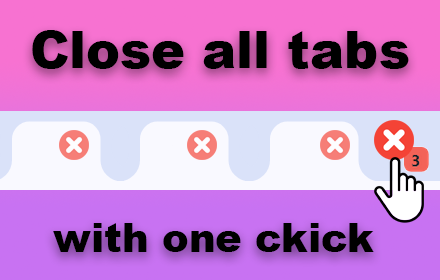
Find out how to close all tabs in chrome with one click. Delete, remove, clear, and close all tabs at once in google easily!
As of May 2026, Close All Tabs has 1,000 users and a 4.88/5 rating from 17 reviews in the Workflow & Planning category.
Usersno change0%
1.0K
1,000
Ratingup 0.2 percent+0.2%
4.88
17 reviews
Reviewsup 13.3 percent+13.3%
17
Version
1.8
Manifest V3
History
2 snapshotsTracking since Apr 29, 2026.
View as table
| Date | Users | Rating | Reviews | Version |
|---|---|---|---|---|
| Apr 29, 2026 | 1.0K | 4.87 | 15 | 1.8 |
| May 26, 2026 | 1.0K | 4.88 | 16 | 1.8 |
| Now | 1.0K | 4.88 | 17 | 1.8 |
Permissions & access
- Permissions
- storage
- Host access
- None declared
Screenshots

About
🔍Discover the ultimate solution for managing your browsing experience with the close all tabs chrome extension. This powerful tool is designed to help you streamline your workflow, enhance productivity, and maintain a clutter-free browser environment.

🌟Key features

1. 🚀Close all tabs instantly
 1.1. With a single click, close all panels in your chrome browser.
 1.2. Say goodbye to manual exit – save time and effort.

2.💻User-friendly interface
 2.1. Intuitive design makes it easy to close all open tabs.
 2.2. Seamlessly exit all pages.

3. ⚡Performance Optimization
 3.1. Reduce memory usage by closing unnecessary tabs.
 3.2.Improve your browser's speed and efficiency.


📘How to close all tabs in google chrome

Managing multiple panels in google chrome can be overwhelming, but there are efficient methods to close all tabs quickly. Here’s a comprehensive guide:

1. ⌨️Use a keyboard shortcut
  * Windows/Linux: Press Ctrl + Shift + W to close all open tabs in the current window.
  * Mac: Press Cmd + Shift + W to achieve the same effect.
This method is swift and doesn’t require a mouse, making it ideal for power users and those who prefer keyboard commands.

2. 🖱️Right-click method
  * End other panels: Right-click on a tab and select "close other tabs" to end all pages except the one you clicked on.
  * Exit panels to the right: Right-click on a tab and choose "close tabs to the right" to shut all pages to the right of the selected tab.
This method is useful for selectively managing your workspace without shutting everything at once.

3. 🔌Chrome extension
  * Close all tabs extension: Install a browser extension available on the chrome web store. This extension allows you to close all tabs with a single click.
  * Benefits:
    ** ✅Convenience: One-click solution for exiting all pages.
    ** ✅User-friendly: Ideal for users who regularly manage a large number of panels.

4. 📂Using the chrome menu
  * Click on the three vertical dots in the upper-right corner of the browser to open the chrome menu.
  * Navigate to "history" and select "close all tabs."
This method is straightforward and doesn't require any additional installations or specific keyboard commands.

5. 🛠️Task manager approach
  * Open chrome’s built-in task manager by pressing Shift + Esc.
  * End the processes for individual panels or the entire browser session.
While this method is less conventional, it’s effective for force-closing unresponsive tabs or freeing up system resources quickly.

By utilizing these methods, users can efficiently manage their tab usage and maintain a clutter-free browsing experience. Whether you prefer keyboard shortcuts, context menus, or extensions, chrome offers multiple ways to close tabs, catering to different user preferences and needs.


🛠️How to use the close all tabs extension

+ 🔧Install the extension

Visit the chrome web store and search for close all tabs.
Click 'add to chrome' and follow the prompts.

+ 🖱️Activate with one click

  ++ Click the extension icon to shut all panels that are open.
  ++ Experience immediate results as all your pages close.


📚Frequently asked questions

~ ❓How do I close all tabs in chrome?

-> Simply click the extension icon, and it will clear all pages in chrome.

~ ❓How do you close all tabs at once?

-> Use the extension to shut all panels at once with a single click.

~ ❓How do you close all tabs in chrome?

-> Activate the extension and exit all pages effortlessly.


🌟Benefits of the close all tabs extension

1. 🚀Enhanced performance

- Closing all webpages can speed up your browser and computer.
- Free up memory and improve overall system performance.

2. ⏰Increased productivity

- Focus on your work without the distraction of multiple webpages.
- Save time by quickly clearing unnecessary panels.

3. 📂Better organization

- Keep your browser neat and organized.
- Easily find the panels you need by reducing clutter.

Conclusion
The close all tabs chrome extension is an essential tool for anyone looking to improve their browsing experience. Whether you're a power user or just looking to streamline your workflow, this extension offers the perfect solution. Install it today and take control of your working space like never before.

* 📥Download now the close all tabs extension from the chrome web store.
* 🌟Experience the benefits of a clutter-free browser.
Technical
- Version
- 1.8
- Manifest
- V3
- Size
- 145KiB
- Min Chrome
- 88
- Languages
- 52
- Featured
- No
Metadata
- ID
- ohhlabeagkekohhcpgbjoeabianibknb
- Developer ID
- uf4701e72ea08f5bd4fa2c38c2751b0c1
- Developer Email
- [email protected]
- Created
- Jun 29, 2024
- Last Updated (Store)
- Jun 29, 2024
- Last Scraped
- May 26, 2026
- Website
- —
- Support URL
- —
Similar extensions
Alternatives to Close All Tabs, ranked by description similarity.
Clear all tabs
Clear all tabs except the current one with a single click. An easy way to close all tabs except for pinned and grouped tabs.
2.0K
★ 5.0

Slash Mark - Instant Tab Closer
Instantly close all open tabs with a single click — perfect panic button for quick cleanup.
—

Close Tabs to Right
Quickly close all tabs to the right of the current active tab with a keyboard shortcut or toolbar button. No data collection.
49
★ 5.0

Recently Closed Tabs
Use Recently Closed Tabs — a fast way to find closed tabs and restore tabs with a convenient bookmarks bar.
140
★ 5.0

Tab Saver
Tab Saver: Organize and Save Tabs, export bookmarks chrome. Tab manager to backup and organize sessions, save chrome tabs for later
137
★ 5.0

Smart Tab Groups Manager for Chrome
Organize and manage your chrome tabs automatically into smart groups.
21

Minimalist Tab Closer
Closes all tabs except the current one with Option+W
10

Tab Organizer: Productivity Tool
Tab manager and productivity tool for Chrome. Group tabs by domain and rules, save tabs, restore tabs, sort tabs, customize colors.
2.0K
★ 3.5
Data sourced from the Chrome Web Store · last verified May 26, 2026.