
QR Code Printer (Legacy)
⚠ This extension has been merged into CMS Toolkit by Extenify. Install the new unified extension to continue using all features.
As of June 2026, QR Code Printer (Legacy) has 65 users and a 4.80/5 rating from 10 reviews in the Workflow & Planning category.
Usersdown 27.8 percent−27.8%
65
65
Ratingno change0%
4.80
10 reviews
Reviewsno change0%
10
Version
2.0
Manifest V3
History
10 snapshotsTracking since Apr 6, 2026.
View as table
| Date | Users | Rating | Reviews | Version |
|---|---|---|---|---|
| Apr 6, 2026 | 90 | 4.80 | 10 | 2.0 |
| Apr 19, 2026 | 80 | 4.80 | 10 | 2.0 |
| Apr 24, 2026 | 81 | 4.80 | 10 | 2.0 |
| May 1, 2026 | 82 | 4.80 | 10 | 2.0 |
| May 8, 2026 | 85 | 4.80 | 10 | 2.0 |
| May 12, 2026 | 73 | 4.80 | 10 | 2.0 |
| May 18, 2026 | 77 | 4.80 | 10 | 2.0 |
| May 24, 2026 | 71 | 4.80 | 10 | 2.0 |
| May 31, 2026 | 70 | 4.80 | 10 | 2.0 |
| Jun 6, 2026 | 62 | 4.80 | 10 | 2.0 |
| Now | 65 | 4.80 | 10 | 2.0 |
Permissions & access
- Permissions
- tabs
- Host access
- https://chromewebstore.google.com/*, https://cmstoolkit.extenify.dev/*
Screenshots

About
QR Code Printer – Print QR Code+ CMS ID with Single Click
Quick, Easy, and Professional Printing Solution for QR Code + CMS ID with single click.

Description:
QR Code Printer is an intuitive and professional Chrome extension designed to simplify and enhance the process of printing CMS case entries. With just a few clicks, users can generate and print a QR code and CMS case number in a sleek, cantered layout for easy documentation and record-keeping.

This extension offers the following features:

Alignment Customization: Choose between left, centre, or right alignment for your printed QR Code and CMS ID.

Quick Printing: After selecting your preferred alignment, simply refresh the page to print the QR Code and CMS ID instantly.

Easy-to-Use Interface: No complicated setups. Select the alignment and refresh the page, and you’re ready to print!

Customizable for Developers: If you need specific features or have a custom request, feel free to reach out to the developer at [email protected].

Whether you're dealing with case files, records, or reports, QR Code Printer ensures you can print your CMS QR codes and IDs professionally, with minimal effort.

Dedication:
This tool is dedicated to the IT Staff, Computer Operators, Senior Computer Operators, and Programmers of the District Judiciary Punjab. We hope this extension helps enhance your workflow, streamline operations, and boost overall productivity. Your hard work and commitment to improving the system are truly appreciated!

Support the Developer:
If you find this tool useful and would like to support the development, please feel free to contribute or reach out for any custom extension requests.
Technical
- Version
- 2.0
- Manifest
- V3
- Size
- 8.0KiB
- Min Chrome
- 88
- Languages
- 1
- Featured
- No
Metadata
- ID
- oheojlmjpbamogkoaepihhmpkglocdam
- Developer ID
- udd4d6206898b922b7b05feb8fc4962b3
- Developer Email
- [email protected]
- Created
- Apr 28, 2025
- Last Updated (Store)
- Mar 8, 2026
- Last Scraped
- Jun 6, 2026
- Website
- —
- Support URL
- —
- Privacy Policy
- https://pastebin.com/0br31dnE
Similar extensions
Alternatives to QR Code Printer (Legacy), ranked by description similarity.
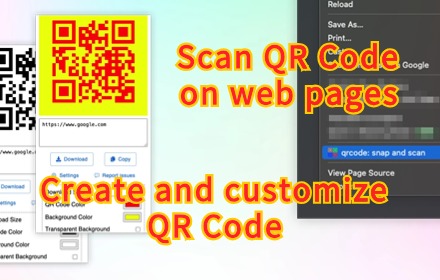
QR Code Generator & Scanner
Create and scan QR codes effortlessly. Customize your QR codes with ease. Download or copy generated QR codes to use them anywhere.
223
★ 1.0

Website to QR Code Generator
Generate a QR code from the current website address with customizable colors.
116
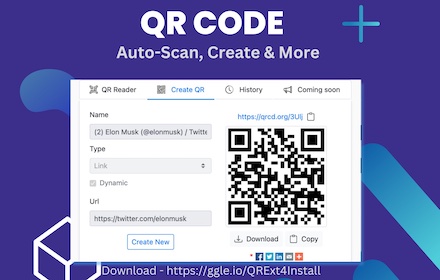
QR Code Reader
A chrome extension for reading QR code from webpage
200.0K
★ 3.6

QR Code Generator and Scanner
A modern QR code generator and scanner extension
14

QR Code Buddy
Generate QR code that links to the current website
18

QR Code Scanner and Generator
A simple QR Code Scanner and Generator extension to scan, generate and save
145
★ 4.0

QRly
Elegant QR code generator with website favicon
—

Instant QR Code Generator
Generate QR Codes
64
Data sourced from the Chrome Web Store · last verified Jun 6, 2026.