My Horoscope Pro
MyHoroscope Pro is a free and insightful daily horoscope extension, offering new tab search, favorite sites shortcuts, and news.
As of June 2026, My Horoscope Pro has 10,000 users and a 4.68/5 rating from 59 reviews in the Workflow & Planning category.
Usersno change0%
10.0K
10,000
Ratingno change0%
4.68
59 reviews
Reviewsno change0%
59
Version
0.2.9
Manifest V3
History
1 snapshotsTracking since Apr 22, 2026.
View as table
| Date | Users | Rating | Reviews | Version |
|---|---|---|---|---|
| Apr 22, 2026 | 10.0K | 4.68 | 59 | 0.2.9 |
| Now | 10.0K | 4.68 | 59 | 0.2.9 |
Permissions & access
- Permissions
- storagescriptingalarms
- Host access
- https://*.myhoroscopepro.com/*
Screenshots


About
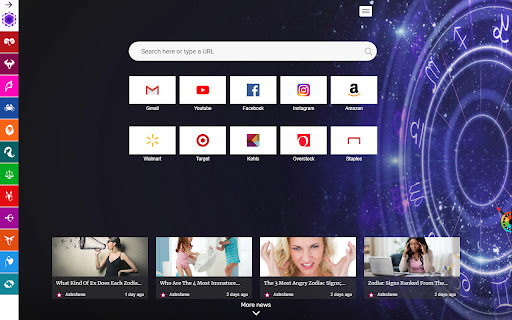
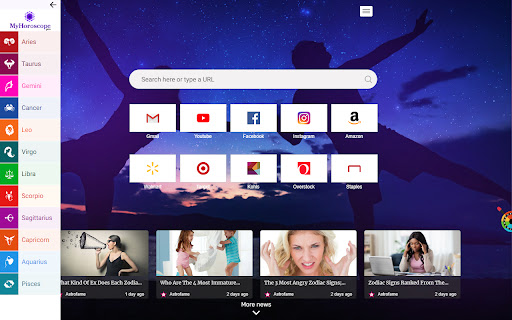
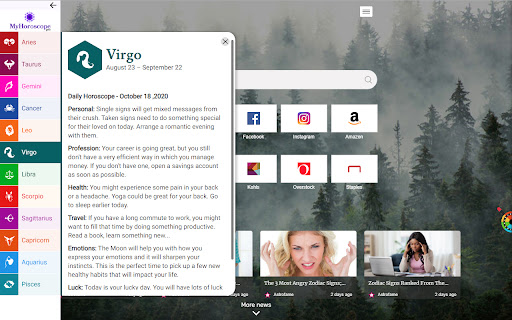
Discover a daily horoscope reading for your star sign with My Horoscope Pro browser extension. To enable these features, this extension configures your New Tab Search to My Horoscope Pro. It also gives you the ability to add shortcuts and check out recent news from premium publishers.

With My Horoscope Pro extension you will:

1. Find out what the stars have in store for you
2. Get daily readings about life, health, and work
3. Receive free, fun and insightful predictions

The extension requests the following permissions:
- Set your new tab page search to MyHoroscope Pro
- Read and change your data on sites: https://.myhoroscopepro.com/

By clicking “ADD TO CHROME”, you accept and agree to install the My Horoscope Pro Chrome Extension, set the Chrome™ New Tab to My Horoscope Pro, and to the Terms of Use, EULA, and Privacy Policy.

End-User License Agreement: https://www.myhoroscopepro.com/terms-of-use
Privacy Policy: https://www.myhoroscopepro.com/privacy-policy

You can uninstall the extension at any time.

To remove our extension from Google Chrome please follow these steps:

1) Click on the menu icon in the upper right-hand corner of your Chrome browser.
2) Go to "Settings".
3) Click "Extensions".
4) Select the extension you wish to uninstall.
5) Click on the trash icon on the right next to the extension you wish to remove.
6) Close your browser completely and reopen it. The extension should now be removed from your Chrome browser.

For assistance from our customer service team, please email us at [email protected]
Technical
- Version
- 0.2.9
- Manifest
- V3
- Size
- 564KiB
- Min Chrome
- 88
- Languages
- 1
- Featured
- Yes
Metadata
- ID
- ofoofdfligmnmnffdllcohgnkdiceede
- Developer ID
- u06de1f0f0700d0ca807684ee49e940c0
- Developer Email
- [email protected]
- Created
- Aug 31, 2020
- Last Updated (Store)
- Dec 15, 2023
- Last Scraped
- Jun 7, 2026
- Website
- —
- Support URL
- https://www.myhoroscopepro.com/contact
- Privacy Policy
- https://www.myhoroscopepro.com/privacy-policy
Similar extensions
Alternatives to My Horoscope Pro, ranked by description similarity.

HoroscopeZone
HoroscopeZone - The quick and easy way to read daily astrological forecast and search
706
★ 4.3

My World Clock
My World Clock
939
★ 1.0

Daily Proverbs
Start Your Day With An Inspiring Proverb!
42

Get Screen Resolution
Get your screen resolution and browser detail.
3.0K
★ 5.0

My Google Calendar
keep a Google like calender in a new tab for easy access to it.
363
★ 5.0

World Clock Tab
Easily access a fun World Clock right from your new tab
10.0K

Social Search Extension
Extension for privacy protection for your browser.
584

DayMate
All in one productivity tool for your day to day needs!
10.0K
Data sourced from the Chrome Web Store · last verified Jun 7, 2026.