
Random Link Opener
Bookmark Links and open them when you need it, using a keyboard shortcut.
As of June 2026, Random Link Opener has 160 users and a 4.00/5 rating from 2 reviews in the fun category.
Usersup 9.6 percent+9.6%
160
160
Ratingno change0%
4.00
2 reviews
Reviewsno change0%
2
Version
1.2.2
Manifest V3
History
3 snapshotsTracking since Apr 23, 2026.
View as table
| Date | Users | Rating | Reviews | Version |
|---|---|---|---|---|
| Apr 23, 2026 | 146 | 4.00 | 2 | 1.2.2 |
| May 13, 2026 | 137 | 4.00 | 2 | 1.2.2 |
| Jun 8, 2026 | 145 | 4.00 | 2 | 1.2.2 |
| Now | 160 | 4.00 | 2 | 1.2.2 |
Permissions & access
- Permissions
- contextMenusstoragetabsnotifications
- Host access
- None declared
Screenshots


About
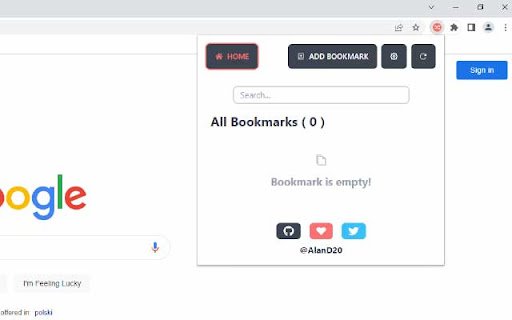
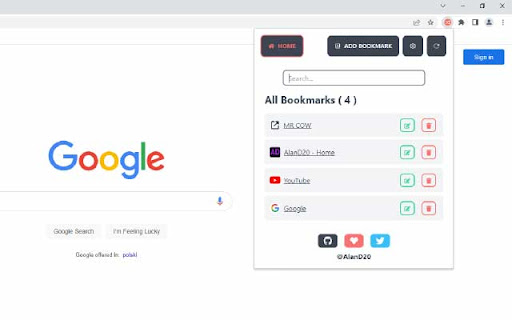
Save links for later use and open them manually or through the context menu. Right-click on any page to access the latest or randomly open a saved bookmark. It's easy and convenient.

Access your saved links quickly and easily with our extension. Save websites and links for those moments when you need them most. Simply open the extension popup or use a custom keyboard shortcut to access your saved links without the hassle of going through numerous steps. You can also search for saved links.

* Features
- Custom keyboard shortcut can be set at chrome://extensions/shortcuts.
- Add/Edit/Remove bookmarks.
- By clicking on any saved bookmark, it opens it in a new tab.
- Enabling Sync Storage in the extension settings will sync your configuration and all saved bookmarks to your signed in Google Account.
- Disable/Enable Notification.

* Default Shortcuts (You may have to manually set in settings page):
- Ctrl + Shift + Y: Opens Extension popup.
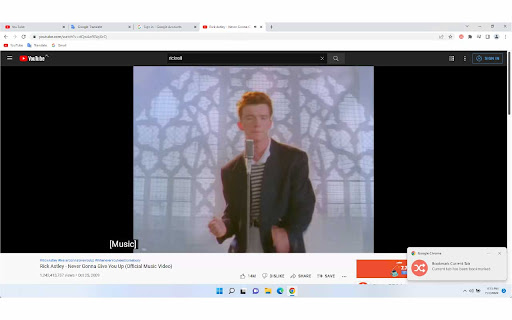
- Ctrl + Shift + Period (.): Saves currently opened tab in your bookmark.
- Ctrl + Shift + Comma (,): Opens random saved link in your bookmark list.
- Ctrl + Shift + L: Opens latest saved link in your bookmark list.
- Ctrl + Shift + P (Suggested): Saves all opened tabs to your bookmark list.

This extension is open-source under the MIT license.

Source Code:
https://github.com/AlanD20/random-link-opener

Download Latest From GitHub Release:
https://github.com/AlanD20/random-link-opener/releases

For Supports, Issues, Feedbacks, Contributions visit the repository issue section:
https://github.com/AlanD20/random-link-opener/issues
Technical
- Version
- 1.2.2
- Manifest
- V3
- Size
- 94.11KiB
- Min Chrome
- 88
- Languages
- 1
- Featured
- Yes
Metadata
- ID
- oflnfiibddofkafdghhmohhbndkphcih
- Developer ID
- ub81f8253632b7ceff6ae48f24ab21e08
- Developer Email
- [email protected]
- Created
- Jul 7, 2022
- Last Updated (Store)
- Feb 28, 2023
- Last Scraped
- Jun 8, 2026
- Website
- —
- Privacy Policy
- —
Similar extensions
Alternatives to Random Link Opener, ranked by description similarity.

Random Bookmark Machine
Explore forgotten bookmarks with this highly customizable time machine!
630
★ 4.2

Bookmark Manager
Bookmark sites, images, and videos to a gallery. Supports downloading videos from most sites.
40
★ 3.0

Tab Transfer
Save and sync your open tabs.
5

Dan Da Dan Opening Live Wallpaper
Experience the thrill of Dan Da Dan every time you open a new tab!
647
★ 4.3

Random Bookmark URL
A bookmark randomizer is used to scroll through your saved bookmarks.
36

Read It Later
Save pages to read later and quickly open your list.
10.0K

Fun Facts - Interesting and weird
Introducing the ultimate way to add some fun and excitement to your browsing experience - our brand new Chrome extension that…
33

Bookmark Plus New Tab
New tab rich backgrounds plus bookmarks.
20.0K
★ 4.0
Data sourced from the Chrome Web Store · last verified Jun 8, 2026.