
3D Wallpapers
Replace your new tab page with interactive 3D wallpapers.
As of June 2026, 3D Wallpapers has 114 users and a 5.00/5 rating from 1 reviews in the art category.
Usersup 56.2 percent+56.2%
114
114
Ratingno change0%
5.00
1 reviews
Reviewsno change0%
1
Version
1.0.0
Manifest V3
History
7 snapshotsTracking since Apr 1, 2026.
View as table
| Date | Users | Rating | Reviews | Version |
|---|---|---|---|---|
| Apr 1, 2026 | 73 | 5.00 | 1 | 1.0.0 |
| Apr 19, 2026 | 80 | 5.00 | 1 | 1.0.0 |
| Apr 29, 2026 | 103 | 5.00 | 1 | 1.0.0 |
| May 8, 2026 | 100 | 5.00 | 1 | 1.0.0 |
| May 16, 2026 | 106 | 5.00 | 1 | 1.0.0 |
| May 25, 2026 | 121 | 5.00 | 1 | 1.0.0 |
| Jun 4, 2026 | 134 | 5.00 | 1 | 1.0.0 |
| Now | 114 | 5.00 | 1 | 1.0.0 |
Permissions & access
- Permissions
- storage
- Host access
- None declared
Screenshots


About
Transform your new tab into stunning interactive 3D wallpapers with parallax effects, customizable scenes, and smooth animations.

AVAILABLE SCENES:

Space - A classic star field with twinkling stars that move toward you, creating a sense of depth and motion.

Ocean - A calm underwater environment with bubbles rising from the depths, featuring beautiful blue gradients that mimic underwater lighting.

Void - A minimalist white background with flowing black particles that create organic, swirling patterns.

Rain - A cyberpunk-inspired scene with neon-colored rain falling through a dark environment, complete with glowing reflections.

Wave - Flowing wave patterns with vibrant color gradients that shift and move, creating a mesmerizing visual effect.

HOW TO USE IT:

After installing, simply open a new tab to see your 3D wallpaper in action. Move your mouse around to see the parallax effects respond to your movement.

You can navigate through the 3D space using your keyboard:
- Use WASD or arrow keys to move forward, backward, left, and right
- Press Q to move up and E to move down
- The search bar works just like normal

CUSTOMIZATION:

Click the extension icon or right-click the extension to open Settings. From there you can:
- Switch between any of the five scenes
- Toggle the time display on or off
- Choose between 12-hour and 24-hour time format
- Show or hide the search bar

All your preferences are saved automatically and will be remembered for your next new tab.
Technical
- Version
- 1.0.0
- Manifest
- V3
- Size
- 180KiB
- Min Chrome
- 88
- Languages
- 1
- Featured
- No
Metadata
- ID
- offifinkfgccplolhllapmbpincajgdj
- Developer ID
- u6fdaceadb86219ef399d3467cfd8bba7
- Developer Email
- [email protected]
- Created
- Dec 24, 2025
- Last Updated (Store)
- Dec 24, 2025
- Last Scraped
- Jun 4, 2026
- Website
- —
- Support URL
- —
Similar extensions
Alternatives to 3D Wallpapers, ranked by description similarity.

Galactic Horizons
Embark on a cosmic journey with the Galactic Horizons
—

Space Portal Blue Live Wallpaper
Transform your browser with Space Portal Blue Live Wallpaper, featuring vibrant HD cosmic visuals for an immersive journey.
774
★ 4.9

PrimeTab - HD Wallpaper New Tab
Transform your new tab with stunning high-definition wallpapers. A premium visual experience with every new tab.
12

Open New Tab
Click the icon to open a custom new tab page.
253
★ 5.0

Digital Projection Of A Planet Live Wallpaper
Transform your Chrome new tab with a Digital Projection of a Planet live wallpaper, capturing the vast beauty of outer space.
578
★ 3.5

Winter Snowy House Day and Night Live Wallpaper
Bring the charm of a cozy, snowy house to your new tab with this Chrome extension.
273
★ 4.8
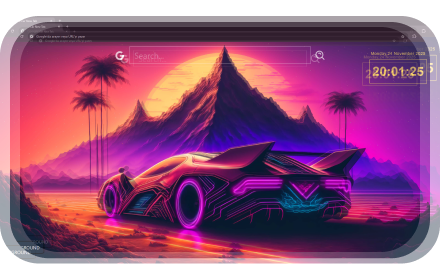
Retrowave Car New Tab
Retrowave Car Wallpaper changes its new tab to Retrowave Car background.
193
★ 5.0

Wave Symphony Live Wallpaper
Elevate your browsing experience with the Fitness Girl Live Wallpaper.
169
★ 5.0
Data sourced from the Chrome Web Store · last verified Jun 4, 2026.