
MZ Disable JavaScript
MZ Disable JavaScript is a Chrome extension that allows users to disable JavaScript execution on specific websites.
As of June 2026, MZ Disable JavaScript has 2,000 users and a 4.20/5 rating from 5 reviews in the Developer Tools category.
Usersno change0%
2.0K
2,000
Ratingno change0%
4.20
5 reviews
Reviewsno change0%
5
Version
1.0.2
Manifest V3
History
1 snapshotsTracking since Apr 23, 2026.
View as table
| Date | Users | Rating | Reviews | Version |
|---|---|---|---|---|
| Apr 23, 2026 | 2.0K | 4.20 | 5 | 1.0.2 |
| Now | 2.0K | 4.20 | 5 | 1.0.2 |
Permissions & access
- Permissions
- contentSettingsactiveTabtabs
- Host access
- None declared
Screenshots
About
Features ⭐

1. Enable/Disable JavaScript for Specific Websites: users can toggle JavaScript on or off for individual websites with a single click.

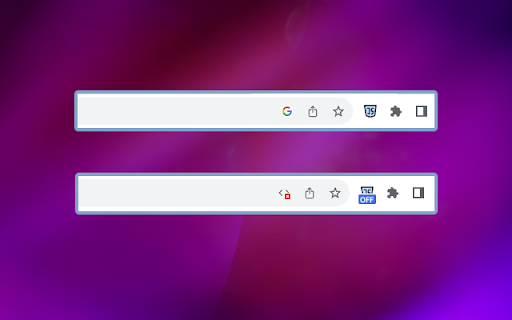
2. 'OFF' Badge for Disabled Websites 📌: the extension adds a visual indicator in the form of an 'OFF' badge to websites where JavaScript has been disabled.

3. Real-time Updates: the extension ensures real-time updates, instantly applying changes in JavaScript settings without requiring users to refresh the page.

4. Secure and Privacy-Focused 🛡️: privacy is a top priority. The extension does not track or store user data, ensuring a secure and private browsing experience.

5. Keyboard Shortcuts ⌨️: Alt+1 keyboard shortcuts for enabling/disabling JavaScript to enhance accessibility.

How to Use: 📔

1. Start by installing the extension from the Chrome Web Store.
2. After installation, you should see the extension's icon in the Chrome toolbar, typically located in the top-right corner of your browser. It might look like a puzzle piece, a gear, or another icon, depending on your browser version and theme.
3. Click on it and pin the MZ Disable JavaScript extension to the top bar.
4. Click on the MZ Disable JavaScript extension icon to enable/disable JavaScript for specific website.
Technical
- Version
- 1.0.2
- Manifest
- V3
- Size
- 504KiB
- Min Chrome
- 88
- Languages
- 1
- Featured
- Yes
Metadata
- ID
- ofakngilfpgpkkdoacedlpdcojebcgea
- Developer ID
- u3bc1f8255e2873f1f6ec0dfffcfc66fb
- Developer Email
- [email protected]
- Created
- Sep 29, 2023
- Last Updated (Store)
- Oct 11, 2023
- Last Scraped
- Jun 8, 2026
- Website
- —
- Support URL
- —
- Privacy Policy
- —
Similar extensions
Alternatives to MZ Disable JavaScript, ranked by description similarity.

Disable JavaScript - JS Switch per site
Disable or enable JavaScript per website with a one-click toggle. Lightweight, fast, and private.
2.0K
★ 3.8

asadal-disable-js
현재 웹사이트의 자바스크립트를 쉽게 비활성화/활성화할 수 있는 토글 확장 프로그램
—

JavaScript On/Off Secure
Quickly enable or disable JavaScript for all websites.
48
★ 5.0

Toggle JavaScript
Enable or disable JavaScript without the hassle.
200.0K
★ 4.3

Toggle Javascript
Toggle JavaScript in the Chrome Browser. In 1 click.
176

JavaScript On/Off
Toggle JavaScript on or off for the current site.
41

Disable JavaScript
Adds the ability to disable JavaScript on specific sites.
210
★ 1.5

Quick Javascript Switcher v3
Enable or disable JavaScript per hostname or subdomain
588
★ 5.0
Data sourced from the Chrome Web Store · last verified Jun 8, 2026.