Simple Color Picker
A Simple Color Picker extension to pick colors and copy them to clipboard
As of June 2026, Simple Color Picker has 10,000 users and a 5.00/5 rating from 16 reviews in the Developer Tools category.
Usersup 25.0 percent+25.0%
10.0K
10,000
Ratingno change0%
5.00
16 reviews
Reviewsup 14.3 percent+14.3%
16
Version
1.0
Manifest V3
90-day change · In the last 90 days this extension gained 2.0K users.
History
3 snapshotsTracking since Apr 23, 2026.
View as table
| Date | Users | Rating | Reviews | Version |
|---|---|---|---|---|
| Apr 23, 2026 | 8.0K | 5.00 | 14 | 1.0 |
| May 13, 2026 | 7.0K | 5.00 | 14 | 1.0 |
| Jun 8, 2026 | 8.0K | 5.00 | 15 | 1.0 |
| Now | 10.0K | 5.00 | 16 | 1.0 |
Permissions & access
- Permissions
- None declared
- Host access
- None declared
Screenshots


About
A Simple Color Picker extension is a tool that allows users to easily select and copy colors from any part of their computer screen. This can be useful for a variety of tasks, such as web design, graphic design, and digital art.

How to use ?
1. Add the Simple Color Picker to chrome through Chrome Web Store
2. Pin the extension
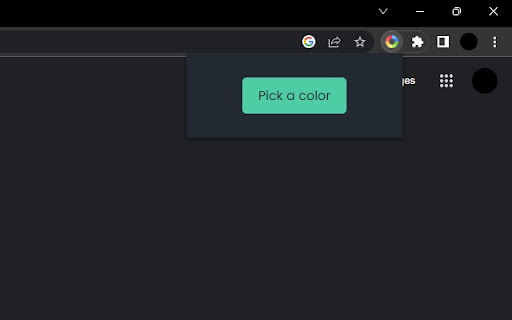
3. Click on the extension and click the Pick a color button
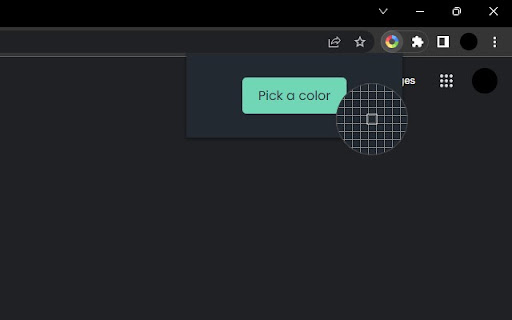
4. Now you can move the eyedropper to and select any color on any screen
5. The selected color will be stored and user can easily copy the HEX code by clicking on it and paste it anywhere
6. User can store multiple colors
7. When Clear All is clicked all the colors stored will be deleted

Highlighted Features
-   Select colors from any part of the screen
-   Store multiple colors
-   Can easily copy and paste
-   Clear All the colors in a click

Overall, A Simple Color Picker extension is a convenient and easy-to-use tool for anyone who needs to work with colors on their computer. It can save time and effort by eliminating the need to manually enter color values and can be helpful in any industry where color is important.

IMPORTANT
We don't collect any user data and we don't display any ads

-------------------------------------------------------------------------------------------------
Icon credits : https://www.flaticon.com
Technical
- Version
- 1.0
- Manifest
- V3
- Size
- 14.37KiB
- Min Chrome
- 88
- Languages
- 1
- Featured
- Yes
Metadata
- ID
- oekcgbklihkajpddgklkakahiabhcjhm
- Developer ID
- uf219513f003888f1bab95385e94cf991
- Developer Email
- [email protected]
- Created
- Jan 19, 2023
- Last Updated (Store)
- Mar 22, 2023
- Last Scraped
- Jun 8, 2026
- Website
- —
- Support URL
- —
- Privacy Policy
- —
Similar extensions
Alternatives to Simple Color Picker, ranked by description similarity.

Easy Color Picker
A beautiful, professional color picker with Hex, RGB, and transparency support
10
★ 5.0

Color Picker
A color picker tool that allows you to pick and save colors from any webpage
4

Color Picker
Simple color picker - click to pick any color from the page and copy it
8

Color Picker Chrome extension
Color Picker Chrome extension addon lets you to pick color from any webpage
70.0K
★ 4.1

Any Color
A system-wide color picking utility for Windows that enables you to pick colors from the screen
17
★ 5.0

Website Color Picker
Website Color Picker: Pick colors from any page
—

Color Picker HEX | Eyedropper | Pick color from image
Pick colors from image or screen. Extract HEX and RGB color codes. Advanced Color Picker for Chrome.
100.0K
★ 5.0

Color Picker
Color picker extension let you select pixel perfect colors
5
★ 5.0
Data sourced from the Chrome Web Store · last verified Jun 8, 2026.