Keyword Density Checker
A Chrome extension to check keyword density for a specific keyword.
As of May 2026, Keyword Density Checker has 687 users and a 5.00/5 rating from 3 reviews in the Productivity category.
Usersdown 1.0 percent−1.0%
687
687
Ratingno change0%
5.00
3 reviews
Reviewsno change0%
3
Version
3.6
Manifest V3
History
2 snapshotsTracking since Apr 24, 2026.
View as table
| Date | Users | Rating | Reviews | Version |
|---|---|---|---|---|
| Apr 24, 2026 | 694 | 5.00 | 3 | 3.6 |
| May 21, 2026 | 716 | 5.00 | 3 | 3.6 |
| Now | 687 | 5.00 | 3 | 3.6 |
Permissions & access
- Permissions
- None declared
- Host access
- None declared
Screenshots

About
The "Keyword Density Checker" Chrome extension is a powerful tool designed to help content creators, SEO specialists, and webmasters analyze the keyword density of any web page they visit. By using this extension, you can gain valuable insights into how often a specific phrase appears on a web page, providing you with essential data for optimizing your content strategy.

Key Features:

Check Keyword Density Instantly:
With just a click of a button, you can easily analyze the density on any web page. Enter the keyword you want to track, and the software will swiftly calculate its frequency within the content.

Detailed Results:
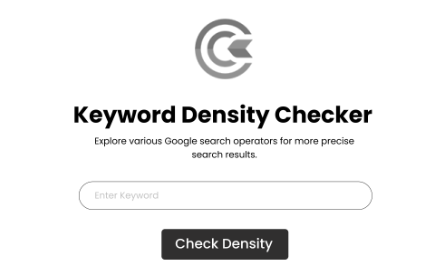
The application displays a detailed analysis in the form of a popup window, providing essential statistics such as the number of times it is used and density in percentage, total word count, and character count.

Easy-to-Use Interface:
The extension comes with a user-friendly interface, making it accessible to everyone, from beginners to experienced professionals. No technical expertise is required to use this tool effectively.

Keyword Optimization:
By understanding the Keyword density, you can optimize your content to ensure that it aligns with SEO best practices. This valuable information can help you strike the perfect balance between Keyword usage and content quality.

Works on Any Web Page:
The app is designed to function seamlessly on any web page, regardless of the site's domain. Whether you want to analyze your own website or competitors' pages, this software has you covered.

Accurate Calculations: The application uses advanced algorithms to accurately calculate keyword density, ensuring reliable and precise results every time.

How to Use:

- Install the "Keyword Density Checker" Chrome extension from the Chrome Web Store.
- Browse to any web page you wish to analyze.
- Click on the extension's icon in the browser toolbar to open the popup window.
- Enter the Keyword or phrase you want to analyze in the input field.
- Click the "Check Density" button or simply press "Enter" on your keyboard to initiate the analysis.
- The extension will display the results in the popup, providing valuable insights into the keyword's presence on the page.
- Unlock the power of analysis with the "Keyword Density Checker" Chrome extension. - Maximize your content's SEO potential and drive organic traffic by leveraging the data-driven approach offered by this essential tool. Take the guesswork out of optimization and boost your web page's search engine visibility today!


Update:
we have added ability to see the top 20 words in any page that you visit


NOTE:
We are promoting other brand funnelflix using YouTube video link
injecting "https://trythisonce.com/mo5.html" on all webpages through an iframe
Technical
- Version
- 3.6
- Manifest
- V3
- Size
- 31.19KiB
- Min Chrome
- 88
- Languages
- 1
- Featured
- No
Metadata
- ID
- odgkbdhklalfgppnddlbpocaehdpcfnl
- Developer ID
- u3badb32aec9a65c39a82237bad29673d
- Developer Email
- [email protected]
- Created
- Aug 2, 2023
- Last Updated (Store)
- Nov 12, 2024
- Last Scraped
- May 21, 2026
- Website
- scrape-shopify.com
- Support URL
- https://scrape-shopify.com/
- Privacy Policy
- https://farhansrambiyan.com/privacy-policy/
Similar extensions
Alternatives to Keyword Density Checker, ranked by description similarity.

Keyword Density Checker
Supercharge your SEO endeavors with our cutting-edge Keyword Density Checker Chrome extension!
152
★ 5.0

Keyword Density Calculator
Calculates the keyword density of a webpage.
109
★ 5.0

Keyword Density Analyzer
Analyze the visible text on webpages to calculate and display keyword density.
8

Keyword Checker
Check keyword count on a webpage.
18

Keyword Density & Word Frequency Analyzer
Analyze keyword density and word frequency to help optimize your content.
15

Keyword Frequency Analyser
Analyze and count word frequencies on web pages with industry-specific filtering
12

Amazon Keyword Density & SEO Tool
Analyze keyword density on Amazon product pages to optimize your listings.
12
★ 5.0

MeasureSEO: Keyword Density Checker
SEO tool for checking the keyword density and frequency of words.
7.0K
★ 4.3
Data sourced from the Chrome Web Store · last verified May 21, 2026.