
DragImages
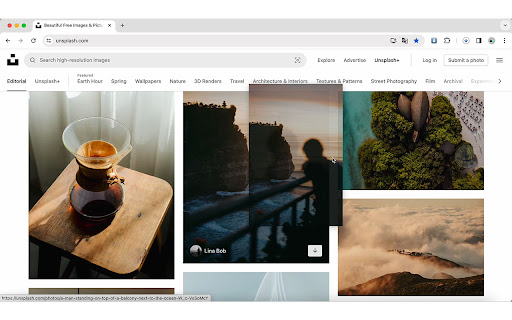
Just one step! Drag images to download them instantly to your default folder.
As of May 2026, DragImages has 1,000 users and a 4.60/5 rating from 5 reviews in the Productivity category.
Usersno change0%
1.0K
1,000
Ratingno change0%
4.60
5 reviews
Reviewsno change0%
5
Version
1.0
Manifest V3
Permissions & access
- Permissions
- downloads
- Host access
- None declared
Screenshots
About
Just one step! Drag images to download them instantly to your default folder.
Technical
- Version
- 1.0
- Manifest
- V3
- Size
- 17.91KiB
- Min Chrome
- 88
- Languages
- 2
- Featured
- No
Metadata
- ID
- obfdpipablmakibiibddbeckmiokachl
- Developer ID
- u50971907d9e8cc72e5e86557638e45e8
- Developer Email
- [email protected]
- Created
- Mar 25, 2024
- Last Updated (Store)
- Apr 11, 2024
- Last Scraped
- May 21, 2026
- Website
- —
- Support URL
- —
- Privacy Policy
- —
Similar extensions
Alternatives to DragImages, ranked by description similarity.

Editly Image Downloader
Batch download all images from the current webpage
—

Batch Image Downloader
With Batch Image Downloader, you can download all images from a webpage with just one click!
34
★ 1.0

Take Screenshot
Capture a screenshot of the current page in one click
2

ดาวน์โหลดไฟล์ทั้งหมด
Extension สำหรับดาวน์โหลดไฟล์ในโฟลเดอร์ทั้งหมดหรือเลือกเฉพาะไฟล์
1

Meme saver
Save images directly to the meme folder
68
★ 5.0

SaveFolderPick
Pick your download folder for Google Photos - save photos exactly where you want them
2

Image Downloader - PM Code with AI
Download images from instagram, pinterest with 1 Click
8

All Image Downloader
Download all images from the current tab as a zip file
19
Data sourced from the Chrome Web Store · last verified May 21, 2026.