
Stop Auto Scroll in ChatGPT
A Chrome extension to stop the auto-scrolling behavior in ChatGPT.
As of May 2026, Stop Auto Scroll in ChatGPT has — users and a 5.00/5 rating from 3 reviews in the Productivity category.
Usersno change0%
—
—
Ratingno change0%
5.00
3 reviews
Reviewsno change0%
3
Version
1.02
Manifest V3
History
2 snapshotsTracking since Apr 24, 2026.
View as table
| Date | Users | Rating | Reviews | Version |
|---|---|---|---|---|
| Apr 24, 2026 | 88 | 5.00 | 3 | 1.02 |
| May 21, 2026 | 87 | 5.00 | 3 | 1.02 |
| Now | — | 5.00 | 3 | 1.02 |
Permissions & access
- Permissions
- None declared
- Host access
- None declared
Screenshots
About
Stop Auto Scroll for ChatGPT

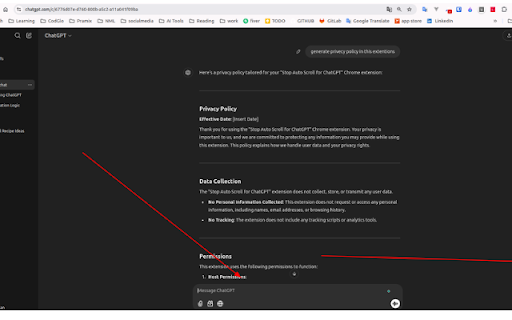
Tired of ChatGPT’s auto-scroll feature interrupting your workflow? This extension gives you complete control over scrolling, so you can read and navigate conversations at your own pace.

Key Features:

Disables Auto-Scroll: Prevents the chat interface from automatically scrolling to the bottom when new messages appear.
User-Friendly: Works seamlessly in the background—no configuration needed.
Lightweight and Efficient: Minimal impact on performance with a focus on simplicity.
Safe and Secure: Does not collect or store any user data.

How It Works:
Once installed, this extension automatically stops ChatGPT’s auto-scroll behavior. Whether you’re reading a long conversation or analyzing past messages, you can scroll freely without interruptions.
Technical
- Version
- 1.02
- Manifest
- V3
- Size
- 12.39KiB
- Min Chrome
- 88
- Languages
- 1
- Featured
- No
Metadata
- ID
- oadjojadiagcpbcbecpgfkgfmflgelnf
- Developer ID
- u9057fed04ae832bdac75d1db350f7687
- Developer Email
- [email protected]
- Created
- Jan 5, 2025
- Last Updated (Store)
- Jan 8, 2025
- Last Scraped
- May 21, 2026
- Website
- —
- Support URL
- —
Similar extensions
Alternatives to Stop Auto Scroll in ChatGPT, ranked by description similarity.

ChatGPT Auto-Scroll
Keeps ChatGPT chats auto-scrolling to the bottom while responses stream. Simple on/off toggle.
36

ChatGPT Auto Scroller
Auto-scrolls ChatGPT using only the bottom-center down arrow and final bottom jumps.
7

Index for ChatGPT - Auto Table of Contents
Automatically generates a clean, clickable index for long ChatGPT conversations so you can jump to any section instantly.
163

IToS - I'm tired of scrolling (ChatGPT, Gemini, and more)
Scroll through long conversations faster and quickly navigate to specific chat in ChatGPT and Gemini.
3

ChatGPT Speed Booster
Fix lag, freezing, and sluggish scrolling in long ChatGPT conversations. All features free.
408
★ 3.3

Adjust Chatgpt Conversation History Length
Reduce the size of extensive ChatGPT threads on the client side by retaining only the most recent N messages along the active path.
41

ChatGPT Scroller
Navigate ChatGPT conversations more easily with navigation buttons.
210
★ 4.8

Scroller for ChatGPT
A browser extension that adds a timeline-style scroll rail to ChatGPT, making long conversations easier to navigate.
4
★ 5.0
Data sourced from the Chrome Web Store · last verified May 21, 2026.