QR Code Builder
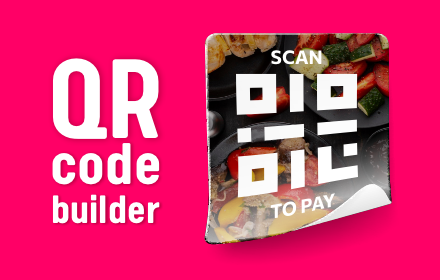
Design with QR Code Builder – a QR code creator to make custom QR code menus and more for restaurants, cafes and businesses.
As of June 2026, QR Code Builder has 79 users and a 5.00/5 rating from 7 reviews in the Productivity category.
Usersup 2.6 percent+2.6%
79
79
Ratingno change0%
5.00
7 reviews
Reviewsno change0%
7
Version
2.0
Manifest V3
History
4 snapshotsTracking since Apr 1, 2026.
View as table
| Date | Users | Rating | Reviews | Version |
|---|---|---|---|---|
| Apr 1, 2026 | 77 | 5.00 | 7 | 2.0 |
| Apr 21, 2026 | 73 | 5.00 | 7 | 2.0 |
| May 11, 2026 | 74 | 5.00 | 7 | 2.0 |
| Jun 6, 2026 | 76 | 5.00 | 7 | 2.0 |
| Now | 79 | 5.00 | 7 | 2.0 |
Permissions & access
- Permissions
- storagenotificationsclipboardReadclipboardWrite
- Host access
- None declared
Screenshots

About
Looking for a tool to design personalized scannable labels for your business? Try the QR Code Builder! This tool is designed for businesses, restaurants, cafes, retailers, and event organizers who want to create stylish and branded qr code for menus, payments, promotions, and more. Whether you need to build a qr code menu, or design a digital tag for payments, this extension provides customized flexible options for backgrounds, fonts, and colors.

✨ Key features of the QR Code Builder – build the perfect design
✔ Two modes
● Square mode – Quickly generate a standard template with customizable colors and fonts.
● Advanced Mode – Unlock full creative control with background images, opacity adjustments, additional text elements, and more.

✔ Customizable backgrounds
● Adjust the background color to match your brand.
● Upload a custom image (e.g., restaurant qr menu, company logo, product branding) as the background.
● Create a customized qr code with a logo to enhance brand recognition.
● Modify size for the perfect qr code design.

✔ Text customization
● Add custom text elements above or below.
● Create it with text like "Scan to Pay," "View Our Menu", or "Follow Us on Instagram."
● Customize font, size, and color to ensure a professional and eye-catching design.

✔ Instant preview & easy downloads
● See a real-time preview before completing your digital tag template.
● Download your custom qr codes in high-quality PNG or PDF format.
● Copy the work to the clipboard for easy sharing and printing.
● Create scannable labels for business cards, posters, packaging, or table displays.

📌 Ideal use cases of the QR Code Builder
💚 Restaurants & cafes – Create in it menus to let customers access digital menus and order online. Perfect for qr code menukaart solutions in multiple languages.
💚 Retail & payments – Generate scannable tags for payment with contactless solutions like qr payment and self-checkout. Works as a smart scan for money transfers and cashless transactions.
💚 Marketing & promotions – Use a custom qr code generator to develop digital markers that connect users to your webpage, discount offers, or social media pages. Create qr code business cards to make networking effortless.
💚 Event tickets & access control – Design stylish digital tag for ticketing, VIP access, or event registration.

⚙️ How to use this extension
∙ Step 1: Install the QR Code Builder from the Chrome Web Store.
∙ Step 2: Open the extension from your browser toolbar.
∙ Step 3: Choose between Square Mode or Advanced Mode.
∙ Step 4: Enter the URL or text you want to embed.
∙ Step 5: Customize the background color, fonts, text, and images as needed.
∙ Step 6: Preview your work in real time.
∙ Step 7: Download your work in PNG or PDF format or copy it to the clipboard.

🌟 Why choose QR Code Builder?
👉 Flexible customization – Choose from a variety of backgrounds, colors, and fonts to match your business branding.
👉 Create qr code with logo & business branding – Enhance customer engagement by creating it with your logo or promotional image.
👉 Preview template & print-ready formats – Easily print them for menus, payment stations, business cards, flyers, and advertising materials.
👉 Fast & user-friendly – No technical skills needed! Quickly make qr code with logo and custom branding with a simple interface.
👉 Create a custom qr code with advanced design features – Unlike standard tools, this extension allows full control over qr code stickers, branding, and appearance.

🔒 Security & privacy matters
Your data is important, and this tool ensures that all generated links and embedded content remain safe and private. No sensitive information is stored, and all designs are processed locally to maintain security. Whether you're using it for business, payments, or events, you can trust that your content remains protected from unauthorized access.

🖌 Intuitive pop-up interface & multilingual support
✨ The extension features a clean and modern pop-up interface, ensuring seamless navigation.
✨ Users can easily adjust colors, insert branding elements, and export designs without distractions.
✨ A structured layout and intuitive controls allow even first-time users to create designs effortlessly.
✨ The extension supports multiple languages, making it accessible for users worldwide.

🔍 Frequently asked questions
❓ Is this extension free to use?
📌 Yes, it is completely free with no hidden charges or complex sign-up processes.

❓ Can I add my own branding?
📌 Absolutely! You can upload a custom image or logo to personalize your design and align it with your brand identity.

❓ How fast can I generate a sticker?
📌 Instantly! This online qr code generator provides real-time creation and customization.

❓ Can I print it?
📌 Yes! You can print it in high-resolution PNG or PDF formats.

❓ Does this work for payments?
📌 Yes! You can create a digital tag for payment, links and contactless transactions.

🔗 Get started with QR Code Builder: create & print today!
With this custom qr code maker, you can design online scannable tags that fit your business needs—whether it’s a restaurant scan label, a qr code payment, or a branded sticker. Create codes with your own design, logo, and branding to improve customer engagement and streamline operations. Try our QR Code Builder now and design it today!
Technical
- Version
- 2.0
- Manifest
- V3
- Size
- 4.58MiB
- Min Chrome
- 88
- Languages
- 52
- Featured
- No
Metadata
- ID
- oacnnceakgmilfnaibgclammpihngllf
- Developer ID
- u7898874c29a670dfbcb82b7370856a08
- Developer Email
- [email protected]
- Created
- Apr 21, 2025
- Last Updated (Store)
- Apr 21, 2025
- Last Scraped
- Jun 6, 2026
- Website
- hotpancake.com
- Support URL
- https://www.hotpancake.com/contact_us.html
- Privacy Policy
- https://www.hotpancake.com/privacy-policy.html
Similar extensions
Alternatives to QR Code Builder, ranked by description similarity.

QR Picker: QR Code Generator
Generate high-quality, custom QR codes with logos, colors, styles, and premium templates — completely free.
11

QR Code Maker
Use QR Code Maker to quickly make a QR code online from any URL or text. Easily turn a link to QR code and share info in seconds.
408
★ 5.0

QR Code with Logo
Generate QR codes with logos instantly! Use our qr code generator for custom designs and easily scan codes anywhere.
598
★ 4.4

Fancy QR Code Generator
Create beautiful, customizable QR codes with logos, colors, and text - print ready!
2

QR Code Generator - Custom Colors & Logos
Generate customizable QR codes with color options and custom links
5

Barcode Generator
Use Barcode Generator app to create QR Code or generate barcode of any type easily in SVG format. Supports UPC, Code128 and more.
10.0K
★ 4.9

Create a QR code for a URL
Make QR code easily by using our app. We provide the best tool to Create a QR code for a URL.
89
★ 5.0

QR Code Extension
Generate and scan QR codes with ease and style
293
★ 5.0
Data sourced from the Chrome Web Store · last verified Jun 6, 2026.