
Android emulator MyAndroid
Run an android emulator and your Android games and apps you like more.
As of May 2026, Android emulator MyAndroid has 100,000 users and a 2.56/5 rating from 142 reviews in the Productivity category.
Usersup 11.1 percent+11.1%
100.0K
100,000
Ratingdown 0.4 percent−0.4%
2.56
142 reviews
Reviewsup 2.9 percent+2.9%
142
Version
1.3.1
Manifest V3
90-day change · In the last 90 days this extension gained 10.0K users.
History
2 snapshotsTracking since Apr 25, 2026.
View as table
| Date | Users | Rating | Reviews | Version |
|---|---|---|---|---|
| Apr 25, 2026 | 90.0K | 2.57 | 138 | 1.3.1 |
| May 21, 2026 | 100.0K | 2.59 | 142 | 1.3.1 |
| Now | 100.0K | 2.56 | 142 | 1.3.1 |
Permissions & access
- Permissions
- storagewebNavigation
- Host access
- None declared
Screenshots


About
This extension allows users to use an Android emulator and run any Android app or game directly on their Chrome browser.

• Key Features:

The Android emulator MyAndroid offers a wide range of features that enhance the Android app and gaming experience on Chrome. These features include:

1. Android Emulator:
With this extension, users no longer need to switch between their Android device and PC to access their favorite apps or games. The integrated Android emulator provides a seamless experience on the Chrome browser, allowing users to enjoy their desired applications without any compatibility issues.

2. Quick Boot:
Taking advantage of the top features in Android, the Android emulator MyAndroid includes a Quick Boot option. This feature enables lightning-fast start-up times, eliminating the tedious wait traditionally associated with launching an Android emulator.

3. Retain App State:
Ensuring convenience and efficiency, the extension supports retaining the state of previously opened apps or games. Users can effortlessly switch between multiple applications without losing their progress or data.

4. Advanced Input and Controls:
The Android emulator MyAndroid offers a range of input and control options, mimicking various aspects of touch screen devices. Users can easily interact with apps or games through the emulator using a mouse, keyboard, or joystick for a more immersive and enjoyable experience.

5. Multi-Platform Support:
Our extension provides compatibility across different platforms, including Windows, Mac, and Linux, allowing users to access the emulator regardless of their operating system.

• How to Use:

To install and use the Android emulator MyAndroid, follow these simple steps:

Step 1: Open your Google Chrome browser.
Step 2: Navigate to the Chrome Web Store.
Step 3: Search for “Android emulator MyAndroid" in the search bar.
Step 4: Click on the extension and select "Add to Chrome".
Step 5: Wait for the installation to complete, and then click on the extension icon in your browser toolbar.
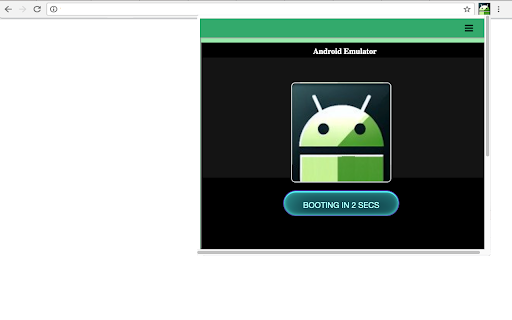
Step 6: The Android emulator will launch within the extension window, ready for you to run any desired app or game.

• Conclusion

The Android emulator MyAndroid opens up a new realm of possibilities for Android app and game enthusiasts. By providing an advanced Android emulator within the Chrome browser, users can seamlessly access and enjoy their favorite applications without the need for a separate Android device. With features such as Quick Boot, state retention, and multi-platform support, this extension guarantees a delightful and convenient user experience.

• File Manager Integration for Android Files

This extension allows users to automatically detect Android files, such as APK or APKX, while browsing the web and open them directly in the MyAndroid file manager to be run in the Android emulator MyAndroid.
Technical
- Version
- 1.3.1
- Manifest
- V3
- Size
- 483KiB
- Min Chrome
- 88
- Languages
- 18
- Featured
- No
Metadata
- ID
- npcbllnmpghkdjeaocappkiedkiljhgk
- Developer ID
- u210d9b0af73de3ea5e9c852be761b22c
- Developer Email
- [email protected]
- Created
- Feb 20, 2024
- Last Updated (Store)
- Mar 25, 2025
- Last Scraped
- May 21, 2026
- Website
- myandroid.org
- Support URL
- https://www.myandroid.org/contact-us/
- Privacy Policy
- https://www.myandroid.org/privacy-policy/
Similar extensions
Alternatives to Android emulator MyAndroid, ranked by description similarity.

Convert APKM to XAPK by APKGeta
A tool for converting APKM files to XAPK for using Android games and applications.
128
★ 5.0

Phone Simulator — Mobile Emulator Tool
Try Phone Simulator: test your site on iPhone, iPad & Android - mobile emulator. Online mobile simulator & website viewer.
20.0K
★ 4.8

APKHUB App Downloder
Download App File Directly without any account or device limit.
3.0K
★ 4.4

AutoCopy Emoji Keyboard for Chrome
Quickly copy your favorite emojis with CopyEmoji, a simple and easy-to-use extension.
15

Gamepad Mapper for Web Games
Play any web game with your controller on Android by simulating keyboard keys.
100

Flash Player Emulator
Flash player emulator runs flash files in the browser. Play your favorite flash games online! Puts Flash back on the web.
1.0K

Flash Player that Works!
Flash Player that runs flash files using Ruffle on ActionScript 3. Play favorite flash games on Web.
50.0K
★ 3.8

Clicker (Browser Click Simulator)
Are you tired of repetitive clicking tasks that consume your valuable time and energy? Auto Clicker, the ultimate Chrome extension,…
374
★ 2.8
Data sourced from the Chrome Web Store · last verified May 21, 2026.