
Luma - Visual Website Editor
Edit any website visually, like Canva. No code needed.
As of June 2026, Luma - Visual Website Editor has 3 users in the Developer Tools category.
Usersno change0%
3
3
Ratingno change0%
—
— reviews
Reviewsno change0%
—
Version
1.0.2
Manifest V3
History
5 snapshotsTracking since May 5, 2026.
View as table
| Date | Users | Rating | Reviews | Version |
|---|---|---|---|---|
| May 5, 2026 | — | — | — | 1.0.2 |
| May 10, 2026 | — | — | — | 1.0.2 |
| May 16, 2026 | 2 | — | — | 1.0.2 |
| Jun 4, 2026 | 3 | — | — | 1.0.2 |
| Jun 10, 2026 | 2 | — | — | 1.0.2 |
| Now | 3 | — | — | 1.0.2 |
Permissions & access
- Permissions
- activeTabscripting
- Host access
- <all_urls>
Screenshots




About
Luma. Design, directly on reality.

For decades, we’ve been building interfaces the wrong way.

We sketch.
We mock.
We explain.
And somewhere between Figma files, screenshots, and endless Slack threads… the original idea gets lost.

Luma changes that.

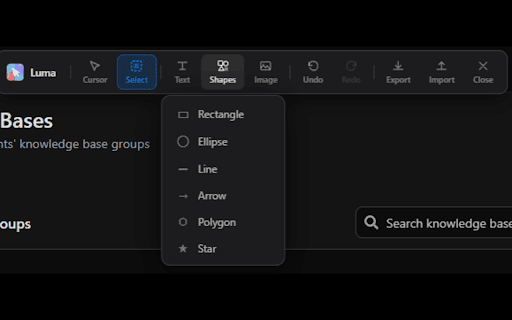
Luma lets you edit real websites in real time.
Move elements. Adjust layouts. Rewrite content. Tweak spacing. Instantly.
No recreating screens. No guesswork. No translation errors.

What you see is what you mean.

And when you’re done, Luma doesn’t just show your vision
It delivers it.

Export your changes as clean CSS, structured JSON, or dev-ready outputs.
So your frontend team doesn’t interpret your ideas
They build exactly what you intended.

This is not another design tool.
This is the end of miscommunication between product, design, and engineering.

One surface. One truth. One workflow.

Luma. Stop explaining. Start showing.
Technical
- Version
- 1.0.2
- Manifest
- V3
- Size
- 151KiB
- Min Chrome
- 88
- Languages
- 1
- Featured
- No
Metadata
- ID
- npangjphbnkkignamdgapldccepddncm
- Developer ID
- u805d7eb6c156455ce69a4ec6de4afd67
- Developer Email
- [email protected]
- Created
- May 4, 2026
- Last Updated (Store)
- May 4, 2026
- Last Scraped
- Jun 10, 2026
- Website
- —
- Support URL
- —
Data sourced from the Chrome Web Store · last verified Jun 10, 2026.