Password Alert
Password Alert helps protect against phishing attacks.
As of May 2026, Password Alert has 500,000 users and a 4.34/5 rating from 891 reviews in the Privacy & Security category.
Usersno change0%
500.0K
500,000
Ratingno change0%
4.34
891 reviews
Reviewsdown 0.4 percent−0.4%
891
Version
1.38.4
Manifest V3
History
2 snapshotsTracking since Apr 25, 2026.
View as table
| Date | Users | Rating | Reviews | Version |
|---|---|---|---|---|
| Apr 25, 2026 | 500.0K | 4.34 | 895 | 1.38.4 |
| May 21, 2026 | 500.0K | 4.34 | 892 | 1.38.4 |
| Now | 500.0K | 4.34 | 891 | 1.38.4 |
Permissions & access
- Permissions
- identityidentity.emailnotificationsscriptingstoragetabs
- Host access
- <all_urls>
Screenshots
About
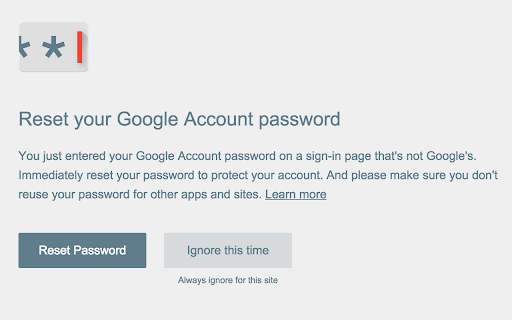
If you enter your Google Account password or Google for Work password into anywhere other than Google's sign-in page, you’ll receive an alert, so you can quickly change your password if needed.

Password Alert also checks each page you visit to see if it's impersonating Google's sign-in page, and alerts you if so.

FAQ
-- When will Password Alert take effect?
Password Alert will initialize itself the next time you enter your password into accounts.google.com.

-- Does Password Alert store my password or keystrokes?
No. Password Alert doesn’t store your password or keystrokes -- instead, it stores a secure thumbnail of your password, which it compares against a thumbnail of your most recent keystrokes within Chrome.

-- Where does Password Alert send data?
If you are using Password Alert in a Google Account, Password Alert does not send any data from your local computer. If your Google for Work administrator chooses to deploy Password Alert across your domain, the administrator will receive alerts when Password Alert triggers.

-- What are Password Alert limits?
Password Alert only operates inside the Chrome web browser when Javascript is enabled. Password Alert doesn't protect Chrome Apps or Chrome Extensions, and it only protect incognito tabs if configured at chrome://extensions. It also does not protect passwords for non-Google services.

-- Where can I find more details?
Visit the full FAQ at https://support.google.com/a/answer/6197508, or you can see the entire open-source codebase at https://github.com/google/password-alert.

By installing this item, you agree to the Google Terms of Service and Privacy Policy at www.google.com/policies/
Technical
- Version
- 1.38.4
- Manifest
- V3
- Size
- 598KiB
- Min Chrome
- 88
- Languages
- 53
- Featured
- Yes
Metadata
- ID
- noondiphcddnnabmjcihcjfbhfklnnep
- Developer ID
- u53e3c1e032893bc4718b4d567910abdf
- Developer Email
- [email protected]
- Created
- Apr 2, 2015
- Last Updated (Store)
- Mar 5, 2025
- Last Scraped
- May 21, 2026
- Website
- —
- Support URL
- —
- Privacy Policy
- https://policies.google.com/
Similar extensions
Alternatives to Password Alert, ranked by description similarity.

Chrome Browser Security Locker (chrome password lock)
Locks Chrome on startup and requires a password to avoid unauthorized access.
289
★ 4.0

Simple Password Revealer
An extension to reveal password fields.
245
★ 5.0

SmartGuard
An extension that alerts users when entering sensitive information.
4

ChromeLock | Browser Password Lock Extension - ChromeLock.net
Lock your browser with one click. Protect your privacy and data with password protection, auto-lock, and keyboard shortcuts.
5.0K
★ 4.8

Google Chrome Password lock
Use Google Chrome Password lock to protect your browser. Add this extension, set Chrome password, and lock your browser and tabs.
30.0K
★ 4.7

SecretGuard
Automatically detects and masks sensitive data (PII, API keys, secrets) across AI chat platforms.
1

Key .by Onlinesecurity.ZA
Instead of a password use a key. Private, invisble and cannot be copied and pasted.
—

PasteGuard — Protects accidental leaks
Protect your secrets — intercept and sanitize pastes before they reach chatbots or LLMs
14
★ 5.0
Data sourced from the Chrome Web Store · last verified May 21, 2026.