
Readlax: Reader View with Phrase Highlighting
Clean websites from sidebars and ads, read with phrase highlighting.
As of June 2026, Readlax: Reader View with Phrase Highlighting has 6,000 users and a 4.30/5 rating from 64 reviews in the Accessibility category.
Usersno change0%
6.0K
6,000
Ratingno change0%
4.30
64 reviews
Reviewsno change0%
64
Version
2.0.2
Manifest V3
History
2 snapshotsTracking since May 2, 2026.
View as table
| Date | Users | Rating | Reviews | Version |
|---|---|---|---|---|
| May 2, 2026 | 6.0K | 4.30 | 64 | 2.0.2 |
| Jun 1, 2026 | 6.0K | 4.31 | 65 | 2.0.2 |
| Now | 6.0K | 4.30 | 64 | 2.0.2 |
Permissions & access
- Permissions
- storage
- Host access
- None declared
Screenshots
About
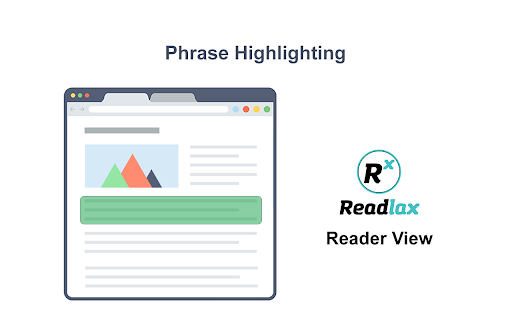
Phrase Highlighting for Speed Reading - Read Faster Immediately.

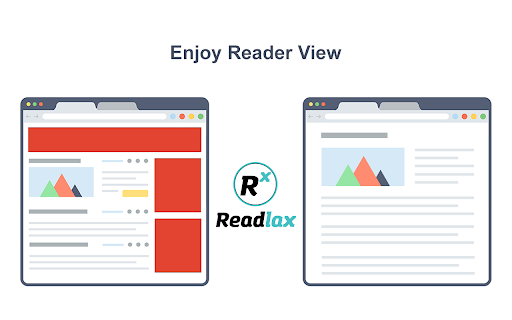
The "Readlax Reader" removes ads and distractions, leaving only text and images for a clean reading view.

How to use "Readlax Reader":
- Install Readlax Chrome Extension.
- Click "Reader View" on the popup.

Features:
- Remove distraction
- Remove advertisements
- Phrase highlighting
- Speed reading training
Technical
- Version
- 2.0.2
- Manifest
- V3
- Size
- 328KiB
- Min Chrome
- 88
- Languages
- 10
- Featured
- Yes
Metadata
- ID
- noggimpgfjnknjblddfibbdnocffdoii
- Developer ID
- u16a8cfa6bab99cac663137055541ce57
- Developer Email
- [email protected]
- Created
- Jun 22, 2017
- Last Updated (Store)
- Nov 14, 2023
- Last Scraped
- Jun 1, 2026
- Website
- https://www.readlax.com/
- Support URL
- https://www.readlax.com/legal/privacy-policy
- Privacy Policy
- https://www.readlax.com/legal/privacy-policy
Similar extensions
Alternatives to Readlax: Reader View with Phrase Highlighting, ranked by description similarity.

Minimal Reader Mode
Transform any webpage into a clean, distraction-free reading experience with Minimal Reader Mode, easy to use and focused in the…
100
★ 4.3

Fast Read Exporter
Convert text to short animation clips that flashes each word with customizable speed and font size.
28

Reading Mode
Minimalistic reading mode
33

Reader focus
This extension allows users to focus on single sentences when reading text.
4

Chrome Reader Mode
Try Chrome Reader Mode – the easiest-to-use website reader. Enjoy comfortable reading with our eco-friendly reader mode.
4.0K
★ 4.7

Zen Reader
Narrative Reader declutters pages & reads aloud with highlighting for a calm, distraction-free experience.
126

ListenQuir: Read Page Content Aloud | TTS Text-to-Speech
Page reader with 40+ languages & 200+ voices. Multiple reading modes, text highlighting, customizable speed/pitch/volume.
296
★ 5.0

LumiRead
Improve readability with AI-powered Read Mode, Translation, and Text-to-Speech, designed for inclusivity.
46
★ 5.0
Data sourced from the Chrome Web Store · last verified Jun 1, 2026.