
Smart Cookies Memorizer
A tool to help you memorize/manage what you read
As of May 2026, Smart Cookies Memorizer has 12 users and a 5.00/5 rating from 1 reviews in the Productivity category.
Usersdown 20.0 percent−20.0%
12
12
Ratingno change0%
5.00
1 reviews
Reviewsno change0%
1
Version
1.0.1
Manifest V3
History
4 snapshotsTracking since Apr 21, 2026.
View as table
| Date | Users | Rating | Reviews | Version |
|---|---|---|---|---|
| Apr 21, 2026 | 15 | 5.00 | 1 | 1.0.1 |
| May 6, 2026 | 15 | 5.00 | 1 | 1.0.1 |
| May 18, 2026 | 13 | 5.00 | 1 | 1.0.1 |
| May 31, 2026 | 14 | 5.00 | 1 | 1.0.1 |
| Now | 12 | 5.00 | 1 | 1.0.1 |
Permissions & access
- Permissions
- storageactiveTabidentitynotifications
- Host access
- None declared
Screenshots


About
Highlight Sync – Save, Tag & Share Web Highlights Effortlessly

Turn your web browsing into a powerful knowledge-building experience. Highlight Sync is a smart highlighter tool that lets you capture key insights from any webpage and organize them your way — in Google Drive, with tags, in Telegram, or even directly in NotebookLM for smart reviewing and summarization.

✨ Key Features:
🖍 Highlight Text Anywhere
Instantly mark and save important information from articles, blogs, documentation, or research papers.

📸 Screen Capture with Shortcut
Quickly capture the screen using a shortcut key — ideal for saving moments while watching videos or livestreams. Screenshots are saved locally for easy reference later.

☁️ Auto-Save to Google Drive
Your highlights (not available for screenshots) are securely stored and synced in Google Drive for easy access and backup.

🏷 Organize with Tags
Group your highlights by topic, project, or any custom tag for fast retrieval later.

📤 Send to Telegram
Share your highlights with yourself or teammates instantly via Telegram.

🧠 Export to NotebookLM
Prepare your reading notes for AI-powered summarization and review using Google’s NotebookLM – turn raw highlights into meaningful insights.

🔍 Persistent Highlights
Highlights remain visible even after reloading or revisiting a page.

Whether you're a student, researcher, writer, or lifelong learner, Highlight Sync helps you capture, organize, and revisit knowledge effortlessly – right where you discover it.

🔧 How to Set Up Shortcut Keys for the Extension
Open Chrome and go to:
chrome://extensions/shortcuts

Find "Smart Cookies Memorizer" in the list.

Assign your preferred keyboard shortcuts (e.g., to save a highlight, save a screenshot or open the popup).

Press your shortcut on any webpage to quickly use the extension features without clicking the icon.

📲 How to Get Your Telegram Bot Token and Chat ID
Step 1: Create a Telegram Bot
Open Telegram and search for @BotFather.

Type /start and follow the instructions to create a new bot.

Once created, BotFather will give you a bot token (a string like 123456:ABC-DEF1234ghIkl...).
→ Copy this token and paste it into the extension settings.

Step 2: Get Your Chat ID
Start a conversation with your bot by sending it a message (e.g., "Hi").

Go to this URL in your browser:
https://api.telegram.org/bot<YOUR_BOT_TOKEN>/getUpdates
(Replace <YOUR_BOT_TOKEN> with your actual token.)

In the JSON response, look for chat → id.
It will look something like "id": 123456789.

Copy this chat ID and paste it into the extension settings under Telegram Chat ID.
Technical
- Version
- 1.0.1
- Manifest
- V3
- Size
- 360KiB
- Min Chrome
- 88
- Languages
- 1
- Featured
- No
Metadata
- ID
- nogebfajjhmmfobafllkjddjpickpmpc
- Developer ID
- uc2b9190b14591bb9e8963b3219bfa8be
- Developer Email
- [email protected]
- Created
- Jun 1, 2025
- Last Updated (Store)
- Jun 11, 2025
- Last Scraped
- May 31, 2026
- Website
- —
- Support URL
- —
- Privacy Policy
- —
Similar extensions
Alternatives to Smart Cookies Memorizer, ranked by description similarity.

Highlight text
Highlight selected text and manage highlights per page.
362
★ 5.0

Highlighter Extension
Highlight & Share - Smart Text Highlighter
Effortlessly highlight, save, and share important text on any webpage with Highlight &…
61
★ 5.0
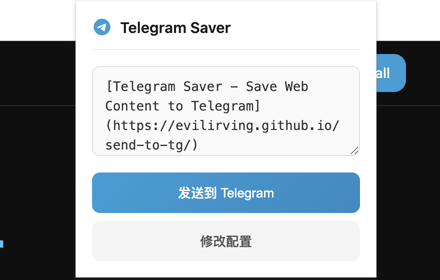
Telegram Saver
Save links, pages, and selected text to Telegram with one click. Quick share to your channels or groups.
8

Arbitrage Helper
Take notes and highlight text on webpages you visit.
16
★ 5.0

SwiftShift
Send content to Telegram instantly
3
★ 5.0

PastReads Web Highlighter
Save Web Article Highlights Instantly
338
★ 5.0

Web highlighter
Web Highlighter is a light-weight and simple Chrome extension designed to help you capture and organize essential information from…
21

Trace
Save and auto-highlight text snippets from any webpage
6
Data sourced from the Chrome Web Store · last verified May 31, 2026.