
Share page information
Convert page information to Wiki notation, etc.
As of June 2026, Share page information has 136 users and a 5.00/5 rating from 3 reviews in the Workflow & Planning category.
Usersup 3.8 percent+3.8%
136
136
Ratingno change0%
5.00
3 reviews
Reviewsno change0%
3
Version
1.2.0
Manifest V3
History
3 snapshotsTracking since Apr 1, 2026.
View as table
| Date | Users | Rating | Reviews | Version |
|---|---|---|---|---|
| Apr 1, 2026 | 131 | 5.00 | 3 | 1.2.0 |
| May 2, 2026 | 126 | 5.00 | 3 | 1.2.0 |
| Jun 1, 2026 | 133 | 5.00 | 3 | 1.2.0 |
| Now | 136 | 5.00 | 3 | 1.2.0 |
Permissions & access
- Permissions
- contextMenusactiveTabclipboardWrite
- Host access
- None declared
Screenshots

About
Copy the page title and URL in a format that is easy to share.

- Title <Line feed> URL
- Hiki (Wiki clone) Format: [[Title | URL]]
- Textile (Redmine) Format: "Link text: Title": Link destination: URL
- Backlog format: [[Title> URL]]
- Markdown format: [link text] (URL "Title (tooltip)")
- Link (for products such as Office that support HTML copying)
Technical
- Version
- 1.2.0
- Manifest
- V3
- Size
- 25.58KiB
- Min Chrome
- 88
- Languages
- 2
- Featured
- Yes
Metadata
- ID
- nnnflohcklplblcndpidebcbkdfbjmdm
- Developer ID
- u8606f7b02325fd38dd44fd46d2e5bf1b
- Developer Email
- [email protected]
- Created
- Jan 21, 2016
- Last Updated (Store)
- Sep 17, 2024
- Last Scraped
- Jun 1, 2026
- Website
- —
- Privacy Policy
- —
Similar extensions
Alternatives to Share page information, ranked by description similarity.

Copy Page Link
Copy page title and URL
3

Copy Page Link
Copies a pretty-link to the current page
47
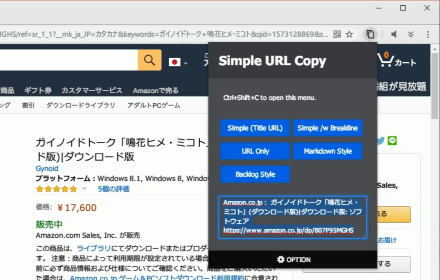
Simple URL Copy [F]
A tool that helps you to copy url.
4.0K
★ 4.6

Copy Rich Link
Copy the page title and URL as rich text.
4.0K
★ 5.0

Copy Title and URL
Adds a button to copy the title and URL of the current page for pasting as rich text.
798
★ 3.8

Clip Title and URL
A tool to copy the web page title and URL to the clipboard.
6

CopyURL
Copy the URL and title of the active page.
255

TITLE and URL to Clipboard
Click on the Contextmenu, and you can clipboard '// title', '// url' and 'LF' (゚・゚
32
Data sourced from the Chrome Web Store · last verified Jun 1, 2026.