
Browser Notepad
A notepad extension with rich text features, todo inbuilt with reminders, modern look and export functionality.
As of June 2026, Browser Notepad has 113 users and a 4.50/5 rating from 2 reviews in the Productivity category.
Usersdown 11.0 percent−11.0%
113
113
Ratingno change0%
4.50
2 reviews
Reviewsno change0%
2
Version
1.1.4
Manifest V3
History
3 snapshotsTracking since Apr 1, 2026.
View as table
| Date | Users | Rating | Reviews | Version |
|---|---|---|---|---|
| Apr 1, 2026 | 127 | 4.50 | 2 | 1.1.4 |
| May 2, 2026 | 137 | 4.50 | 2 | 1.1.4 |
| Jun 1, 2026 | 136 | 4.50 | 2 | 1.1.4 |
| Now | 113 | 4.50 | 2 | 1.1.4 |
Permissions & access
- Permissions
- storagenotificationsalarmsunlimitedStorage
- Host access
- None declared
Screenshots


About
Browser Notepad: Your Ultimate In-Browser Note-Taking Tool

Why Install Browser-Notepad?

1) Modern Text Editing:
Write, edit, and format your notes with a robust set of text editing tools directly in your browser.

2) Automatic Saving:
Your notes are saved automatically as you type, ensuring they are always up-to-date and secure.

3) Export Functionality:
Export your notes with ease—save individual notes or all tabs at once with just a few clicks.

4) Light & Dark Modes:
Switch between light and dark themes to match your environment and personal preference.

5) To-Do List Integration:
Keep track of tasks and deadlines with the built-in to-do list feature.

6) Enhanced To-Do List Features:
Add Reminders: Set reminders for to-do items to stay on track.
Countdown Display: Visual countdowns appear on the screen to keep you motivated.
Notifications: Receive timely reminders for your to-do list tasks.

8) Multiple Tabs Management:
Manage different notes simultaneously with multiple tabs.
Reorder Tabs: Rearrange tabs to suit your workflow.
Rename Tabs: Double-click to rename tabs for better organization.
Close Confirmation: Prevent accidental loss of content with tab close confirmation.
Default Tab: The last active tab will be the default when reopening the extension.
Automatic Tab Naming: Tabs are named automatically (e.g., Tab1, Tab2) for improved organization.

Changelog:
V1.1.2, 1.1.3, 1.1.4 :
- reminder notification bug fixed
- unexpected prompt behavior fixed
- updated storage permission
- fixed the scroll bar

V1.1.0:
- Updated menu.
- Enhanced tab management with reordering, renaming, confirmation prompts, and improved default tab handling.
- Expanded to-do list functionality with reminders, countdowns, and notifications.
- Some minor UI updates and bug fixes.

V1.0.0:
Initial release
Technical
- Version
- 1.1.4
- Manifest
- V3
- Size
- 155KiB
- Min Chrome
- 88
- Languages
- 1
- Featured
- No
Metadata
- ID
- nnipoonecjaegdmdlkbnajjejcammiel
- Developer ID
- u0a40ac5b3564d6fa0b31d87f4b439a96
- Developer Email
- [email protected]
- Created
- Jul 28, 2024
- Last Updated (Store)
- Aug 12, 2024
- Last Scraped
- Jun 1, 2026
- Website
- —
- Support URL
- —
- Privacy Policy
- —
Similar extensions
Alternatives to Browser Notepad, ranked by description similarity.
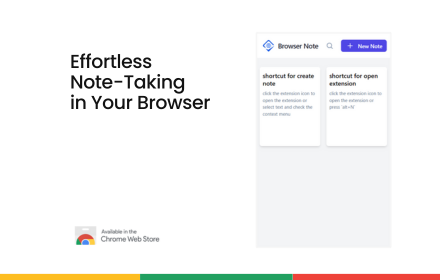
Browser Note - no more random sticky notes!
Finally, no more random sticky notes scattered across desktop!
200

TabNotepad
A modern tab manager with notes-tab related, search, and rich text editing
1

NotePad
Quick note-taking extension. Capture ideas, thoughts, and reminders instantly without leaving your browser.
5

Notepad PRO - Simple But Powerful Notepad
The simplest and most functional notepad in the world!
90

Temporary Notepad by ITKnowledgebases
A simple yet feature-rich notepad extension created by ITKnowledgeBases.com.
5
★ 5.0

NoteNest
Sticky notes per Chrome tab. Private, offline, auto-saving, and beautiful.
3
★ 5.0

Sidebar Notepad
A simple sidebar notepad for quick notes.
42

Quick Note 📝
Quickly jot down your important things!!
7
Data sourced from the Chrome Web Store · last verified Jun 1, 2026.