
Syncra - Premium Watch Party
The ultimate synchronized watch party for Amazon Prime Video. Watch with friends in perfect harmony with integrated live chat.
As of June 2026, Syncra - Premium Watch Party has 2 users and a 5.00/5 rating from 1 reviews in the Entertainment category.
Usersno change0%
2
2
Ratingno change0%
5.00
1 reviews
Reviewsno change0%
1
Version
1.2
Manifest V3
90-day change · In the last 90 days this extension 1 version update.
History
9 snapshotsTracking since Apr 1, 2026.
View as table
| Date | Users | Rating | Reviews | Version |
|---|---|---|---|---|
| Apr 1, 2026 | — | — | — | 1.1 |
| Apr 17, 2026 | — | — | — | 1.1 |
| Apr 27, 2026 | 1 | 5.00 | 1 | 1.2 |
| May 10, 2026 | 1 | 5.00 | 1 | 1.2 |
| May 15, 2026 | — | 5.00 | 1 | 1.2 |
| May 22, 2026 | 2 | 5.00 | 1 | 1.2 |
| May 28, 2026 | 4 | 5.00 | 1 | 1.2 |
| Jun 4, 2026 | 2 | 5.00 | 1 | 1.2 |
| Jun 10, 2026 | 3 | 5.00 | 1 | 1.2 |
| Now | 2 | 5.00 | 1 | 1.2 |
Permissions & access
- Permissions
- activeTabstorage
- Host access
- *://*.primevideo.com/*
Screenshots
About
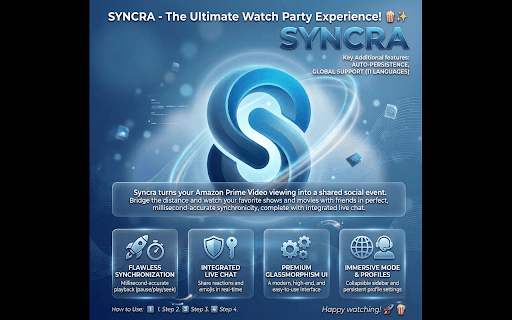
Syncra - The Ultimate Watch Party Experience! 🍿✨

Syncra turns your Amazon Prime Video viewing into a shared social event. Bridge the distance and watch your favorite shows and movies with friends in perfect, millisecond-accurate synchronicity, complete with integrated live chat.

Key Features:

🎬 Flawless Synchronization: Whether you pause, play, or seek, everyone in the room stays perfectly in sync. Experience movies together, saniye saniye, exactly as they happen!
💬 Integrated Live Chat: Share your reactions in real-time and celebrate your favorite moments with integrated emojis.
🌟 Premium Glassmorphism Interface: A modern, visually stunning, and easy-to-use interface designed for a high-end feel.
📱 Immersive Mode (Collapsible Sidebar): Collapse the chat panel at any time to enjoy your video in crystal-clear, full-width view.
💾 Auto-Persistence Profile Management: Your name, avatar, and language preferences are saved locally—no more re-configuring every time you join.
🌍 Global Support: With support for 11 different languages, Syncra is built for a worldwide audience.

How to Use:
1. Install the extension and open any video on Amazon Prime Video.
2. Click the Syncra icon in the top right to create a room.
3. Share the invite link with your friends.
4. Sit back, relax, and enjoy watching together!

Bring the cinema experience home and your friends right next to you with Syncra. Happy watching! 🚀🍿
Technical
- Version
- 1.2
- Manifest
- V3
- Size
- 30.17KiB
- Min Chrome
- 88
- Languages
- 1
- Featured
- No
Metadata
- ID
- nmmnbmmanmiginaknpalcmcmahmcnljn
- Developer ID
- u7ca54171a66775458574f8eab12ae932
- Developer Email
- [email protected]
- Created
- Mar 30, 2026
- Last Updated (Store)
- Apr 5, 2026
- Last Scraped
- Jun 10, 2026
- Website
- —
- Support URL
- —
Data sourced from the Chrome Web Store · last verified Jun 10, 2026.