
Disable Overscroll History
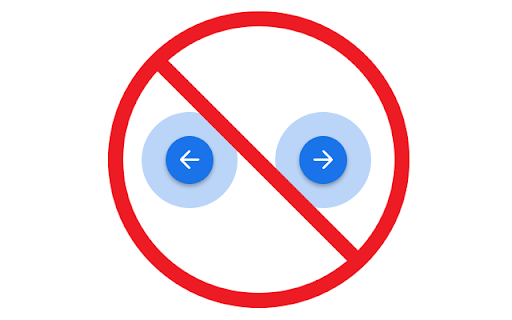
Prevent horizontal scrolling from triggering forward / backward page navigation.
As of June 2026, Disable Overscroll History has 1,000 users and a 5.00/5 rating from 16 reviews in the Accessibility category.
Usersno change0%
1.0K
1,000
Ratingno change0%
5.00
16 reviews
Reviewsno change0%
16
Version
1.1
Manifest V3
History
2 snapshotsTracking since Apr 16, 2026.
View as table
| Date | Users | Rating | Reviews | Version |
|---|---|---|---|---|
| Apr 16, 2026 | 1.0K | 5.00 | 16 | 1.1 |
| Apr 27, 2026 | 1.0K | 5.00 | 16 | 1.1 |
| Now | 1.0K | 5.00 | 16 | 1.1 |
Permissions & access
- Permissions
- None declared
- Host access
- None declared
Screenshots
About
Since Chrome 80, horizontal overscroll navigation has - for now - become impossible to disable (due to the removal of the overscroll-history-navigation flag; see https://issuetracker.google.com/u/1/issues/172341945)

This extension simply utilizes the `overscroll-behavior` CSS property to prevent overscroll navigation to help avoid frustration and accidental data loss.

Notice: You will need to refresh tabs after install to apply behavior. Specific websites may also opt back in to navigation behavior by force-overriding `overscroll-behavior` (not likely but possible). The plugin may also not run on certain built-in browser pages, like chrome://settings, where you will still see overscroll navigation occur. The aim of this plugin is to override the default behavior for most websites to help avoid frustration and data loss where possible without excessive permissions. This plugin uses a single tiny CSS file.
Technical
- Version
- 1.1
- Manifest
- V3
- Size
- 9.63KiB
- Min Chrome
- 88
- Languages
- 1
- Featured
- No
Metadata
- ID
- nlojpfaejoflmdlgbeohpidmnajmemhb
- Developer ID
- u76aed126aa8cf058e7de5f07271b16f2
- Developer Email
- [email protected]
- Created
- Jan 7, 2024
- Last Updated (Store)
- Jan 27, 2026
- Last Scraped
- Jun 7, 2026
- Website
- —
- Privacy Policy
- —
Similar extensions
Alternatives to Disable Overscroll History, ranked by description similarity.

Disable Ctrl + Scroll Wheel Zoom
Disables the ctrl + scroll wheel zoom shortcut in Chrome.
7.0K
★ 4.2

Auto Scroll
Windows-style autoscroll for Chrome/Brave - middle-click to scroll with customizable speed, colors, and controls
91

Reverse AutoScroll
Middle-click autoscroll with reversed direction on regular web pages.
25
★ 5.0

Scroll Zoom
Zoom web pages with the left or right mouse button and the scroll wheel.
3.0K
★ 4.3

Pixel scroll
Pixel scroll
135
★ 5.0

Smooth Scroll Control
Customize scroll speed and keybinds for web navigation. Adjust scroll direction and speed on-the-fly with user-defined controls.
—
★ 3.3

Auto Scroll: Effortless Page Navigation Chrome Extension
Enhance browsing by automating page scrolling. Customizable speeds & loop options. Streamline content consumption effortlessly.
10.0K
★ 3.2

Command+Scroll Zoom
Smothly zoom in and out web pages using Cmd+Scroll
25
★ 5.0
Data sourced from the Chrome Web Store · last verified Jun 7, 2026.