
DownThemAll!
The Mass Downloader for your browser
As of June 2026, DownThemAll! has 200,000 users and a 3.88/5 rating from 260 reviews in the Productivity category.
Usersno change0%
200.0K
200,000
Ratingdown 0.5 percent−0.5%
3.88
260 reviews
Reviewsup 4.4 percent+4.4%
260
Version
4.15.1
Manifest V3
90-day change · In the last 90 days this extension 1 version update.
History
9 snapshotsTracking since Apr 1, 2026.
View as table
| Date | Users | Rating | Reviews | Version |
|---|---|---|---|---|
| Apr 1, 2026 | 200.0K | 3.90 | 249 | 4.14.3 |
| Apr 18, 2026 | 200.0K | 3.89 | 250 | 4.14.3 |
| Apr 28, 2026 | 200.0K | 3.89 | 251 | 4.14.3 |
| May 8, 2026 | 200.0K | 3.89 | 253 | 4.14.3 |
| May 24, 2026 | 200.0K | 3.88 | 255 | 4.14.3 |
| Jun 3, 2026 | 200.0K | 3.88 | 256 | 4.14.3 |
| Jun 11, 2026 | 200.0K | 3.88 | 256 | 4.15.1 |
| Jun 15, 2026 | 200.0K | 3.89 | 255 | 4.15.1 |
| Jun 22, 2026 | 200.0K | 3.89 | 256 | 4.15.1 |
| Now | 200.0K | 3.88 | 260 | 4.15.1 |
Permissions & access
- Permissions
- contextMenusdownloadsdownloads.opendownloads.shelfhistorynotificationsoffscreenscriptingstoragetabswebNavigation
- Host access
- <all_urls>
Screenshots
About
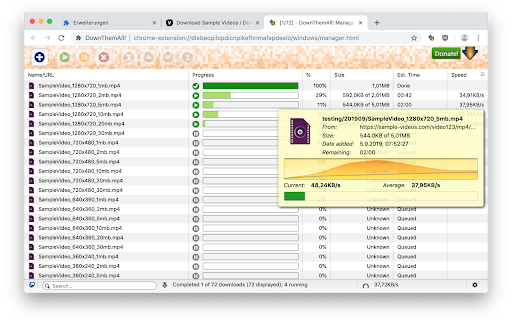
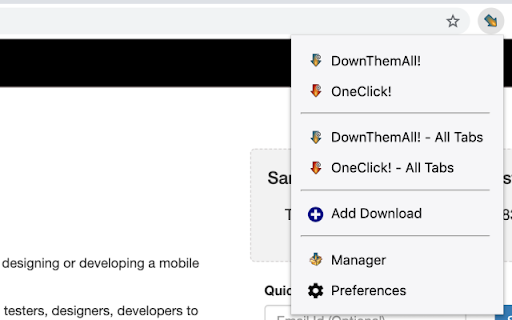
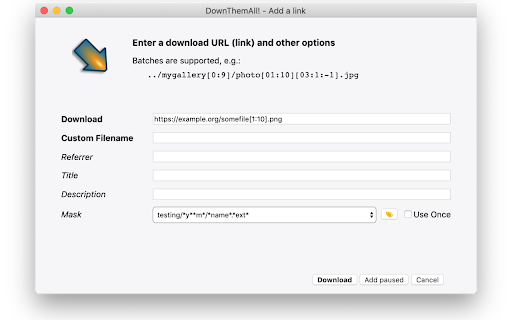
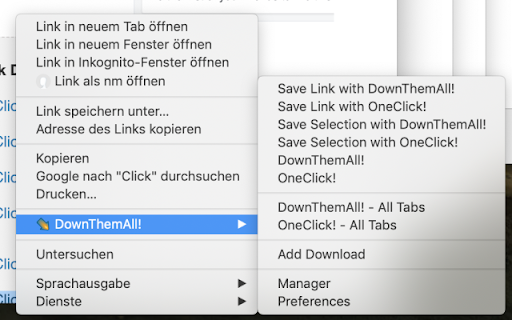
DownThemAll will help you select, queue, sort and run your downloads faster. It comes with advanced ways to select what links to download, and will remember your previous decisions so that you can queue more downloads with just OneClick!

Please note: If you have Chrome configured to "Ask where to save each file before downloading", then the browser will do just that, potentially showing you a lot of prompts. There is no way to override this browser behavior from within the extension. This can become tiresome when you download a lot of things through DownThemAll! You can change this setting in the general Chrome Settings under Downloads at any time.

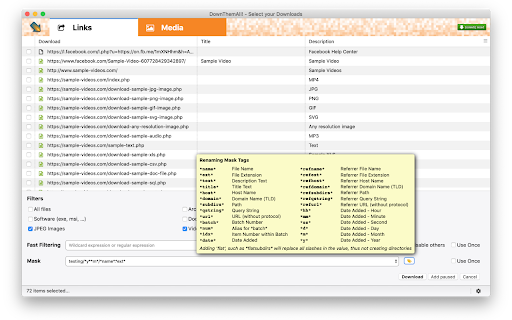
Advanced users will also like using renaming masks, which let you automatically assign names (and even sub-folders within your downloads folder), fast-filtering or even custom, re-usable filters.

DownThemAll is open-source and free. We spend a lot of time making it, and keep spending a lot of time improving it.
We will never add adware, spyware, user tracking or other nasty stuff. Therefore we rely on your donations exclusively to fund the development.

PS: We strive to have as few bugs as possible, so please be kind, patient and forgiving, and report any issues you have to https://github.com/downthemall/downthemall/issues
Technical
- Version
- 4.15.1
- Manifest
- V3
- Size
- 935KiB
- Min Chrome
- 88
- Languages
- 26
- Featured
- No
Metadata
- ID
- nljkibfhlpcnanjgbnlnbjecgicbjkge
- Developer ID
- u83ab9e0c687776e1ce58ace0322beb88
- Developer Email
- [email protected]
- Created
- Sep 7, 2019
- Last Updated (Store)
- May 27, 2026
- Last Scraped
- Jun 22, 2026
- Website
- —
- Privacy Policy
- —
Similar extensions
Alternatives to DownThemAll!, ranked by description similarity.

Down Them All
Extract all links, images, files from any page — filter, select, and download them all at once.
615
★ 1.0

All Links Downloader
Download all files/links from any web page. Includes URLs direct download and Bulk Link Scraper for multiple pages!
20.0K
★ 3.1

All Links Downloader
Extract and download all links, images, videos, and files from any page. Filter, select, and batch download with one click.
94

Site Download
Site Download
106

AzAd Smart Downloader
Bulk download images, documents, videos & archives from any webpage. Auto-scans page, previews files, smart filtering.
25
★ 5.0

Download Organizer
Automatically organizes downloaded files into folders based on domain and file type.
39

Download Helper
A Chrome extension for managing downloads
292
★ 2.5

Smart Download Sorter
Automatically sorts your downloads into folders by file type. Pro users can add custom sorting rules.
56
★ 1.0
Data sourced from the Chrome Web Store · last verified Jun 22, 2026.