
blur.uno
Blur sensitive information in screenshots instantly. Perfect for content creators, developers, and anyone sharing screens.
As of June 2026, blur.uno has 5 users and a 5.00/5 rating from 1 reviews in the Productivity category.
Usersup 66.7 percent+66.7%
5
5
Ratingno change0%
5.00
1 reviews
Reviewsno change0%
1
Version
0.1.0
Manifest V3
History
3 snapshotsTracking since Apr 18, 2026.
View as table
| Date | Users | Rating | Reviews | Version |
|---|---|---|---|---|
| Apr 18, 2026 | 3 | 5.00 | 1 | 0.1.0 |
| Apr 28, 2026 | 4 | 5.00 | 1 | 0.1.0 |
| Jun 3, 2026 | 4 | 5.00 | 1 | 0.1.0 |
| Now | 5 | 5.00 | 1 | 0.1.0 |
Permissions & access
- Permissions
- activeTabstoragedebuggeridentity
- Host access
- <all_urls>, https://blur.uno/*
Screenshots
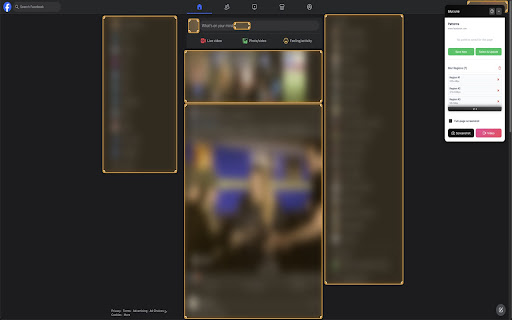


About
Protect Your Privacy When Sharing Screens

blur.uno is a powerful privacy tool that instantly blurs sensitive information in screenshots and screen recordings. Perfect for content creators, developers, educators, and anyone who shares screens professionally.

KEY FEATURES

One-Click Blur - Instantly blur passwords, emails, API keys, and personal data
Smart Pattern Detection - Automatically saves and reuses blur patterns
Screenshot Capture - Built-in screenshot tool with instant blur overlay
Video Recording - Record screen videos with real-time blur protection
Custom Blur Areas - Draw custom blur regions anywhere on your screen
Keyboard Shortcuts - Fast workflow with customizable hotkeys
No Data Collection - Your privacy is protected, all processing happens locally

PRIVACY FIRST

All blurring happens in your browser
No screenshots are sent to external servers
Optional account for syncing blur patterns across devices
Full GDPR compliance

PERFECT FOR

Software developers hiding credentials in tutorials
Content creators protecting viewer privacy
Teachers blurring student information
Business professionals in presentations
Security researchers demonstrating vulnerabilities
Anyone who values privacy

HOW IT WORKS

1. Click the extension icon to enable blur mode
2. Draw blur regions on sensitive areas
3. Capture screenshots or record videos
4. Sensitive data stays protected automatically

Visit https://blur.uno for documentation, tutorials, and support.

Made with care for your privacy. Free to use, no ads.
Technical
- Version
- 0.1.0
- Manifest
- V3
- Size
- 53.67KiB
- Min Chrome
- 88
- Languages
- 1
- Featured
- No
Metadata
- ID
- nlhhekmnlcndflbolhpbhekadkaoecil
- Developer ID
- u69fd5b8af4573824e7a814a9f6ae8e2b
- Developer Email
- [email protected]
- Created
- Nov 29, 2025
- Last Updated (Store)
- Nov 29, 2025
- Last Scraped
- Jun 3, 2026
- Website
- blur.uno
- Support URL
- https://blur.uno/en/privacy-policy
- Privacy Policy
- https://blur.uno/en/privacy-policy
Similar extensions
Alternatives to blur.uno, ranked by description similarity.

Blurby
Privacy-focused extension that automatically blurs sensitive information for secure screen recording and sharing
2

BlurIt - Instant Privacy Blur
Capture any screen and instantly blur sensitive information with pro-grade tools.
7

ScreenBlur: Hide Sensitive Data & Blur Text on Page
Privacy tool for content creators - blur sensitive information before screen sharing or recording
61
★ 1.0

Blurly: One-Click Element Blurring for Screen Sharing
The easiest way to blur web content. Protect your sensitive data for screen recordings and calls
8

SafeBlur
Blur sensitive info (emails, phones, dates, keywords) on webpages during screen recording or sharing.
2

Blur App - Privacy Blur Tool for Screen Shares & Recordings
Privacy screen recording tool to blur sensitive information.
3

Blurry Pro - Screenshot Tool
Sfoca, mescola o modifica testo nelle pagine web.
—

Safe Screen Share
Automatically blur out personal info while sharing your screen
284
★ 4.3
Data sourced from the Chrome Web Store · last verified Jun 3, 2026.